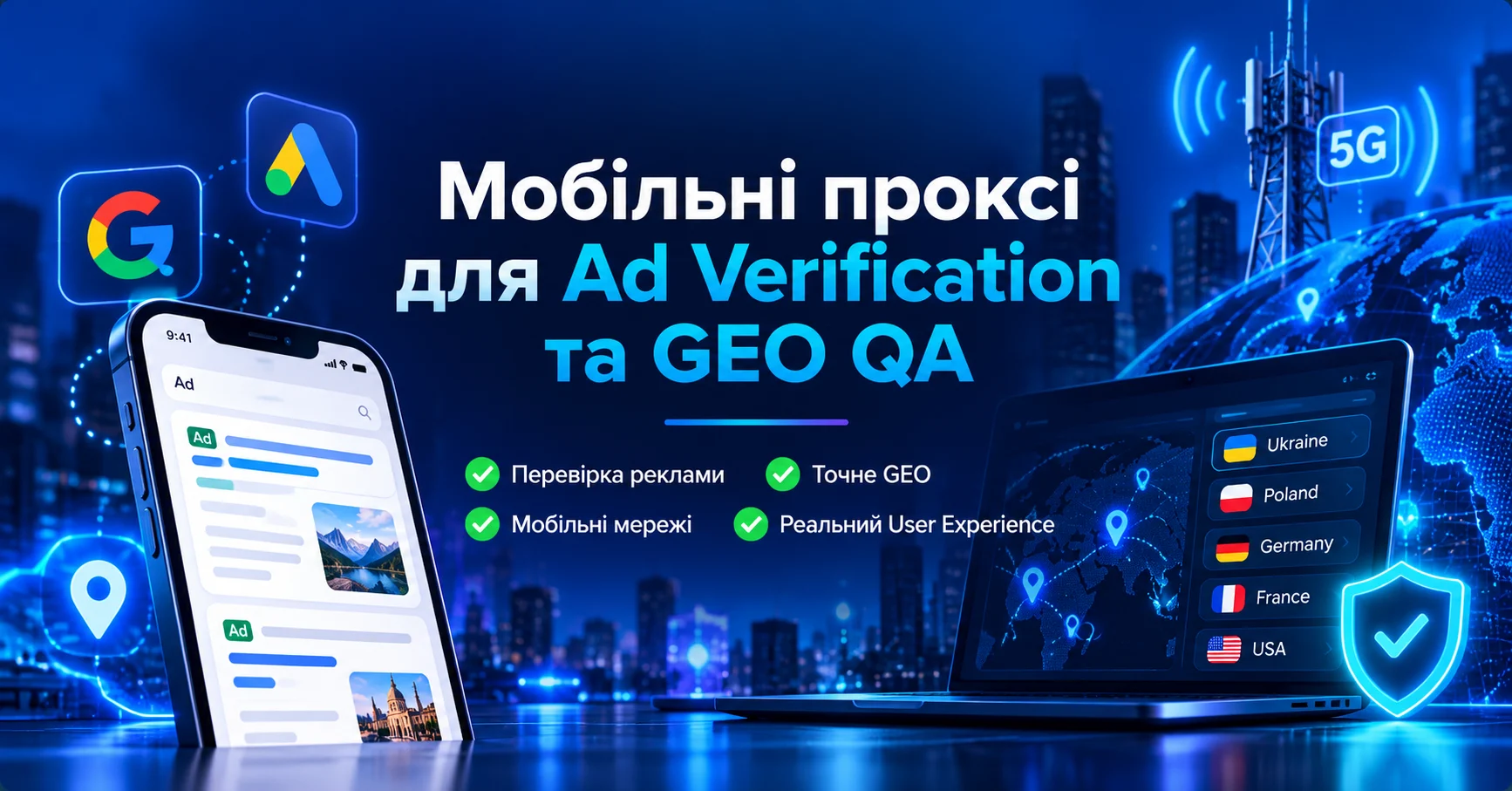
Mobile Proxies for Ad Verification and GEO QA

An advertising campaign can be configured correctly in the platform dashboard and still deliver a different experience depending on the user’s country, network, device, or mobile connection.

This is where Ad Verification and GEO QA become useful.

A mobile proxy adds a separate network perspective to the testing process by routing traffic through a mobile carrier IP in the required GEO. It can help QA teams check landing pages, localization, redirects, regional content, creatives, and mobile campaign destinations through a 4G/LTE/5G network.

However, a proxy controls only part of the environment. It changes the network route, public IP, ASN, and part of the GEO context, but it does not automatically reproduce device state, browser configuration, cookies, account state, language, consent state, or user behavior.

What Is Ad Verification?

Ad Verification is the process of checking how an advertising campaign is actually delivered and what the end user sees.

Depending on the workflow, teams may verify:

  • the correct creative;
  • target GEO;
  • landing page;
  • regional redirects;
  • language;
  • currency;
  • mobile rendering;
  • destination URL;
  • tracking parameters;
  • regional page versions;
  • differences between mobile and desktop experiences.

The purpose is to verify the actual user experience under controlled conditions.

What Is GEO QA?

GEO QA means testing a website, campaign, or landing page from different geographic and network environments.

For example:

Ukraine → Kyivstar

Ukraine → Vodafone

Ukraine → lifecell

A QA team can compare:

  • creative;
  • landing page;
  • language;
  • currency;
  • redirects;
  • consent state;
  • tracking;
  • mobile rendering.

This is particularly useful when the verification team is physically located outside the target market.

Why IP Alone Is Not Enough

Location and campaign delivery should not be evaluated by IP alone.

A controlled test environment may also need to account for:

  • IP;
  • country;
  • ASN;
  • carrier;
  • device type;
  • browser;
  • User-Agent;
  • language;
  • timezone;
  • cookies;
  • account state;
  • consent state.

A mobile proxy controls the network layer, not the entire user profile.

When Mobile Proxies Are Useful for Ad Verification

Mobile Advertising

Mobile proxies are especially useful when a campaign targets mobile users.

Typical workflow:

QA environment → mobile proxy → mobile carrier → target resource

Useful scenarios include:

  • mobile landing pages;
  • mobile-first campaigns;
  • responsive creatives;
  • app-related pages;
  • mobile redirects;
  • carrier-level QA.

GEO Testing

A QA engineer outside the target country can use a mobile endpoint in the required market.

For example:

QA engineer in Poland → Ukrainian mobile proxy → Ukrainian landing page

The team can check:

  • language;
  • local currency;
  • regional content;
  • redirects;
  • mobile layout.

Landing Page Verification

Ad verification should not stop at the creative.

A practical verification chain is:

campaign → destination URL → redirect → landing page → localization → analytics

Google Ads: Proxy or Ad Preview and Diagnosis?

For your own Google Search campaigns, Ad Preview and Diagnosis should normally be the first tool used to check whether an ad is showing and how it appears.

A mobile proxy has a different role and can complement that workflow by helping test:

  • landing pages;
  • redirects;
  • localization;
  • mobile rendering;
  • GEO-dependent site behavior;
  • carrier-network connectivity.

A practical workflow is:

Ad Preview and Diagnosis → confirm campaign/ad → mobile proxy → verify destination environment

Mobile, Residential, or Datacenter Proxies

Mobile Proxy

A mobile proxy is useful when you need:

  • a mobile carrier IP;
  • 4G/5G network context;
  • carrier ASN;
  • mobile landing-page testing;
  • a mobile-only scenario;
  • a stable carrier session.

Residential Proxy

Residential proxies may be more practical for:

  • broad web verification;
  • many GEOs;
  • desktop/web scenarios;
  • large-scale regional testing.

Mobile proxies are most valuable when the workflow specifically requires a mobile carrier perspective.

Datacenter Proxy

Datacenter proxies can be useful for:

  • technical QA;
  • API testing;
  • availability monitoring;
  • basic network checks.

However, a datacenter IP does not reproduce a consumer mobile carrier connection.

How to Build an Ad Verification Workflow

Step 1. Define the Test Question

Start with a clear question rather than choosing a proxy first.

For example:

Does the Ukrainian landing page load correctly through a Ukrainian mobile carrier?

Step 2. Create a Test Matrix

Record:

  • Country;
  • Region;
  • Carrier;
  • Network type;
  • Device;
  • Browser;
  • Language;
  • Account state;
  • Cookie state;
  • Test URL;
  • Expected result.
ParameterValue
CountryUkraine
CarrierKyivstar
DeviceAndroid
BrowserChrome
LanguageUkrainian
SessionClean
LandingUA version
Expected currencyUAH

Step 3. Configure the Proxy

Typical proxy credentials include:

  • host;
  • port;
  • username;
  • password;
  • protocol.

For browser-based QA, HTTP(S) or SOCKS5 are common options.

For more information about mobile IPs and rotation, see Mobile Proxies: 4G/LTE, CGNAT and IP Rotation.

Step 4. Verify the Exit Network

Check:

  • external IP;
  • country;
  • ASN;
  • carrier;
  • DNS;
  • connection stability.

Step 5. Keep One Stable Session

For a multi-step flow, avoid changing the IP in the middle of the test.

page → redirect → landing → consent → screenshot

should ideally remain within one stable network session.

Step 6. Capture Evidence

Log:

  • timestamp;
  • IP;
  • ASN;
  • carrier;
  • GEO;
  • URL;
  • final URL;
  • device/browser;
  • screenshot;
  • result.

Step 7. Rotate Between Test Cases

Rotation can be useful between independent test scenarios.

For Ad Verification, controlled and reproducible testing is more valuable than changing IP addresses as frequently as possible.

What to Check During GEO QA

  • GEO: is the required country detected?
  • ASN: does the IP belong to the expected network?
  • Carrier: is the expected mobile carrier detected?
  • Language: is the correct localized version displayed?
  • Currency: is the correct currency used?
  • Landing page: does the correct page load?
  • Redirects: are there unexpected regional redirects?
  • Creative: does it match the expected campaign?
  • CTA: do buttons and forms work?
  • Mobile rendering: is the layout correct?
  • Tracking: are allowed UTM parameters preserved?

Sticky Sessions vs Rotation

Sticky Session

Use a sticky session for:

  • multi-step flows;
  • redirect chains;
  • landing-page QA;
  • form testing;
  • localization;
  • screenshot documentation.

Rotation

Use rotation for:

  • new test cases;
  • another carrier IP;
  • repeated verification;
  • independent network observations.

Test A → sticky session → finish → rotation → Test B

Private or Shared Mobile Proxy for QA?

For regular QA, a private endpoint can make administration easier because it provides:

  • clear ownership of the endpoint;
  • more predictable rotation control;
  • a more stable testing environment;
  • simpler result reproduction;
  • easier troubleshooting.

See the comparison Dedicated vs Shared Mobile Proxies for more detail.

Common Ad Verification Mistakes

Treating IP as the Only GEO Signal

Advertising systems can use more than one signal to determine location and delivery.

Changing the IP Mid-Test

This makes the result more difficult to reproduce.

Ignoring ASN

The country may be correct while the network type is not what you expected.

Ignoring Browser State

Cookies, account state, and consent can influence the result.

Assuming Mobile Is Always Better

Residential proxies may be more practical for broad desktop and web verification.

Drawing Conclusions From One Test

One result is one observation. Important QA results should be reproduced.

MSOCKS Mobile Proxies for Ad Verification and GEO QA

For workflows requiring a Ukrainian mobile-network perspective, MSOCKS provides mobile proxy connections through Ukrainian carrier networks.

Relevant capabilities include:

  • Ukraine GEO;
  • Kyivstar, Vodafone, and Life/lifecell;
  • private connection for one customer;
  • unlimited traffic;
  • HTTP(S);
  • SOCKS5/UDP;
  • controlled IP rotation;
  • the ability to test the actual connection before purchase.

Practical workflow:

QA environment → MSOCKS mobile proxy → Ukrainian carrier → landing page → GEO / ASN / localization / mobile rendering

Ad Verification and GEO QA Checklist

  1. Is the Country correct?
  2. Is the ASN correct?
  3. Is the Carrier correct?
  4. Is the session stable?
  5. Is the language version correct?
  6. Is the currency correct?
  7. Is the creative correct?
  8. Is the landing page correct?
  9. Are there unexpected redirects?
  10. Does the mobile layout work?
  11. Are UTM parameters preserved?
  12. Does the CTA work?
  13. Was a screenshot captured?
  14. Was the timestamp recorded?
  15. Can the test be reproduced?

FAQ

What Is an Ad Verification Proxy?

It is a proxy used as a controlled network perspective for checking advertising creatives, landing pages, GEO, localization, redirects, and other campaign elements.

Why Use a Mobile Proxy for Ad Verification?

A mobile proxy is useful when the verification requires an actual mobile-carrier network context, especially for mobile web and 4G/5G workflows.

Does a Mobile Proxy Guarantee Accurate GEO?

No. GEO databases and advertising systems can use different signals. A proxy controls the network IP but does not reproduce the complete location logic of a real user.

Mobile or Residential Proxy for Ad Verification?

Residential proxies are often practical for broad web verification. Mobile proxies are particularly useful for mobile-first and carrier-specific QA.

Should I Rotate the IP?

Yes, between independent tests. Keep one stable session during a multi-step verification flow.

Can I Check Google Ads With a Proxy?

For Google Search Ads, start with Ad Preview and Diagnosis. A proxy is useful as an additional tool for landing-page, localization, and external GEO QA.

Should I Check ASN?

Yes. Country alone does not tell you which network infrastructure the connection uses.

Are Mobile Proxies Useful for Landing-Page QA?

Yes. They can help test localization, redirects, currency, mobile rendering, and network-dependent behavior.

Conclusion

Mobile proxies for Ad Verification and GEO QA provide a controlled mobile-network perspective for advertising QA.

They are especially useful when you need to control:

GEO → ASN → carrier → mobile network → session → landing page

A practical workflow is:

define the test → choose GEO → configure the proxy → verify IP/ASN → run a sticky session → document the result → rotate between independent tests

A mobile proxy is not a complete user simulator, but it can be a valuable part of a structured and reproducible advertising QA process.
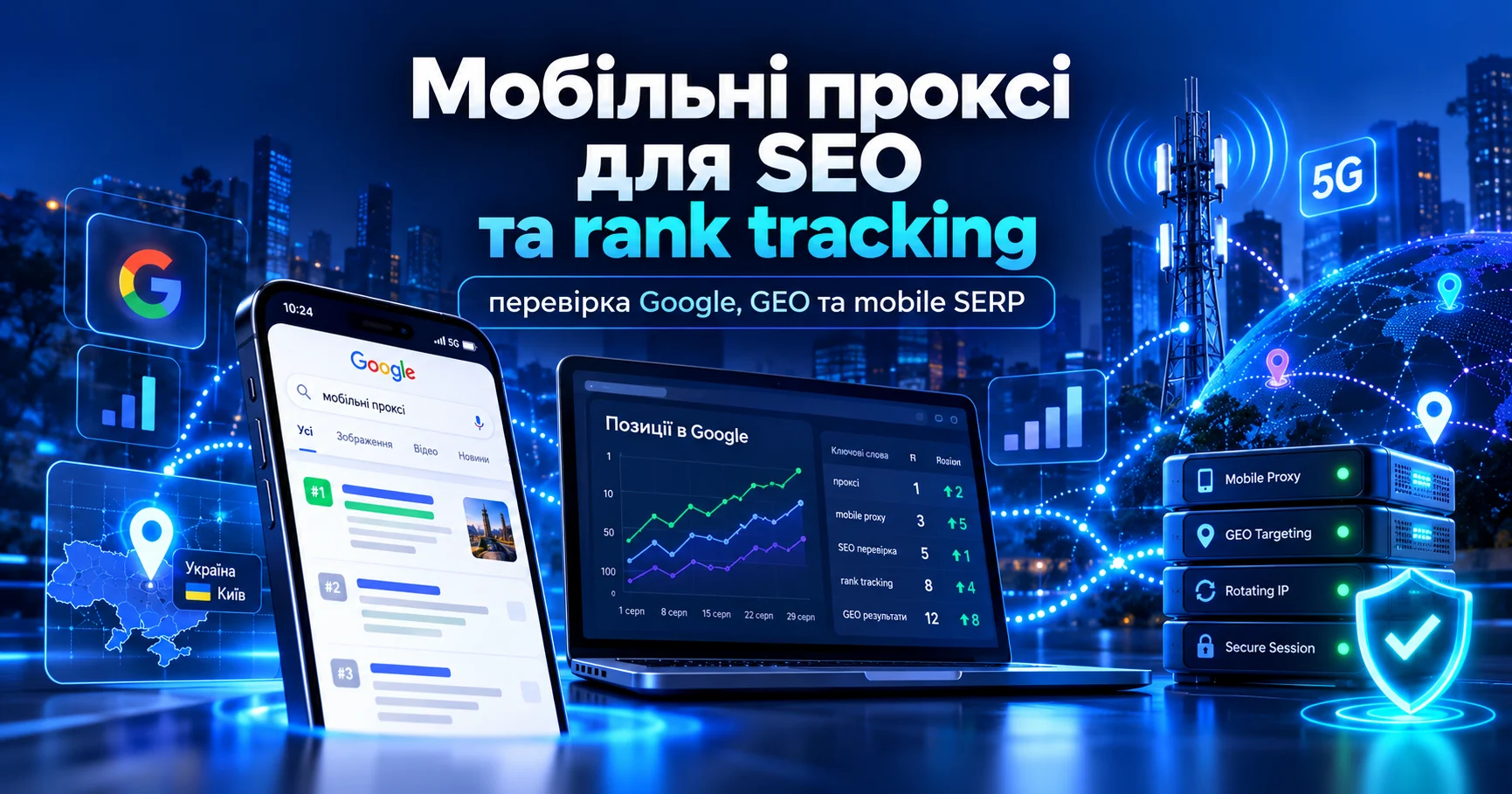
Mobile Proxies for SEO and Rank Tracking

SEO analytics depends on accuracy. If Google rankings, local search results, or mobile SERPs are checked from the wrong IP, country, device, or an unstable network environment, the resulting data can quickly become noisy. This is why mobile proxies are increasingly used for rank tracking, SERP monitoring, GEO checks, and technical SEO.

A mobile proxy provides an IP address from a real mobile carrier network. For SEO, this matters because Google may show different results depending on the country, city, device type, language, session history, network, and behavioral signals. If a business targets a specific region, checking search results from just any IP is no longer enough.

In this guide, we will explain when mobile proxies are useful for SEO, how they help with rank tracking, which settings matter, how frequent IP rotation can affect data consistency, and what to check before choosing a proxy.

What Are Mobile Proxies in SEO?

Mobile proxies route traffic through IP addresses assigned by mobile carriers. Instead of appearing as a datacenter connection or home Wi-Fi network, the SEO tool connects through a mobile network such as 4G, LTE, or 5G.

For SEO, this is useful when you need to view Google under conditions closer to those of a real mobile user:

  • checking rankings in local search results;
  • mobile SERP tracking;
  • monitoring competitors across different GEOs;
  • checking snippets, titles, and meta descriptions;
  • analyzing People Also Ask, related searches, and local SERP features;
  • testing mobile landing pages;
  • checking redirects, hreflang, and regional site versions;
  • QA for ads, UTM parameters, and landing pages;
  • working with SEO tools that require stable IP connections.

The main value of a mobile proxy for SEO is not anonymity for its own sake, but control over the conditions in which the search results are checked.

Why a Regular Ranking Check Is Often Not Enough

SEO specialists often see different rankings for the same query. This is normal because Google personalizes and localizes results. Even when personalization is minimized, search results may still be influenced by:

  • IP country;
  • city or region;
  • browser language;
  • device type;
  • mobile or desktop SERP;
  • search history;
  • cookies;
  • Google datacenter;
  • carrier or ASN;
  • request frequency from the same IP.

Because of this, an “average” ranking does not always reflect what a real user sees. A site may rank highly from a desktop IP in Kyiv but lower in the mobile SERP from another region. An English-language page may also perform well while the Ukrainian version performs worse because of a weaker intent match.

Mobile proxies make it easier to test these scenarios under controlled conditions.

SEO Tasks Where Mobile Proxies Are Useful

Google Rank Tracking

Rank tracking is the regular monitoring of website positions for target keywords. If rankings are checked from a single unstable or irrelevant IP, some of the resulting data may be inaccurate.

Mobile proxies can help you:

  • check rankings from the required country;
  • view mobile search results closer to the experience of a real user;
  • reduce the risk of restrictions during repeated checks;
  • separate projects across different IPs;
  • compare results between regions.

For MSOCKS, this is particularly relevant for projects targeting Ukraine that need to verify Google results through Ukrainian mobile carrier networks.

Local SERP Tracking

Local search results may vary significantly even within the same country. For businesses tied to a particular region, it is important to see not an abstract version of Google but the results a potential customer is likely to encounter.

A mobile proxy can be useful for:

  • local SEO;
  • service businesses;
  • e-commerce with regional delivery conditions;
  • sites with multiple language or regional versions;
  • checking Google Business Profile results;
  • monitoring local competitors.

If users search for a service from their phones, a desktop check from a datacenter IP may provide an incomplete picture.

Mobile-First SEO

Google has long evaluated websites with a mobile-first approach, and many commercial queries receive a significant share of mobile traffic. SEO specialists therefore need to check not only the ranking itself, but also how the page appears in mobile search results.

Using mobile proxies, you can check:

  • whether mobile SERPs differ from desktop SERPs;
  • whether titles and descriptions are displayed correctly;
  • whether PAA, video, local pack, or shopping blocks appear;
  • whether regional redirects are triggered;
  • whether language versions work correctly;
  • whether content changes across GEOs.

This is especially important in niches where users make decisions quickly, including delivery, repair services, healthcare, financial services, e-commerce, SaaS, and local services.

Mobile, Residential, or Datacenter Proxies for SEO

Different proxy types can be used for SEO, but they provide different network characteristics.

Datacenter Proxies

Datacenter proxies are usually fast and less expensive, but they are easier to identify as non-consumer network traffic. They may work for basic technical checks, but regular SERP tracking can result in more CAPTCHAs or temporary restrictions.

Residential Proxies

Residential proxies use IP addresses associated with household ISP connections. They are useful for broad GEO testing and many research tasks. However, when the goal is to test a mobile SERP or a smartphone-user scenario, a residential IP may not reproduce the same network context.

Mobile Proxies

Mobile proxies are best suited to tasks where the mobile carrier, 4G/5G environment, stable session, and mobile-first context matter. They are particularly useful for local SEO, rank tracking, ad checks, SMM projects, and mobile SERP testing.

Sticky Sessions or Rotation for Rank Tracking

One common mistake in SEO monitoring is changing the IP too frequently. Rotation can be useful, but it is not always the right choice.

When to Use a Sticky Session

A sticky session is useful when you need to:

  • check several queries within the same regional context;
  • compare SERPs for a group of keywords;
  • test local results without frequent IP changes;
  • monitor ranking stability;
  • work with an SEO tool that does not handle frequent IP changes well.

For rank tracking, stable conditions are often more important than the maximum possible number of IP addresses.

When IP Rotation Is Useful

Rotation can be useful when:

  • you need to check a large number of keywords;
  • temporary restrictions may occur;
  • projects need to be separated;
  • you need to compare results across different networks or regions;
  • the tool performs regular automated requests.

The better approach is not random rotation, but controlled IP changes that follow the logic of the task.

How to Configure a Mobile Proxy for SEO Tools

Most SEO tools and custom scripts accept a standard proxy format:

host:port:username:password

Or separate fields:

  • proxy host;
  • proxy port;
  • username;
  • password;
  • protocol: HTTP, HTTPS, or SOCKS5.

Before starting rank tracking:

  1. Choose the required GEO and carrier.
  2. Select the correct protocol.
  3. Add the username and password or configure an IP whitelist.
  4. Check the external IP address.
  5. Verify the country, ASN, and carrier.
  6. Run a small test set of keywords.
  7. Check for CAPTCHAs or unstable responses.
  8. Only then start the full rank-tracking process.

If the check is performed from an Android device, see the MSOCKS guide on setting up a mobile proxy on Android.

What to Check After Connecting

A successful proxy connection does not automatically mean that the proxy is suitable for SEO.

Check:

  • whether the GEO matches the required country;
  • whether the ASN belongs to the expected mobile carrier;
  • whether Google opens consistently;
  • whether persistent CAPTCHAs appear;
  • whether the IP remains stable during one session;
  • whether response speed is sufficient;
  • whether the language of the SERP is correct;
  • whether local pages open as expected;
  • whether DNS or WebRTC leaks occur;
  • whether the rotation URL works correctly.

For rank tracking, consistency and repeatability are just as important as raw speed.

Common SEO Proxy Mistakes

Checking All Keywords From One IP

If a large list of queries is checked from one IP without pauses or a clear request strategy, you may encounter CAPTCHAs, temporary restrictions, or unstable SERPs.

Changing the IP After Every Query

This is not always the right approach either. Local rank tracking benefits from preserving a consistent context. Excessive rotation can make the resulting data harder to compare.

Mixing Mobile and Desktop Results

Positions in mobile and desktop SERPs may differ. If both are mixed in one report, it becomes difficult to understand the actual trend.

Not Checking GEO and ASN

An IP may appear to belong to the correct country while actually originating from an unexpected network type. For mobile SEO, it is important to verify not only the country but also the carrier or ASN.

Trusting a Single Tool Without Manual Verification

A rank tracker can make mistakes. For important queries, it is useful to manually verify the SERP in a separate session with a clean browser and the correct GEO.

MSOCKS Mobile Proxies for SEO

MSOCKS is suitable for SEO teams that want to check Google through Ukrainian mobile IP addresses and control IP rotation.

For SEO and rank tracking, relevant capabilities include:

  • Ukrainian GEO;
  • Kyivstar, Vodafone, and lifecell mobile networks;
  • HTTP(S) and SOCKS5/UDP;
  • private access model;
  • unlimited traffic;
  • controlled IP changes;
  • the ability to test the proxy before purchase;
  • use in browsers, SEO tools, Android devices, or anti-detect environments.

Practical workflow:

SEO tool → MSOCKS mobile proxy → Google SERP → rankings, GEO, mobile results and competitor checks

This setup can provide a more controlled environment for local SEO, mobile search results, and regular rank monitoring.

FAQ

Do I Need Mobile Proxies for Rank Tracking?

Yes, when you need to check mobile or local search results, work with a specific GEO, reduce the risk of restrictions during repeated checks, and maintain more consistent conditions for regular monitoring.

Can I Check Rankings Without a Proxy?

Yes, but the results may be influenced by your real IP address, location, browser language, history, and device type. Professional rank tracking benefits from controlling these conditions.

Which Proxies Are Better for SEO: Mobile or Residential?

Residential proxies can work well for broad research and GEO testing. Mobile proxies are better suited to mobile SERP checks, local SEO, mobile carrier testing, and workflows where stable mobile sessions matter.

Do I Need IP Rotation for SEO?

Yes, but it should be controlled. A sticky session often works better for one group of keywords, while larger keyword lists or multiple GEOs may benefit from rotation.

Can a Proxy Affect Ranking Accuracy?

Yes. The IP, GEO, network type, and session stability can influence which version of the SERP an SEO tool or browser receives.

Can Mobile Proxies Be Used for Competitor Research?

Yes. They can help check how competitors appear in local and mobile search results, which snippets are displayed, which SERP features are present, and how results differ across regions.

Do I Need a Mobile Proxy for Google Search Console?

Usually not for working inside GSC itself. A mobile proxy can still be useful for manually checking SERPs, local results, mobile search output, and page QA.

Conclusion

Mobile proxies for SEO are a tool for controlling the conditions under which search data is collected. They help you check Google from a required GEO, view mobile SERPs, monitor rankings more accurately, test local pages, and analyze competitors under controlled network conditions.

For rank tracking, it is not enough to simply use any proxy. The protocol, GEO, session strategy, rotation, and IP verification all need to match the task. In SEO, accuracy is often more important than the number of requests.

If you need Ukrainian mobile IP addresses for Google rank tracking, local SERP checks, mobile SEO, or regular search monitoring, test MSOCKS in your real workflow before launching full-scale monitoring.

How to Set Up a Mobile Proxy on Android

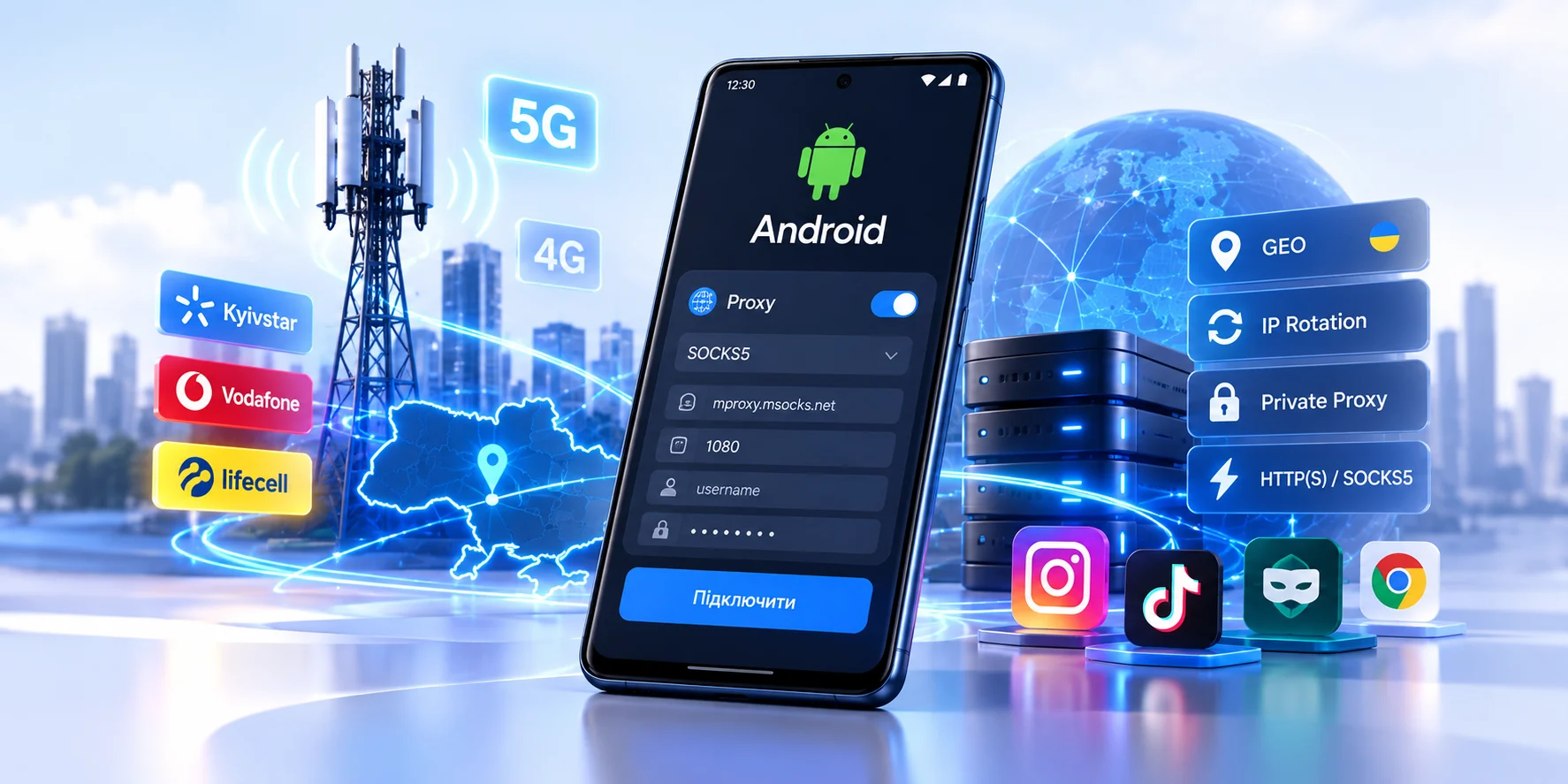
A mobile proxy on Android is useful when your traffic needs to go through a specific IP address, country, mobile carrier or separate network environment. This matters for SMM, GEO testing, mobile landing page QA, Instagram or TikTok workflows, anti-detect browser profiles and other cases where IP origin and connection stability are important.

However, Android proxy settings are often misunderstood. The built-in proxy option usually works only for a specific Wi-Fi network. It may not support username and password authentication, does not normally support SOCKS5, and some apps may ignore system proxy settings completely.

That is why the correct setup depends on what you need: a proxy for browser traffic on Wi-Fi, a proxy for a specific Android app, HTTP(S) or SOCKS5 with authentication, mobile data routing over 4G/5G, or a stable network environment for social media and QA.

What You Need Before Setup

Before opening Android settings, prepare your proxy details:

  • Host;
  • Port;
  • Protocol: HTTP, HTTPS or SOCKS5;
  • Username and password, if authentication is used;
  • Rotation URL, if available;
  • Required GEO and mobile carrier.

With MSOCKS, Android workflows can use Ukrainian mobile proxies through Kyivstar, Vodafone or lifecell, with HTTP(S), SOCKS5/UDP and controlled IP rotation. For a deeper technical explanation, link internally to the MSOCKS article about 4G/LTE, CGNAT and IP rotation.

Set Up a Proxy Through Android Wi-Fi Settings

This is the simplest method, but it has the most limitations. It can work when you only need an HTTP proxy for browser traffic on one Wi-Fi network.

Step-by-Step Wi-Fi Proxy Setup

  1. Open Settings on your Android device.
  2. Go to Wi-Fi or Network & Internet.
  3. Tap the connected Wi-Fi network.
  4. Open Advanced settings or Modify network.
  5. Find Proxy.
  6. Select Manual.
  7. Enter the proxy host in Proxy hostname.
  8. Enter the port in Proxy port.
  9. Save the settings.
  10. Open a browser and check your external IP.

After this, some HTTP/HTTPS traffic on that Wi-Fi network may go through the proxy.

Limits of Android Wi-Fi Proxy Settings

The built-in Android Wi-Fi proxy is not a universal device-wide proxy. It may not be suitable if your proxy requires username and password, you need SOCKS5, you want to proxy mobile data over 4G/5G, the target app ignores system proxy settings, or you need reliable full-device routing.

For paid mobile proxies, a dedicated Android proxy app is often more practical.

Use an Android Proxy App

If you need SOCKS5, username/password authentication or proxy routing for specific apps, use an Android proxy client that supports HTTP and SOCKS5.

This method is better for SOCKS5 proxy on Android, mobile proxies with login and password, Instagram and TikTok workflows, SMM tools, GEO testing and cases where Android system proxy settings are ignored.

General Proxy App Setup

  1. Install an Android proxy app that supports HTTP/SOCKS5.
  2. Create a new proxy profile.
  3. Select the protocol: HTTP, HTTPS or SOCKS5.
  4. Enter host and port.
  5. Add username and password if required.
  6. Enable the connection.
  7. Choose whether to route the whole device or selected apps, if supported.
  8. Check external IP, GEO and ASN.

This approach is usually better for professional mobile proxies because the proxy client can handle authentication internally.

Use APN Proxy Settings for Mobile Data

Some Android devices allow a proxy to be added inside APN settings. APN stands for Access Point Name and controls how your phone connects to the mobile carrier network.

The path usually looks like this:

Settings -> Mobile network -> SIM -> Access Point Names / APN

Open the active APN and check whether fields such as Proxy, Port, Username or Password are available.

When APN Proxy Is Not Enough

APN proxy settings are not always reliable. Not every carrier allows APN editing, not every Android version exposes the required fields, proxy authentication may not be supported, SOCKS5 is usually not suitable for APN setup, and an incorrect APN can break mobile internet connectivity.

Use APN carefully. For authenticated SOCKS5 or stable app-level routing, a proxy app is usually the better option.

HTTP or SOCKS5: Which Should You Choose on Android?

HTTP(S) is practical for browser usage, web services, simple setup, some SMM tools and quick IP or GEO checks.

SOCKS5 is often useful for Android proxy apps, specialized clients, anti-detect browsers, tools that directly support SOCKS5 and more flexible traffic routing.

For MSOCKS, choose the protocol that matches your app. Browser workflows often work well with HTTP(S), while specialized tools may require SOCKS5.

How to Use a Mobile Proxy for Instagram on Android

For Instagram, the IP address is only one part of the environment. The platform may also consider cookies, device signals, login history, language, timezone and user behavior. A proxy does not make an account invisible and does not guarantee that restrictions will not happen.

A practical setup is simple: use a stable mobile proxy, do not rotate the IP during login or uploads, check GEO and ASN before logging in, use a sticky session for long work sessions and separate independent projects into separate environments when needed.

For a dedicated Instagram guide, link internally to the MSOCKS article about mobile proxies for Instagram.

How to Check That the Proxy Works

Do not start a working account or important workflow immediately after setup. First, test the connection.

Check IP, GEO, ASN, carrier, DNS, WebRTC, ping, download speed, upload speed, rotation and stability. For Instagram and TikTok, upload speed is especially important because these platforms rely heavily on media.

Common Android Proxy Setup Mistakes

The most common mistakes are wrong protocol, wrong port, extra spaces in credentials, trying to use SOCKS5 in Wi-Fi proxy settings, expecting Wi-Fi proxy to work on mobile data, rotating IP too often and not checking ASN or GEO.

A proxy sold as a “Ukraine proxy” should still be verified. Check the actual IP, country, ASN and carrier before using it in a real workflow.

MSOCKS Mobile Proxies for Android

MSOCKS is suitable when you need a Ukrainian mobile IP, stable sessions and controlled IP rotation.

For Android scenarios, MSOCKS offers Ukrainian GEO, Kyivstar, Vodafone and lifecell mobile networks, private proxy model, HTTP(S) and SOCKS5/UDP, unlimited traffic, IP rotation through dashboard, link or timer, and a trial before purchase.

The practical setup is:

MSOCKS -> HTTP/SOCKS5 proxy -> Android proxy app or Wi-Fi setup -> target app -> IP/GEO/ASN check

Before buying, test your real workflow: browser, Instagram, TikTok, SMM tool, uploads, session stability and IP rotation.

FAQ

Can I set up a proxy on Android without an app?

Yes, but mainly for Wi-Fi and HTTP proxy scenarios. For SOCKS5, username/password authentication or mobile data, a proxy app is usually required.

Where are proxy settings on Android?

Usually: Settings -> Wi-Fi -> current network -> Advanced settings -> Proxy -> Manual. Exact names vary by Samsung, Xiaomi, Pixel and other devices.

Does Android Wi-Fi proxy work for Instagram?

Not always. Some apps ignore system proxy settings. For Instagram, a proxy app or separate working environment is often more reliable.

How do I set up a SOCKS5 proxy on Android?

Use an Android proxy app that supports SOCKS5 and allows you to enter host, port, username and password.

Can I use a proxy with 4G or 5G mobile data on Android?

Yes, but not through standard Wi-Fi proxy settings. You can try APN proxy if supported, or use a proxy app.

Why is my Android proxy not working?

Common reasons include wrong protocol, wrong port, incorrect credentials, unsupported SOCKS5, app bypassing the proxy, incorrect APN settings or missing IP whitelist.

Which is better for Android: HTTP or SOCKS5?

HTTP(S) is often enough for browser workflows. SOCKS5 is better for apps and tools that directly support it.

Does a mobile proxy protect an account from restrictions?

No. A proxy changes the network route and external IP, but it does not replace device signals, cookies, account behavior or platform rules.

Conclusion

Setting up a mobile proxy on Android is easy only when the use case is simple. For browser testing on Wi-Fi, Android system settings may be enough. For SOCKS5, login/password authentication, Instagram, TikTok, SMM tools or 4G/5G mobile data, a dedicated proxy app is usually the more practical choice.

After setup, always check:

IP -> GEO -> ASN -> carrier -> DNS -> WebRTC -> speed -> stability -> rotation

If you need a Ukrainian mobile IP for Android, SMM, GEO testing or mobile app workflows, test MSOCKS in your real scenario before choosing a plan.

Mobile Proxies for Facebook

Mobile Proxies for Facebook: Setup, Sessions and Safety

Mobile proxies for Facebook are used when a team needs a stable mobile-carrier IP for legitimate Facebook workflows: checking Pages, testing regional content, working with Meta Business tools, reviewing Ads Manager behavior, or keeping a browser environment consistent while traveling or operating distributed teams. The main value is not magic protection. It is a cleaner network layer: predictable country, protocol, session behavior and IP rotation.

Facebook and Meta systems evaluate much more than an IP address. Account history, device signals, login approvals, identity checks, content behavior, Business Manager permissions and policy compliance all matter. A proxy cannot replace Meta policies or account security. This guide focuses on practical setup, safe expectations and troubleshooting for teams that need mobile IP infrastructure without turning the article into risky promises.

When a Mobile Proxy Makes Sense for Facebook

Use caseRecommended setupReason
Page or Business Manager checksSticky mobile IP in the working countryKeeps login location and session context consistent.
Regional QACountry-specific mobile IPHelps verify language, creative delivery and local experience.
Ads Manager reviewStable session, no mid-task rotationReduces interruptions while checking campaigns or billing screens.
Social media operationsOne proxy per sensitive browser environmentAvoids mixing unrelated sessions on one endpoint.

If your work covers several platforms, start with the broader MSOCKS guide to mobile proxies for social media. For platform-specific reading, the existing guides on Instagram mobile proxies and TikTok mobile proxies provide useful comparisons.

What a Proxy Can and Cannot Do

What It Can Help With

  • Give a browser profile a stable IP from a selected country.
  • Separate work environments that should not share one network endpoint.
  • Support GEO testing and regional QA.
  • Keep the same IP during a long Business Manager or Ads Manager session.
  • Provide HTTP(S) or SOCKS5 credentials for browser tools and anti-detect browsers.

What It Cannot Do

  • It cannot override Meta Community Standards or advertising policies.
  • It cannot guarantee that an account will avoid review or restrictions.
  • It cannot replace two-factor authentication, recognized devices or proper permissions.
  • It cannot make inauthentic behavior safe or compliant.

Meta publishes safety and account security resources, including the Meta Safety policies, Facebook Account Security guidance, and public explanations of action against inauthentic activity. Use those as boundaries when planning any Facebook workflow.

Recommended Facebook Proxy Setup

Use Sticky Sessions First

For Facebook, a stable session is usually more important than aggressive IP rotation. If a person logs in, checks a Page, reviews Ads Manager or handles Business settings, the IP should stay stable during that session. Rotate only between tasks, after logout, or when you intentionally need a new test condition.

Keep GEO Consistent

Match proxy country, browser language, timezone and the account’s usual working region. If a team member normally manages a Ukrainian Page from Ukraine, a Ukrainian mobile IP and Ukrainian timezone are easier to reason about than a random foreign endpoint. Consistency does not guarantee outcomes, but inconsistency creates avoidable friction.

Choose HTTP(S) or SOCKS5 Deliberately

HTTP(S) is enough for many browser-based workflows. SOCKS5 can be useful in anti-detect browsers or tools that expect SOCKS credentials. Test both only if your provider supports them; do not change protocol mid-workflow unless you are diagnosing a specific issue.

Step-by-Step Setup

  1. Choose the Facebook workflow: Page QA, Ads Manager review, regional testing or browser profile work.
  2. Create or choose one browser environment for that workflow.
  3. Add the mobile proxy credentials: host, port, username, password and protocol.
  4. Check the visible IP, country and DNS behavior before logging in.
  5. Confirm that timezone and browser language match the intended GEO.
  6. Log in normally and keep IP rotation disabled during the active session.
  7. After finishing, document which proxy was used for which environment.

If you use an anti-detect browser, the same principles apply. You can compare this article with MSOCKS guides for AdsPower, Dolphin Anty and GoLogin.

Facebook Troubleshooting Checklist

SymptomPossible causeWhat to check
Security prompt after loginNew device, location change or account security signalUse official recovery and 2FA flows; avoid repeated login attempts.
Wrong regional contentProxy GEO, language or cache mismatchCheck IP country, browser language, cookies and profile timezone.
Ads Manager loads slowlyProxy instability or protocol mismatchTest HTTP vs SOCKS5 and avoid rotation during page load.
Session ends unexpectedlyIP changed mid-sessionUse sticky mode and rotate only between tasks.
Multiple users share one endpointOperational overlapAssign one proxy per sensitive environment where separation matters.

How MSOCKS Fits Facebook Workflows

MSOCKS can be used when a Facebook workflow needs Ukrainian mobile IPs, mobile-carrier networks, HTTP(S) or SOCKS5, IP rotation control and sticky sessions. For example, a team can test regional Page visibility, check Meta Business interfaces from a Ukrainian mobile network, or keep a browser profile on a stable private mobile proxy while doing QA. Before scaling, test one environment, confirm IP and GEO, and document the proxy-to-profile mapping.

FAQ

Are mobile proxies good for Facebook?

They can be useful for legitimate Facebook workflows that require a stable mobile IP, GEO testing or browser environment separation. They do not replace Meta’s account rules or security systems.

Should I rotate IP while using Facebook?

Usually no. For logged-in Facebook sessions, use a sticky IP and rotate only between tasks or after the session ends.

Can one proxy be used for many Facebook accounts?

Technically it can, but it is not ideal when environments need separation. Sensitive workflows should avoid mixing unrelated sessions on one endpoint.

Is SOCKS5 required for Facebook?

No. HTTP(S) is enough for many browser workflows. SOCKS5 is useful when your browser tool or workflow specifically expects it.

Can a proxy prevent Facebook security checks?

No. Facebook may still use login history, device signals, account behavior, permissions and identity checks. A proxy only changes the network route.

Conclusion

A good Facebook proxy setup is conservative: stable IP, consistent GEO, clear profile mapping and no unnecessary rotation during active work. Use mobile proxies as infrastructure for QA, regional checks and browser environment consistency, not as a substitute for account security or Meta policy compliance.

Mobile Proxies for GoLogin

Mobile Proxies for GoLogin: Setup and Testing Guide

Mobile proxies for GoLogin are useful when a browser profile needs a stable mobile-carrier network identity instead of a datacenter IP or a constantly changing shared connection. GoLogin separates browser fingerprints by profile, but the network layer still matters: IP, country, protocol, DNS behavior, rotation timing and session stability all influence how cleanly a profile starts.

This guide explains when a mobile proxy makes sense in GoLogin, how to add HTTP or SOCKS5 credentials, what to check before launching a profile, and how to troubleshoot common issues. It is written for legitimate workflows such as QA, geo testing, SMM operations, browser environment testing and account access consistency. A proxy does not replace platform rules, identity checks or normal account hygiene.

When GoLogin Needs a Mobile Proxy

GoLogin can run profiles with built-in or third-party proxies. According to GoLogin documentation, external providers can be added manually, imported in bulk or assigned in profile settings. A mobile proxy is most relevant when the target workflow benefits from a mobile carrier IP and a predictable geographic context.

ScenarioRecommended proxy behaviorWhy it matters
Long-lived profileSticky sessionKeeps the same network context during login and routine work.
Geo testingCountry and carrier selected before launchHelps align IP location, language, timezone and test environment.
QA or browser checksStable HTTP/SOCKS5 endpointReduces false negatives caused by proxy resets.
AutomationControlled rotation scheduleAvoids changing IP in the middle of a task.

If you are still choosing the broader tool stack, compare this guide with the MSOCKS setup pages for AdsPower mobile proxies and Dolphin Anty mobile proxies. The logic is similar, but every browser has its own proxy UI and checker behavior.

What to Prepare Before Setup

Proxy Credentials

Prepare host, port, username, password and protocol. GoLogin supports common proxy formats, including IP:port:login:password and protocol-based formats such as socks5://login:password@host:port. If your provider gives a rotation link, keep it separate from the main credential string unless the tool explicitly supports adding it.

Country, Timezone and Profile Logic

The proxy country should match the profile purpose. For a Ukrainian test environment, use a Ukrainian mobile IP, Ukrainian language settings where relevant, and a timezone that does not contradict the network location. GoLogin documentation also recommends keeping profile settings consistent with proxy geography.

Rotation Mode

Do not rotate just because rotation exists. For profile work, a sticky session is often safer than frequent IP changes. Use rotation between tasks, after a session ends, or when you intentionally need a fresh mobile IP for testing. Avoid changing IP during login, checkout, form submission or a long authenticated session.

How to Add a Mobile Proxy in GoLogin

  1. Open GoLogin and choose the profile you want to configure.
  2. Open the proxy or location settings for that profile.
  3. Select a custom proxy if you are using an external provider.
  4. Enter protocol, host, port, username and password.
  5. Run the GoLogin proxy checker.
  6. Confirm that the detected IP, country and protocol match the proxy you expected.
  7. Save the profile and launch it only after the checker returns a clean result.

For exact UI labels, use the official GoLogin guides: Adding and managing proxies and FAQ: Proxies.

HTTP or SOCKS5 for GoLogin?

Both can work if the provider supports them properly. HTTP(S) is often easier for browser traffic. SOCKS5 is useful when the workflow or toolchain expects SOCKS credentials, but DNS handling must be checked carefully, especially in SDK or automation workflows. If a proxy works in the checker but not in an automated launch, compare manual profile launch, SDK launch parameters, DNS behavior and protocol selection.

Testing Checklist Before Launch

  • Proxy checker returns a working result.
  • Detected country matches the intended profile geography.
  • Protocol is the one you selected: HTTP(S) or SOCKS5.
  • Timezone and language do not contradict the proxy location.
  • IP rotation is disabled during active login or long tasks.
  • Only one profile uses the proxy if the workflow requires isolation.
  • The profile launches manually before you add automation.

For a deeper technical background, read the MSOCKS article on 4G/LTE, CGNAT and IP rotation. It explains why mobile IPs behave differently from datacenter proxies.

Common GoLogin Proxy Problems

ProblemLikely causeWhat to check
Checker is redWrong host, port, login, password or protocolRe-enter credentials and confirm protocol with the provider.
Wrong countryWrong endpoint or country not selected in provider settingsCheck the proxy package, GEO setting and profile timezone.
Profile opens but pages failDNS, SOCKS5 or automation mismatchTest manual launch, then compare SDK or automation parameters.
Session breaks after some timeRotation during active workUse sticky mode or rotate only between tasks.
Multiple profiles look connectedSame proxy reused across profilesUse one stable proxy per profile when isolation matters.

Where MSOCKS Fits

MSOCKS can be used when you need Ukrainian mobile IPs, HTTP(S) or SOCKS5 access, IP rotation control, sticky sessions and a private mobile proxy workflow for testing or browser environments. Before adding a proxy to GoLogin, check the endpoint, protocol, country and rotation behavior in your MSOCKS account. The practical goal is not to promise platform outcomes, but to make the network layer predictable enough for clean testing.

FAQ

Can I use mobile proxies in GoLogin?

Yes. GoLogin supports third-party proxies, and mobile proxies can be added as custom HTTP or SOCKS5 credentials if your provider gives host, port, username and password.

Should each GoLogin profile have a separate mobile proxy?

For profile isolation, yes. Reusing one proxy across many profiles can make unrelated profiles share the same network context.

Is SOCKS5 better than HTTP for GoLogin?

Not always. HTTP(S) is usually straightforward for browser traffic. SOCKS5 can be useful, but you should test DNS behavior and automation compatibility.

When should I rotate IP in GoLogin?

Rotate between tasks or after a session ends. Avoid rotating during login, verification, payment, form submission or another active authenticated flow.

Does a mobile proxy prevent account restrictions?

No. A proxy only changes the network route. It does not override platform rules, identity checks, device signals or suspicious activity reviews.

Conclusion

GoLogin proxy setup is not just a matter of pasting credentials. A reliable configuration combines the right protocol, clean GEO, stable session behavior and a pre-launch test. If you use MSOCKS, start with one profile, verify the proxy in GoLogin, check the visible IP and only then scale the same setup pattern to more profiles.

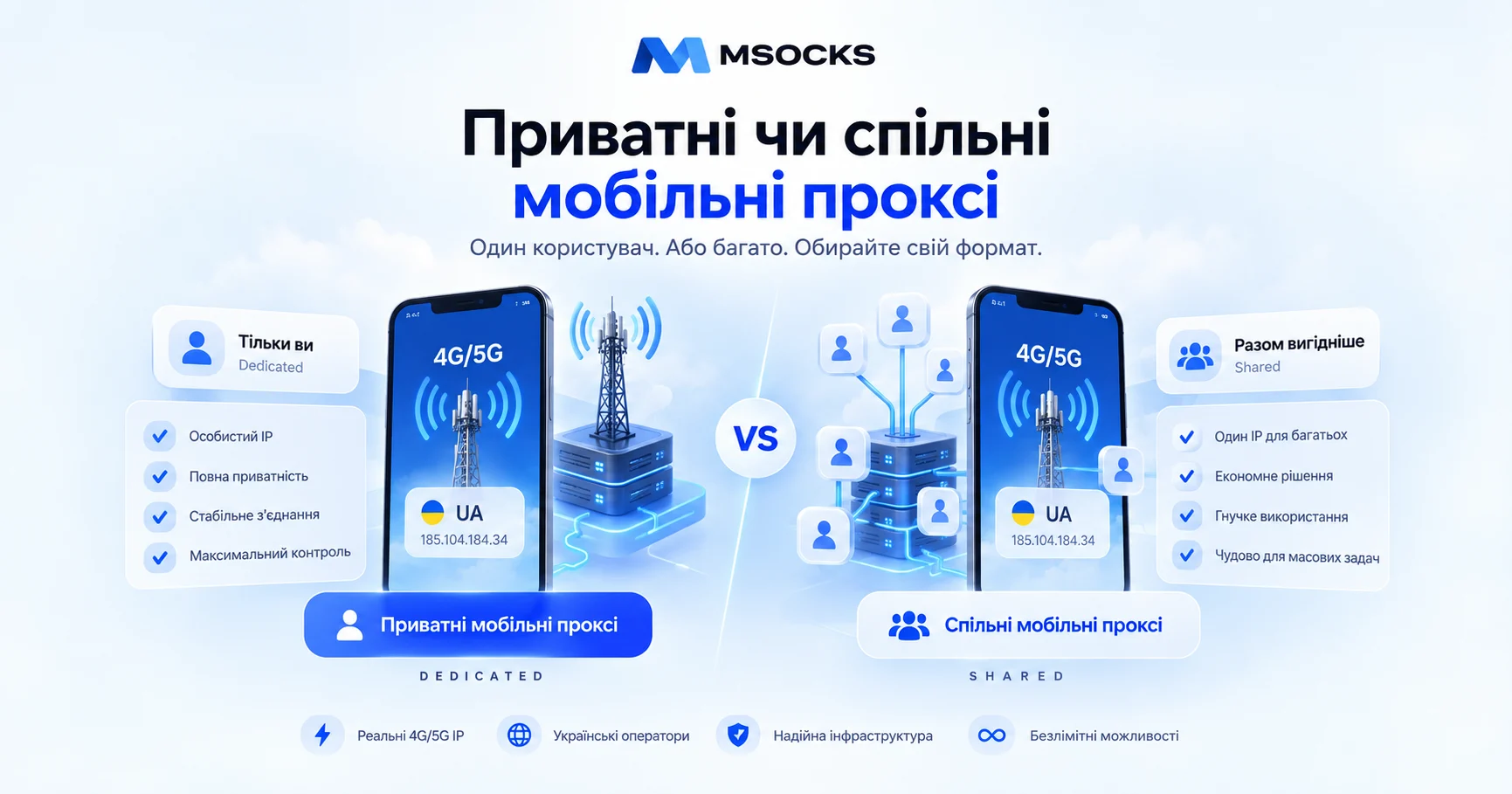
Dedicated vs Shared Mobile Proxies

When choosing a mobile proxy, it is not enough to determine the country, carrier, and network type such as 4G or 5G. One of the most important parameters is who else uses the same proxy infrastructure together with you.

This is where the choice between dedicated and shared mobile proxies appears.

A private or dedicated mobile proxy usually means that a particular device, modem, proxy port, or connection is assigned to one customer. A shared mobile proxy means that several customers simultaneously use part of the same infrastructure.

However, in practice, the terminology is more complicated. By shared, a provider may mean either several customers using the same modem/port or a large rotating pool from which the user receives different mobile IPs. Recent comparison guides distinguish dedicated ports, shared ports, and rotating mobile pools as different product models.

Therefore, before purchasing, it is important not only to see the label Private, Dedicated, or Shared, but to understand exactly what the provider offers technically.

What Is a Private Mobile Proxy?

A private mobile proxy is a mobile proxy whose access is assigned to one customer according to the provider’s particular service model.

The setup most often looks like this:
customer → private proxy endpoint → modem/SIM → mobile carrier → internet

The main idea is isolation from other customers of the proxy service.

For example:
Client A → Modem A
instead of:
Client A + Client B + Client C → Modem A

With a dedicated model, the user usually gets more control over:

  • connection load;
  • the timing of IP rotation;
  • session stability;
  • endpoint usage;
  • diagnostics;
  • bandwidth.

In the current proxy industry, the term dedicated mobile proxy is also widely used for this model.

What Is a Shared Mobile Proxy?

A shared mobile proxy is mobile proxy infrastructure whose resources are distributed among several customers.

A simple setup:

Client A
Client B
Client C
↓
shared proxy infrastructure → mobile carrier → internet

In this model, the following resources may be shared:

  • modem;
  • SIM connection;
  • bandwidth;
  • proxy ports;
  • public IP pool;
  • rotation infrastructure.

This is why shared proxies are usually cheaper: the cost of a single mobile connection is distributed among several customers.

Ukrainian-language proxy services already use the terms “shared” and “private” to describe this difference.

Shared Proxy and Rotating Mobile Pool Are Not Always the Same Thing

This is an important distinction.
There are at least three models available on the market.

Dedicated Mobile Proxy

A separate device, modem, connection, or port is allocated to one customer.

Shared Mobile Port

One mobile connection is shared among several users.

Rotating Mobile Pool

The user works not with one specific modem but with a large pool of mobile exit IPs.
In the pool model, requests may exit through different mobile IPs depending on the rotation policy.

In other words:
shared ≠ necessarily one modem for five people
and
dedicated ≠ necessarily one permanent static IP

This distinction should be clarified with the provider before payment. Recent comparison materials also separate shared ports from rotating pools because they can have different billing, rotation, and usage models.

A Dedicated Mobile Proxy Does Not Mean a Permanent IP

This is one of the most common misunderstandings.
A mobile carrier may use CGNAT and assign a different public IP to a device after reconnection.
Therefore, even if the modem or mobile connection is dedicated exclusively to you:
rotation → reconnect → new carrier IP

This is normal.
The word dedicated in this context primarily means that the proxy infrastructure is not shared with other customers of the provider.

It does not necessarily mean:
one static IP forever.

The CGNAT mechanism and carrier IP changes are explained in more detail in “Mobile Proxies: 4G/LTE, CGNAT and IP Rotation”.

Dedicated vs Shared Mobile Proxies: Key Differences

ParameterPrivate / DedicatedShared
Number of customersone customerseveral customers
Network resourcesseparate or assignedshared
Bandwidthmore predictabledepends on other users
Rotation controloften full controldepends on architecture
Sticky sessioneasier to controldepends on service
Network loadmore predictablemay vary
Diagnosticseasierharder to identify the source of a problem
IP diversitydepends on carrierpool may provide many IPs
Scalingmore expensive per endpointoften easier
Costusually higherusually lower
Typical billing modelport / periodport / pool / GB
Best suited forstable sessionslarge-scale short tasks

Specific characteristics still depend on the provider’s architecture. You should not automatically assume that all shared services behave the same way.

Speed: Private or Shared Proxy?

Mobile proxy speed depends on more than just the access model.

It is affected by:

  • carrier;
  • signal;
  • base station;
  • 4G/5G coverage;
  • proxy gateway;
  • routing;
  • current load.

However, shared infrastructure adds one more factor:
other users.

If several customers actively use the same connection at the same time, the available bandwidth may be distributed between them.

For example:
mobile connection 50 Mbps → 1 user
and
mobile connection 50 Mbps → 5 active users
are different operating conditions.

This does not mean that speed will necessarily be divided exactly by five. However, shared infrastructure adds another variable.

Is a Private Proxy Always Faster?

No.

Dedicated access cannot fix a weak mobile signal.
A private 4G modem with poor signal may work slower than a high-quality shared connection with a good carrier and properly designed infrastructure.

That is why you should compare actual:
ping → download → upload → jitter → stability

rather than relying only on the Private label.

Session Stability

For long browser sessions, it is important that the network environment does not change unexpectedly.

For example:

  • working in an admin panel;
  • SMM;
  • e-commerce;
  • video uploads;
  • analytics;
  • long forms;
  • testing.

In a private setup, the user usually has more control over when reconnect or IP rotation occurs.
In a shared setup, behavior depends on the provider’s architecture.

If rotation is controlled by the service itself, the IP may change according to the schedule defined by the provider.

For long sessions, you should therefore separately ask:
Is a sticky session available?
and:
Who controls rotation?

Who Controls IP Rotation?

This is one of the most important criteria.

Private Mobile Proxy

Dedicated infrastructure often provides:

  • manual rotation;
  • a button in the dashboard;
  • rotation URL;
  • API;
  • timer.

The user can decide when a new IP is required.

Shared Proxy

The model may vary.
Rotation may:

  • start automatically;
  • depend on the provider;
  • occur on a timer;
  • work on every request;
  • have a sticky interval.

Therefore, the phrase “the proxy supports rotation” does not tell you how much control you actually have over this function.

Can Other Customers Affect a Shared Proxy?

Potentially — yes.
With shared infrastructure, you do not control what tasks other customers perform through the same part of the proxy network.

This may affect:

  • load;
  • bandwidth;
  • session predictability;
  • exit IP usage history;
  • rate limits of particular resources.

However, this does not mean that every shared proxy is automatically “bad.”
Large rotating pools are specifically designed for tasks where the following matter:

  • scale;
  • high IP diversity;
  • short requests;
  • GEO checks;
  • price monitoring;
  • permitted public-data collection.

Recent comparison guides note that shared mobile pools can be a logical choice for high-volume tasks, while a dedicated connection is better suited to scenarios that require session continuity and control.

Price: Why Are Shared Proxies Cheaper?

The basic economics are simple.
With a private proxy:
cost of modem + SIM + infrastructure → one customer

With shared access:
cost of modem + SIM + infrastructure → several customers

This allows the provider to charge less per user.

However, comparing only the monthly price is not enough.

You also need to consider:

  • traffic limits;
  • per-GB billing;
  • number of ports;
  • concurrency;
  • rotation;
  • sticky sessions;
  • bandwidth;
  • number of GEOs;
  • support;
  • rental period.

The market includes both fixed-price mobile ports and rotating pools billed by GB.

When Should You Choose a Private Mobile Proxy?

A private/dedicated mobile proxy makes more sense when your specific task requires:

  • a predictable network environment;
  • long sessions;
  • control over IP rotation;
  • stable bandwidth;
  • a separate proxy endpoint;
  • easier diagnostics;
  • high traffic volume on one connection;
  • assigning a specific project to a separate network environment.

For example:

Client A → dedicated proxy A
Client B → dedicated proxy B

With this structure, it is easier to understand which endpoint belongs to each project.

When Does a Shared Mobile Proxy Make More Sense?

Shared should not be treated as a “cheap bad version of private.”

It can be more rational when:

  • the budget is limited;
  • a long sticky session is not required;
  • high IP diversity is needed;
  • usage is irregular;
  • short GEO checks are performed;
  • a large rotating pool is needed;
  • traffic usage is low and paying per GB is more economical.

For example, purchasing a separate modem for a full month may not make economic sense if you only need to check a localized page once.

Private or Shared for SMM

For an SMM project, important factors include:

  • connection stability;
  • upload speed;
  • GEO;
  • browser session;
  • predictable rotation.

If one project operates regularly over a long period, a separate network endpoint may be more convenient to administer.
For short GEO QA or localization checks, a shared pool may be sufficient.

MSOCKS already has a separate article about mobile proxies for Instagram.

Private or Shared for an Anti-Detect Browser

An anti-detect browser and a proxy perform different functions.

The browser profile is responsible for:

  • cookies;
  • localStorage;
  • User-Agent;
  • WebRTC;
  • Canvas;
  • WebGL;
  • timezone;
  • other browser parameters.

The proxy is responsible for:

  • IP;
  • network route;
  • operator;
  • GEO.

If every independent client environment requires its own controlled network connection, the dedicated model is simpler from an administrative perspective.

MSOCKS already has separate guides for Dolphin Anty and AdsPower.

Private or Shared for GEO and QA

A dedicated proxy is not always necessary here.

If the task is:
“open a page through a Ukrainian mobile IP and check localization”
a shared pool may be sufficient.

If you need to:
“test one environment for several hours, upload files, and control the timing of rotation”
a private connection may be more convenient.

The correct choice is therefore determined by the workflow, not by the name of the tool.

Which Is Better for High Traffic Volumes?

Here you need to look at the billing model.

For example:
Dedicated: $X / month + unlimited traffic
Shared pool: $Y / GB

If you transfer large amounts of media, a fixed-price unlimited connection may be more economical.
If you use only 1–2 GB per month, a pool may be cheaper.

Therefore, instead of asking:
“Which proxy is cheaper?”

you should calculate:
the monthly cost of my actual workload.

How to Check Whether a Proxy Is Really Private

Do not rely only on the word Private in the plan name.
Before purchasing, ask the provider:

  1. How many customers use this modem?
  2. Is the proxy endpoint assigned exclusively to me?
  3. Is bandwidth shared with other customers?
  4. Who can trigger rotation?
  5. Can the IP change without my command?
  6. Are there traffic limits?
  7. Do I receive a separate modem/SIM or only a separate port?
  8. Is a large shared pool used?
  9. How many simultaneous connections are available?
  10. Can I test the proxy before paying?

These questions are much more useful than the marketing label Dedicated.

Private Proxy ≠ Dedicated Public IP

Another important technical detail.

A mobile carrier may use CGNAT.
Therefore, even if you are the only user of a specific modem, the public carrier IP may still be part of the carrier’s NAT infrastructure.

After reconnect:
old mobile IP → reconnect → new mobile IP

With a mobile proxy, Private primarily means private access to proxy infrastructure, not a promise of a permanent static public IPv4 address.

This is important when comparing mobile proxies with dedicated datacenter IPs.

Common Selection Mistakes

Assuming Shared Is Always Bad

A shared proxy can be the right solution for a specific task.
The problem appears when the user needs a dedicated workflow but chooses shared access only because of the lower price.

Assuming Dedicated Is Always Better

For short-lived requests or high IP diversity, a separate modem may simply be an unnecessary expense.

Not Clarifying What Exactly Is Dedicated

A provider may dedicate:

  • IP;
  • port;
  • modem;
  • SIM;
  • bandwidth;
  • connection.

These are different things.

Confusing Dedicated With Static

A mobile IP may change even on a fully private connection.

Looking Only at Speed

A good 20-second Speedtest does not confirm proxy stability.

Not Testing Rotation

You should test not only the new IP but also reconnect time and connection recovery.

How to Test a Private or Shared Mobile Proxy

Before committing to a long-term payment, perform the same test for both models.

IP and GEO

Check:
IP → Country → ASN → Carrier

Ping

Take several measurements throughout the day.

Download

Test the actual browser workflow.

Upload

Especially important for:

  • SMM;
  • media;
  • video;
  • file uploads.

Stability

Keep the connection active for at least 30–60 minutes.

Rotation

Check:
old IP → rotation → reconnect → new IP

Load

For a shared proxy, repeat the test at different times of day.
If performance changes significantly, this may be an important factor for your task.

Private MSOCKS Mobile Proxies

MSOCKS uses a private model: each proxy is sold exclusively to one customer. The service also provides unlimited traffic, HTTP(S) and SOCKS5/UDP, controlled IP changes via link or timer, Kyivstar, Vodafone, and Life carriers, and a two-hour trial before purchase.

The basic MSOCKS setup is therefore:
1 customer → private mobile proxy → Ukrainian carrier

rather than:
many MSOCKS customers → one shared proxy port

This is especially useful for workflows where the following matter:

  • predictable load;
  • long sessions;
  • rotation control;
  • unlimited traffic;
  • a separate endpoint for a specific project.

At the same time, even a private mobile proxy does not mean that the public carrier IP will never change. MSOCKS supports controlled rotation via a link or timer.

Is It Worth Paying More for a Private Mobile Proxy?

The answer depends on how you use it.
If you only need a proxy for a few requests during a one-time GEO test, perhaps not.

If the proxy is used every day, transfers a lot of traffic, and needs to provide:
predictable connection + controlled rotation + private channel
then the difference may be economically justified.

You should not calculate only the subscription price.

Consider:
proxy price + traffic + troubleshooting time + performance + required level of control.

How to Choose Between Private and Shared in 30 Seconds

Ask yourself three questions.

Do I need a long, stable session?
If yes, dedicated/private is more logical.

Do I need dozens or thousands of different IPs?
If yes, a rotating shared pool may be more practical.

Which costs more for my workload: a fixed monthly port or per-GB billing?
This will often provide the final answer.

There is no reason to buy the most expensive proxy type simply because it is called premium.
You need to buy the architecture that fits the task.

Mobile Proxy Pre-Purchase Checklist

  1. Private or shared?
  2. If private, what exactly is exclusive?
  3. If shared, how many users share the resource?
  4. One modem or a large pool?
  5. Which GEO?
  6. Which mobile carrier?
  7. HTTP(S) or SOCKS5?
  8. Are there traffic limits?
  9. Who controls IP rotation?
  10. Is a sticky session available?
  11. What is the download speed?
  12. What is the upload speed?
  13. What is the ping?
  14. How does the connection behave over an hour?
  15. Is a trial available before purchase?

If a provider cannot clearly explain its access model, that is more important than attractive numbers in a pricing plan.

FAQ

What Is a Private Mobile Proxy?

It is a mobile proxy whose resources, according to the provider’s model, are assigned to one customer and are not shared with other customers in the same way as in shared infrastructure.

What Is a Shared Mobile Proxy?

It is a mobile proxy where the device, port, bandwidth, IP pool, or other parts of the infrastructure may be used by several customers.

How Does a Dedicated Mobile Proxy Differ From a Shared Proxy?

The main difference is the level of exclusivity and control over the infrastructure. Dedicated access is intended for one customer, while shared access distributes resources among several customers.

Does a Private Proxy Always Have One IP?

No.
In mobile networks, the IP may change after reconnect because of carrier network architecture and CGNAT.

Which Proxy Is Faster — Private or Shared?

A private connection usually has a more predictable load, but actual performance also depends on signal, carrier, routing, and hardware.

Why Are Shared Proxies Cheaper?

Because the cost of mobile infrastructure is distributed among several users or a larger number of traffic customers.

Are Shared Mobile Proxies Bad?

No.
For rotating workloads, GEO testing, short-lived requests, or a limited budget, a shared model can be the right choice.

When Is It Better to Use a Private Mobile Proxy?

When you need a long session, separate connection, predictable bandwidth, controlled rotation, and easier diagnostics.

Are Dedicated Proxy and Static Proxy the Same Thing?

No.
Dedicated describes access exclusivity, while static describes IP-address behavior. A dedicated mobile proxy may still support rotation.

Can a Shared Proxy Change the IP Without My Command?

It depends on the provider. Some shared pools use automatic rotation, so this should be checked before purchase.

Does MSOCKS Provide Shared Mobile Proxies?

According to the current service model, MSOCKS sells each mobile proxy to one customer and positions it as a private connection.

Can I Test a Private MSOCKS Proxy?

Yes. MSOCKS provides a two-hour mobile proxy trial before purchase.

Conclusion

Dedicated vs shared mobile proxies should not be compared using the logic “expensive = good, cheap = bad.”
They are two different infrastructure models.

Private / Dedicated
→ one customer
→ more predictable load
→ easier rotation control
→ more convenient for long sessions
→ usually a higher fixed price

Shared
→ several customers or a large proxy pool
→ lower entry cost
→ greater IP diversity in a pool model
→ may be more economical for short or large-scale requests
→ less control over the specific connection

For MSOCKS, the service model is built around private architecture: a separate connection for one customer, unlimited traffic, and controlled IP changes via link or timer.

However, the right decision for the user still starts not with the words private or shared, but with the specific workflow.

The best approach is:
define the task → determine the required access model → test IP/GEO/speed/stability → test rotation → only then purchase

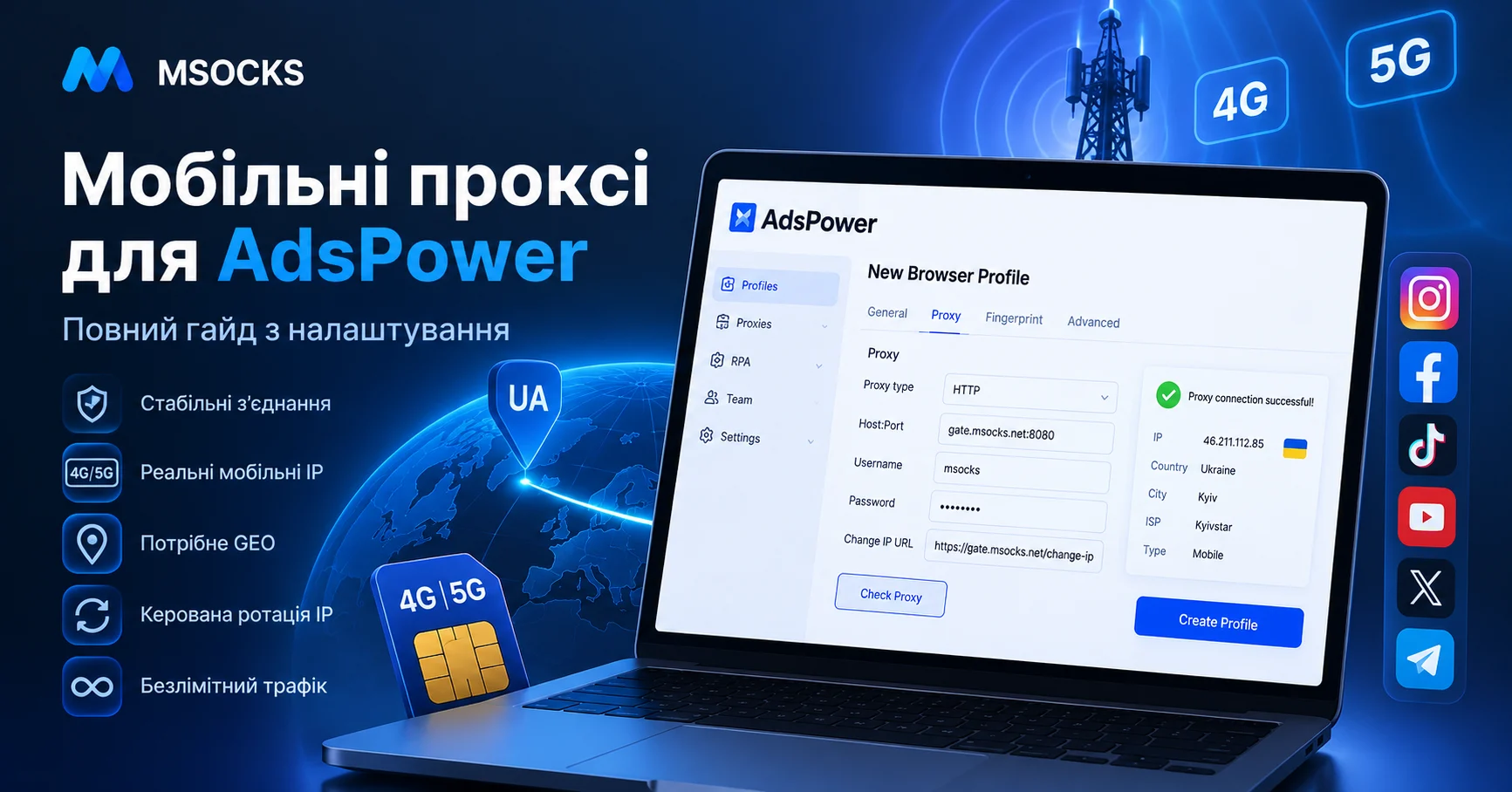
Mobile Proxies for AdsPower

AdsPower is used to create and manage separate browser profiles where you can store cookies, browser settings, proxies, and other working environment parameters.

However, a browser profile and a network connection are different components.

If a project requires a mobile carrier IP address, Ukrainian GEO, a separate network environment, or controlled IP rotation, one practical option is mobile proxies for AdsPower.

AdsPower officially supports HTTP, HTTPS, SOCKS5, and SSH proxies. For HTTP/HTTPS and SOCKS5, you need to specify Host:Port, username, and password, after which the connection can be checked using the built-in Check Proxy function. Mobile proxies also have a dedicated Change IP URL field.

In this guide, we will explain how the AdsPower + mobile proxy setup works, how to add a proxy correctly, which protocol to choose, how to check IP and GEO, configure rotation, and troubleshoot situations when the proxy does not work.

What Is AdsPower?

AdsPower is an anti-detect browser designed for working with separate browser profiles.

Each profile can have its own:

  • cookies;
  • browser settings;
  • language;
  • timezone;
  • proxy;
  • WebRTC;
  • Canvas;
  • WebGL;
  • other browser environment parameters.

The current version of AdsPower also supports teamwork, batch profile management, RPA, Local API, and separate proxy management.

At the same time, AdsPower is not a proxy provider: the official documentation explicitly states that the service does not provide its own built-in proxies, but it allows users to save purchased proxies in the Proxies section and use them in browser profiles.

Why Does AdsPower Need a Proxy?

If you create several browser profiles but all of them access the internet through the same regular connection, the network route remains shared.

A proxy allows you to move it into a separate configuration.

A regular setup:

AdsPower profile → internet provider → website

With a mobile proxy:

AdsPower profile → proxy server → 4G/5G modem → mobile carrier → website

As a result, the external resource sees the public IP address of the mobile carrier.

AdsPower is responsible for the browser environment, while the proxy is responsible for the network layer.

These components work together but perform different functions.

What Is a Mobile Proxy for AdsPower?

A mobile proxy is a proxy whose outgoing traffic passes through a mobile carrier.

A typical setup:

AdsPower → HTTP/SOCKS5 proxy → SIM/modem → mobile carrier → internet

When configured correctly, the website sees a mobile carrier IP address instead of the user’s regular IP address.

This is what differentiates mobile proxies from datacenter proxies, where the IP usually belongs to a server or hosting network.

How 4G/LTE, CGNAT, and IP rotation work is already covered in more detail in the separate MSOCKS article “Mobile Proxies: 4G/LTE, CGNAT and IP Rotation.”

What Are Mobile Proxies Used for With AdsPower?

Working With Client Projects

For an agency, the structure may look like this:

Client A → AdsPower profile A → proxy A
Client B → AdsPower profile B → proxy B
Client C → AdsPower profile C → proxy C

This approach helps separate:

  • browser sessions;
  • cookies;
  • network settings;
  • GEO;
  • client environments.

This is especially convenient for teams where several employees manage different permitted business projects.

SMM

AdsPower positions its profiles, among other things, for working with Instagram, Facebook, TikTok, and other social platforms.

A mobile proxy in this scenario can be used as a separate network endpoint for:

  • an SMM project;
  • regional QA;
  • localized content;
  • landing page testing;
  • teamwork.

E-commerce

AdsPower is also used for separate store profiles and marketplace workflows.

For example:

Store UA → Profile UA → Ukrainian proxy

Store PL → Profile PL → Polish proxy

Store DE → Profile DE → German proxy

For legitimate e-commerce tasks, this simplifies testing localized store versions, currency, GEO, shipping pages, and regional content.

GEO and QA

A mobile proxy is especially useful when you need to test a website specifically through the network of a particular mobile carrier.

For example, an employee is physically outside Ukraine but is checking a Ukrainian project.

In this case, a Ukrainian mobile IP can be used for:

  • GEO QA;
  • localization;
  • price verification;
  • regional redirects;
  • local search results;
  • mobile landing pages.

Mobile, Residential, or Datacenter Proxy for AdsPower

Not every AdsPower profile requires a mobile proxy.

ParameterMobileResidentialDatacenter
IP sourceMobile carrierISP/home networkDatacenter
Network4G/LTE/5GResidential ISPServer network
GEODepends on carrierDepends on poolDepends on server
RotationOften availableOften availableDepends on service
Sticky sessionPossibleOften availableOften static
CostHigherMedium/highUsually lower
Mobile GEO QAStrong use casePossibleLess natural option

If the task requires only a stable server IP, a mobile proxy may be unnecessary.

However, if you specifically need:

  • a mobile carrier IP;
  • Ukrainian mobile GEO;
  • controlled rotation;
  • testing through 4G/5G;

then a mobile proxy is the more logical solution.

How to Set Up a Mobile Proxy in AdsPower

Now we come to the main search intent — how to add a proxy in AdsPower.

The official AdsPower documentation describes this process through +New Profile → Proxy.

Step 1. Get Your Mobile Proxy Details

In the provider dashboard, you will need:

  • proxy host or IP;
  • port;
  • login;
  • password;
  • protocol;
  • Change IP URL, if available.

A typical format:

HOST:PORT:LOGIN:PASSWORD

For example, credentials may be shown separately:

Host: proxy.example.com
Port: 12345
Login: user123
Password: password123

Use only the actual credentials from your proxy account.

Step 2. Create a Profile in AdsPower

Open AdsPower.

Click:

New Profile

Then open:

Proxy

This section configures the network connection for a specific browser profile. The official AdsPower documentation uses this exact workflow.

Step 3. Choose the Proxy Type

AdsPower supports:

  • HTTP;
  • HTTPS;
  • SOCKS5;
  • SSH.

For MSOCKS mobile proxies, the main practical options are:

HTTP(S)

or

SOCKS5

HTTP or SOCKS5 for AdsPower

Both options can work well.

HTTP(S)

Practical for:

  • browser usage;
  • web services;
  • simple proxy setup;
  • standard browser workflows.

SOCKS5

May be convenient for:

  • AdsPower;
  • desktop software;
  • several types of traffic;
  • tools that directly support SOCKS5.

For most users, what matters more than the word SOCKS5 itself is:

  • stability;
  • latency;
  • GEO;
  • correct credentials;
  • mobile network quality.

Step 4. Enter Host, Port, Login, and Password

AdsPower uses the following main fields:

Host:Port
Proxy username
Proxy Password

This directly corresponds to the current official AdsPower instructions.

Check your credentials before saving.

The most common mistakes are:

  • incorrect port;
  • an extra space;
  • a typo in the password;
  • incorrect proxy protocol;
  • outdated credentials.

Step 5. Click Check Proxy

After entering the details, use:

Check Proxy

If AdsPower connects successfully, the system displays:

Connection test passed

If the connection fails:

Connection test failed.

Do not launch the working profile until the proxy passes the basic connection test.

How to Configure Change IP URL in AdsPower

This is where mobile proxies have an important advantage.

AdsPower has a dedicated field:

Change IP URL

The official documentation explicitly states that this URL is used for mobile proxies.

The mechanism is simple:

same proxy endpoint → Change IP URL → reconnect mobile network → new public IP

If the proxy provider supplies a rotation URL, it can be inserted into the corresponding AdsPower field.

This makes changing the IP more convenient because you do not need to manually open the proxy service dashboard every time.

An Important Detail About Change IP URL

If several AdsPower profiles use the same mobile proxy, an IP-change command may change the address for all profiles connected to that endpoint.

AdsPower explicitly warns about this in its documentation.

For example:

Profile A → Proxy 1
Profile B → Proxy 1
Profile C → Proxy 1

Rotating Proxy 1 may affect A, B, and C at the same time.

For independent working environments, this should be taken into account when designing your profile architecture.

Sticky Session or Rotation in AdsPower

You do not need to constantly change the IP.

Sticky Session

A stable connection is better suited for:

  • long browser sessions;
  • content uploads;
  • e-commerce;
  • SMM;
  • working in admin panels;
  • analytics;
  • long forms.

Rotation

Changing the IP is useful for:

  • a new GEO test;
  • checking another mobile carrier IP;
  • network QA;
  • starting a new independent test;
  • checking the rotation mechanism.

Rotation should be used when it solves a specific technical task.

Should You Change the IP During an Active Session?

In most cases, no.

During IP rotation, current network connections may be interrupted.

Therefore, it is not recommended to perform rotation during:

  • authentication;
  • upload;
  • download;
  • form submission;
  • an important operation in an admin panel.

The basic MSOCKS material about mobile proxies also notes that active TCP connections are usually interrupted during rotation.

A more practical workflow is:

finish the operation → perform rotation → wait for the connection → continue working

How to Use the Proxies List in AdsPower

AdsPower has a separate Proxies section where purchased endpoints can be stored.

The list may contain information about:

  • proxy type;
  • outbound IP;
  • profiles;
  • proxy status;
  • remark;
  • provider.

Users can also:

  • add a proxy;
  • check it;
  • edit it;
  • delete it;
  • change the IP;
  • reuse a saved proxy in profiles.

For a team, this is much more convenient than storing credentials in a random text file.

How to Name Proxies Properly

With ten profiles, names such as:

proxy1
proxy2
proxy3

may still be manageable.

With a hundred, they are not.

It is better to use a structure like:

UA-Kyivstar-01
UA-Vodafone-01
UA-Life-01

or:

ClientA-UA-Kyivstar
Store-UA-01
SMM-UA-02

This makes it immediately clear:

  • GEO;
  • carrier;
  • client;
  • purpose.

One Proxy per AdsPower Profile?

There is no universal rule.

However, for independent client or test environments, a simple structure:

Profile A → Proxy A
Profile B → Proxy B
Profile C → Proxy C

has an obvious administrative advantage.

It allows you to quickly understand:

  • which endpoint is used by the profile;
  • which GEO is used;
  • which carrier is used;
  • where there is a speed problem;
  • which proxy needs to be replaced;
  • where rotation was performed.

A similar model is often used in modern AdsPower mobile proxy setup guides.

This does not mean that proxies should be used to bypass platform rules. The purpose is to isolate permitted working environments, QA, and administration.

How to Check a Mobile Proxy After Launching AdsPower

The built-in Check Proxy is only the first test.

After opening the profile, it is a good idea to test the actual connection.

IP

Make sure the external IP address has changed.

GEO

Check the country.

If you purchased a Ukrainian mobile proxy, Ukraine should be detected.

ASN

Check the ASN.

This helps identify the network origin of the address.

Mobile Carrier

Make sure the address belongs to the expected mobile carrier network.

Ping

For comfortable browser use, latency matters just as much as download speed.

Download

Check page and media loading.

Upload

Important for:

  • Instagram;
  • TikTok;
  • e-commerce;
  • SMM;
  • uploading creatives;
  • forms/files.

Stability

Do not judge the connection after 30 seconds.

Keep the profile active for 30–60 minutes.

Check for:

  • disconnects;
  • sudden speed drops;
  • unexpected IP changes;
  • network errors.

Rotation

Run Change IP and verify:

old IP → rotation → reconnect → new IP

Then check GEO and ASN again.

AdsPower Proxy Is Not Working: What to Check

This section is important not only in practice but also for long-tail SEO.

1. Connection Test Failed

If AdsPower shows:

Connection test failed

first check:

  • host;
  • port;
  • username;
  • password;
  • proxy type.

2. Wrong Protocol

If the provider issued SOCKS5 credentials but HTTP is selected in AdsPower, the connection may not work.

Check the protocol.

3. Port Error

It is easy to confuse the port with other numbers in the dashboard.

Copy it again.

4. Login or Password

Pay special attention to:

0 / O
1 / l

as well as special characters and extra spaces.

5. Active VPN

A VPN or system-level proxy may create an additional network layer.

AdsPower itself recommends avoiding conflicting double proxy/VPN configurations during network troubleshooting.

6. Firewall or Antivirus

A local firewall may block the proxy port.

7. Does the Proxy Work Outside AdsPower?

Check the endpoint using another proxy checker.

If it does not work anywhere, the problem is probably with the proxy service or network.

8. Mobile Network Is Temporarily Unavailable

A mobile proxy physically depends on:

  • SIM;
  • modem;
  • signal;
  • carrier;
  • base station;
  • proxy gateway.

Therefore, the connection may behave differently from a regular datacenter proxy.

AdsPower Shows the Wrong GEO

Do not rely on a single GEO database.

Check the IP using several independent services.

If one checker detects the wrong country but several others show the correct one, the issue may be with that checker’s database.

If all of them detect the wrong GEO, check the proxy with the provider.

Why Is the Proxy Slow in AdsPower?

The reason is not always AdsPower.

For a mobile proxy, speed depends on:

  • signal quality;
  • carrier load;
  • 4G/5G coverage;
  • routing;
  • proxy gateway;
  • time of day;
  • network load.

Therefore, the proxy should be evaluated in a real browser workflow rather than with a single Speedtest.

4G or 5G Mobile Proxy for AdsPower

5G does not guarantee a better result.

A stable 4G connection may work better than an unstable 5G connection.

You should compare:

  • ping;
  • download;
  • upload;
  • jitter;
  • stability;
  • carrier;
  • GEO.

If AdsPower is mainly used for browser operations, stability is often more practical than the highest possible Speedtest result.

Free Proxies for AdsPower

Public free proxies have several obvious disadvantages:

  • unknown network load;
  • unknown IP history;
  • the endpoint may disappear;
  • unstable speed;
  • no proper support;
  • unclear infrastructure ownership.

For a real client project or working profile, a stable paid endpoint is usually more practical.

MSOCKS already has a separate article Why Free Mobile Proxies Are a Trap.

Ukrainian MSOCKS Mobile Proxies for AdsPower

For tasks where a Ukrainian mobile IP is required, MSOCKS provides mobile proxies through Ukrainian mobile carrier networks.

For AdsPower, the practical setup looks like this:

MSOCKS → HTTP/SOCKS5 → AdsPower profile → target resource

Before use, it is worth checking:

  • IP;
  • GEO;
  • ASN;
  • operator;
  • ping;
  • upload;
  • stability;
  • rotation.

Because AdsPower has a dedicated Change IP URL field, a mobile proxy with controlled rotation can be integrated without constantly switching manually between multiple interfaces.

How to Connect MSOCKS to AdsPower

1. Get a Mobile Proxy

Choose the required Ukrainian operator.

2. Copy the Credentials

You will need:

  • host;
  • port;
  • login;
  • password;
  • protocol;
  • rotation URL, if used.

3. Create a New Profile

In AdsPower, open:

New Profile → Proxy

4. Choose HTTP or SOCKS5

Use the protocol that matches your MSOCKS credentials.

5. Enter the Details

Enter:

Host:Port
Proxy Username
Proxy Password

6. Add Change IP URL

If you use controlled rotation, paste the appropriate URL.

7. Click Check Proxy

AdsPower should show a successful connection.

8. Launch the Profile

Check:

IP → GEO → ASN → operator → speed → stability

9. Test Rotation

After completing the active operation, change the IP and verify the new address.

Kyivstar, Vodafone, or Life for AdsPower

There is no single universally best carrier.

The result depends on:

  • the specific resource;
  • carrier routing;
  • signal;
  • network load;
  • time;
  • proxy node.

Therefore, a better approach is:

Kyivstar → test
Vodafone → test
Life → test

and then compare actual:

  • ping;
  • download;
  • upload;
  • GEO;
  • stability;
  • rotation.

Mobile Proxy and AdsPower Fingerprint

These are two different concepts and should not be confused.

A proxy is responsible for:

  • external IP;
  • network route;
  • network GEO;
  • network provider.

An AdsPower profile is responsible for the browser environment.

AdsPower itself allows IP-related environment settings to be configured together with language, timezone, WebRTC, Canvas, WebGL, and other profile parameters.

However, changing the proxy alone does not replace the browser profile.

Likewise, a new fingerprint does not change the network IP without a proxy or another network connection.

AdsPower or Dolphin Anty for Mobile Proxies

From the perspective of proxy connectivity, both tools allow you to use an external proxy endpoint.

Therefore, you should not choose an anti-detect browser based only on proxy support.

It is more important to compare:

  • UI;
  • team management;
  • automation;
  • profile management;
  • Local API;
  • pricing;
  • the specific workflow.

For Dolphin Anty, MSOCKS already has a separate Mobile Proxies for Dolphin Anty: Complete Setup Guide.

Mobile Proxies for AdsPower: Pre-Launch Checklist

Before starting work, check:

  1. The correct proxy protocol is selected.
  2. Host and port are entered without errors.
  3. Username and password are correct.
  4. Check Proxy passes successfully.
  5. The external IP has changed.
  6. GEO matches the required country.
  7. ASN matches the expected network.
  8. The mobile carrier is correct.
  9. Ping is acceptable.
  10. Download speed is sufficient.
  11. Upload speed is sufficient.
  12. The connection is stable.
  13. Change IP URL works.
  14. The connection recovers after rotation.
  15. The IP does not change unnecessarily.

This type of test is more useful than choosing a proxy solely because it is labeled “4G” or “5G.”

FAQ

What Proxies Does AdsPower Support?

AdsPower officially supports HTTP, HTTPS, SOCKS5, and SSH proxies, as well as IPv4 and IPv6.

How Do I Add a Mobile Proxy to AdsPower?

Open New Profile → Proxy, select the protocol, enter Host:Port, username, and password, then click Check Proxy and save the profile.

What Is Change IP URL in AdsPower?

It is a field for a URL that allows the IP address of a mobile proxy to be changed. AdsPower explicitly states that Change IP URL is intended for mobile proxies.

Is HTTP or SOCKS5 Better for AdsPower?

Both protocols are supported by AdsPower. HTTP(S) is often sufficient for standard browser usage, while SOCKS5 may be more convenient for broader software workflows.

Can Proxies Be Added as a Separate List?

Yes. AdsPower has a separate Proxies section where purchased proxies can be stored, checked, edited, and then used in profiles.

Why Does AdsPower Show Connection Test Failed?

The most common things to check are host, port, login, password, proxy protocol, proxy endpoint status, VPN, and firewall.

Can I Change the IP Without Replacing Proxy Credentials?

Yes, if the mobile proxy provider supports rotation and provides a special URL. It can be added to AdsPower through Change IP URL.

How Often Should You Change the IP?

There is no universal interval.

For a long active session, a stable connection is often more practical. Rotation is better performed between separate technical operations rather than in the middle of an active connection.

Do You Need a Separate Proxy for Every AdsPower Profile?

Not always. However, for independent client, QA, or working environments, separate endpoints simplify inventory, GEO control, diagnostics, and rotation management.

Are Ukrainian Mobile Proxies Suitable for AdsPower?

Yes, if the specific task requires a Ukrainian carrier IP, mobile GEO, or testing through a Ukrainian mobile network.

Does a Mobile Proxy Guarantee No Account Restrictions?

No.

A proxy changes the network connection but does not override the rules, security checks, moderation, or verification mechanisms of a specific platform.

Conclusion

Mobile proxies for AdsPower are primarily a way to manage the network environment of an individual browser profile.

The correct setup is simple:

mobile proxy → AdsPower profile → Check Proxy → IP/GEO verification → stability test → controlled rotation

AdsPower works well for this scenario because it supports HTTP/HTTPS and SOCKS5, has a built-in proxy checker, and provides a dedicated Change IP URL for mobile proxies.

At the same time, you should not evaluate a proxy only by labels such as “4G” or “5G.” Before using it, it is important to actually check:

IP → ASN → operator → GEO → ping → download → upload → stability → rotation

This approach helps determine whether a specific mobile proxy is suitable for your AdsPower workflow.

Mobile Proxies for TikTok

Mobile proxies for TikTok are useful when an account needs a consistent network environment: one region, a stable IP address during the session, reliable video upload speed, and minimal sudden network changes. For TikTok, the IP address is only one part of the picture. GEO, carrier network, cookies, device signals, browser profile, language, timezone and account behavior all matter.

A proxy does not guarantee that an account will avoid restrictions, and it does not make prohibited activity safe. But for legitimate workflows — team access to business accounts, ad checks, regional content testing, SMM processes and separation of working environments — a properly selected mobile proxy can reduce network inconsistency.

  • For TikTok, mobile 4G/LTE proxies are usually a better fit than datacenter IPs.
  • Do not change IP during login, video upload, Ads Manager work or TikTok Shop operations.
  • Accounts need a sticky session: a stable IP for the full working session.
  • GEO, language, timezone and fingerprint should match the account’s region.
  • For Ukrainian GEO, Kyivstar, Vodafone or Life/Lifecell mobile IPs are a logical choice.

What is a mobile proxy for TikTok?

A mobile proxy routes traffic through a SIM card and a mobile carrier network. TikTok sees the public IP address of the mobile network instead of your home, office or datacenter IP.

The simplified route looks like this: user → proxy server → LTE modem with SIM card → mobile carrier → TikTok.

This matters because TikTok is a mobile-first platform. Most regular users interact with TikTok from smartphones and mobile networks. That is why a mobile IP can look more natural than a datacenter address from a VPS or cheap VPN.

The technical logic of 4G/LTE, CGNAT and IP rotation is explained in more detail in Mobile Proxies: 4G/LTE, CGNAT and IP Rotation.

When do TikTok workflows need mobile proxies?

TikTok Ads

Advertising accounts need stability. If a team signs in to TikTok Ads Manager from different countries, office VPNs or random IPs, the environment may look inconsistent. A proxy helps keep a predictable network route for a specific account or browser profile.

The best setup is simple: a separate browser profile, a stable mobile IP during the session, matching timezone and no rotation while working with campaigns.

TikTok Shop and business accounts

For TikTok Shop and business accounts, a proxy does not replace verification, documents, access rights or Business Center. It only helps separate the network environment for a team, client or region.

If you work with several brands, do not mix all logins through one IP address. It is better to use a separate profile and a separate stable proxy for each project.

Content, SMM and GEO checks

Mobile proxies are useful for checking how a profile opens from a specific region, whether local pages, language and redirects display correctly, how ads look in Ukrainian GEO, and whether videos upload reliably.

For broader social media workflows, read Mobile Proxies for Social Media and Multi-Account Management. This article focuses specifically on TikTok.

Why mobile proxies are better than datacenter proxies for TikTok

Proxy typeWhen it fits TikTokRisks
Mobile 4G/LTEAds, SMM, GEO checks, account work, TikTok ShopDepends on signal, carrier and correct rotation
ResidentialViewing public pages, basic checksDoes not always match a mobile-first scenario
DatacenterTechnical tests without accountsHigher risk of distrust because of ASN and network origin
Free proxyNot recommendedData theft, poor IP reputation, captchas, instability

TikTok may consider many signals: IP, ASN, geolocation, cookies, device, browser, activity, login frequency, behavior and account history. So “buying a proxy” is not enough. The whole working profile must be consistent.

Read more about free proxy risks in Why Free Mobile Proxies Are a Trap.

How to choose a proxy for TikTok

GEO and carrier

If the account, ads or content target Ukraine, it makes sense to use a Ukrainian mobile IP. MSOCKS provides Kyivstar, Vodafone and Life/Lifecell mobile operators on the Mobile Proxy Ukraine page.

Do not mix countries without a reason. For example, an account with Ukrainian language, Ukrainian content and Ukrainian business context that constantly signs in from another continent looks less consistent.

Sticky session

A sticky session means the IP remains stable during the working session. For TikTok, this is critical during login, 2FA, video upload, ad account work, messages and TikTok Shop moderation.

Rotation is better between sessions, between accounts or before a new work cycle, not in the middle of an active operation.

HTTP(S) or SOCKS5

For most browser tasks, HTTP(S) is enough. SOCKS5 is often used for antidetect browsers, dedicated software, broader compatibility or workflows that require more flexible routing.

If you work with Dolphin Anty, see the separate guide Mobile Proxies for Dolphin Anty.

Upload speed

For TikTok, upload speed matters as much as download speed. If a video uploads slowly, fails or gets stuck in processing, the issue may be signal quality, carrier load, routing or the video file itself.

How to set up a mobile proxy for TikTok

  1. Create a separate browser or antidetect profile for the account.
  2. Add proxy credentials: host, port, login, password, HTTP(S) or SOCKS5 protocol.
  3. Check the IP with a geolocation checker.
  4. Verify country, language, timezone and WebRTC.
  5. Log in to TikTok only after checking the profile.
  6. Do not change IP during login, video upload or Ads/Shop work.
  7. Rotate IP only between sessions or before switching to another account.
  8. Track which proxy is assigned to which account.

The simplest rule: one account — one profile — one stable network route. If all parameters change randomly, the proxy will not help.

How often should you change IP for TikTok?

TikTok accounts do not need constant rotation every few minutes. That kind of behavior looks more like a technical script than a real user.

ScenarioHow to handle IP
Account loginDo not change IP during login
Video uploadKeep a stable session
Ads Manager workDo not rotate IP while configuring campaigns
Switching between accountsChange IP between sessions if accounts must be separated
GEO checkChange IP before a new check, then verify GEO

MSOCKS supports IP change by link or timer. For TikTok, controlled rotation is better than random frequent IP changes.

Common mistakes

  • Using a datacenter IP with a mobile User-Agent. User-Agent does not change the IP origin.
  • Changing IP during an active session. Rotation during login, posting or payments may look like session hijacking.
  • Running several accounts through one profile. Cookies, fingerprint and shared IP can connect accounts.
  • Ignoring WebRTC and DNS checks. If the browser shows one IP while WebRTC or DNS leaks another region, the profile becomes inconsistent.
  • Buying proxies without testing. Before using TikTok, check speed, stability, GEO and tool compatibility.
  • Expecting an “anti-ban” solution. A proxy does not compensate for spam, repeated content, ad policy violations or suspicious account behavior.

Ukrainian MSOCKS mobile proxies for TikTok

MSOCKS fits TikTok workflows where Ukrainian mobile IPs, a stable session and controlled rotation are needed. The service provides Ukrainian GEO, Kyivstar, Vodafone and Life/Lifecell operators, HTTP(S) and SOCKS5/UDP, IP change by link or timer, unlimited traffic, private channel and a 2-hour proxy test.

If you work with TikTok Ads, TikTok Shop, SMM or Ukrainian GEO checks, start with a test. Check IP, upload speed, session stability and compatibility with your browser or software. After that, assign the proxy to a specific account or project.

You can check pricing on the Mobile Proxy Ukraine page.

FAQ

What proxies are best for TikTok?

Mobile 4G/LTE proxies are usually the best fit because they use mobile carrier IPs. For accounts, ads and SMM, a stable session is more important than constant rotation.

Do mobile proxies guarantee no TikTok restrictions?

No. A proxy reduces network inconsistency, but it does not override TikTok rules, moderation, account checks, behavior analysis, content review or device signals.

How often should I change IP for TikTok?

Do not change IP during an active session. It is safer to keep one IP during login, video upload, Ads Manager work or TikTok Shop operations.

Does each TikTok account need a separate proxy?

For professional workflows, it is better to use a separate profile and a separate stable proxy for each account. This reduces the risk of linking accounts through shared IP, cookies, fingerprint and repeated behavior.

Is HTTP or SOCKS5 better for TikTok?

For regular browser work, HTTP(S) is often enough. SOCKS5 is useful for antidetect browsers, dedicated tools and workflows that need broader compatibility.

Can I use free proxies for TikTok?

It is not recommended. Free proxies often have poor reputation, low speed, unstable IPs and data leak risks. For TikTok accounts, they can cost more than a paid private mobile proxy.

Conclusion

A mobile proxy for TikTok is not a magic way to avoid restrictions. It is a tool for creating a stable and logical network environment. The best setup is simple: a Ukrainian mobile IP for Ukrainian GEO, sticky session during work, controlled rotation between sessions, a separate profile for each account and testing before launch.

MSOCKS provides Ukrainian mobile proxies with Kyivstar, Vodafone and Life/Lifecell operators, HTTP(S)/SOCKS5, unlimited traffic and a 2-hour test. For TikTok, start with a test: it quickly shows whether the carrier, speed and rotation mode fit your workflow.

Mobile Proxies for Instagram

Instagram is used for much more than personal content. Online stores, brands, SMM agencies, marketing teams, content creators, and companies managing projects across different countries and regions all rely on the platform.

In such scenarios, the network connection can become a separate part of the working infrastructure. If you need a mobile carrier IP address, Ukrainian GEO, a stable network session, or controlled IP rotation, one option is mobile proxies for Instagram.

A mobile proxy routes traffic through a mobile carrier network, so the external service sees a carrier-owned IP address instead of the user’s regular public IP.

However, it is important to separate real capabilities from marketing myths.

A proxy changes the network route and external IP address. It does not change account history, cookies, user behavior, access permissions, or Instagram rules. Modern proxy guides also emphasize that an IP address is only one of many signals that online platforms may consider.

Professional proxy usage is therefore primarily about managing the network environment, not trying to make an account “invisible.”

How Mobile Proxies for Instagram Work

A regular connection looks like this:

user → internet provider → Instagram

With a mobile proxy, the connection changes to:

user → proxy server → 4G/5G modem → mobile carrier → Instagram

Instagram receives the connection from a public IP address belonging to a mobile network.

Mobile proxies differ from datacenter proxies because the outgoing IP belongs to a mobile carrier network rather than hosting or datacenter infrastructure.

This is particularly important when you need to test a specific mobile network environment.

Why Mobile Carriers Use CGNAT

There are not enough IPv4 addresses for every smartphone connected to a mobile network to permanently have its own public IPv4 address.

That is why mobile carriers use Carrier-Grade NAT.

With CGNAT, one public IP address may be shared by many subscribers of the same mobile carrier.

Therefore:

one mobile IP ≠ one smartphone

This is a normal feature of mobile networks.

MSOCKS already covers the principles of 4G/LTE, CGNAT, and IP rotation in detail in the separate article “Mobile Proxies: 4G/LTE, CGNAT and IP Rotation”, so an Instagram-specific page only needs to explain the mechanism briefly and link to the foundational guide.

What Mobile Proxies for Instagram Are Used For

SMM and Client Projects

An SMM agency may work with several brands at the same time.

For example:

Client A → Instagram Store

Client B → Instagram Brand

Client C → Instagram Creator

Each project may use separate:

  • browser sessions;
  • access permissions;
  • working environments;
  • network connections.

In this setup, the proxy is responsible specifically for the network layer.

For official access to client resources, it is better to use available Meta tools and Accounts Center rather than sharing passwords between employees. Meta allows connected Instagram and other profiles to be managed through Accounts Center.

GEO Testing

Another important scenario is checking how content or a website works for a user in a particular country.

For example, a team may work with the Ukrainian market while an employee is physically located abroad.

A Ukrainian mobile proxy allows the network environment to be tested through an IP address belonging to a Ukrainian mobile carrier.

This can be useful for:

  • checking GEO;
  • regional content;
  • local landing pages;
  • advertising pages;
  • redirects;
  • localization;
  • QA;
  • checking external services related to a campaign.

Content and SMM

Instagram relies heavily on media content:

  • photos;
  • Stories;
  • Reels;
  • video;
  • advertising creatives.

For this reason, an Instagram proxy requires not only good download performance but also sufficient upload speed.

A proxy with a weak upstream connection may open pages normally but cause problems when uploading a large video.

Remote Team Work

If a team works from multiple countries, a separate controlled network endpoint can be useful for a particular working environment.

This is especially relevant when the service needs to be tested through a Ukrainian mobile carrier.

Do You Really Need a Mobile Proxy for Instagram?

No.

This is an important point.

Not every Instagram user needs a proxy at all.

For a regular personal account, a normal stable internet connection is often the best option.

A mobile proxy makes sense when a particular task requires:

  • a mobile carrier IP;
  • another GEO;
  • a mobile network;
  • a separate working network environment;
  • controlled rotation;
  • a proxy for an SMM tool;
  • QA.

Instead of asking:

“Which proxy should I buy?”

a better question is:

“Do I actually need a proxy for this specific task?”

Mobile vs Residential vs Datacenter Proxies for Instagram

The Instagram proxy market generally compares three main types: mobile, residential/ISP, and datacenter proxies.

ParameterMobileResidentialDatacenter
IP sourceMobile carrierISPDatacenter
Network4G/5G/LTEResidential/ISPServer network
GEODepends on carrierDepends on poolServer-based
Sticky sessionAvailableOften availableOften static
RotationOften availableOften availableDepends on service
UploadDepends on LTE/5GDepends on nodeOften high
CostUsually higherMedium/highLower
Mobile GEO QAStrong use casePossibleMore limited

There is no universally “best” proxy.

A mobile proxy should be chosen when you specifically need a mobile carrier network.

4G or 5G Proxies for Instagram

5G does not automatically mean a “better proxy.”

Quality depends on a combination of factors:

  • signal quality;
  • base station load;
  • mobile carrier;
  • routing;
  • proxy gateway;
  • ping;
  • upload speed;
  • stability.

A good stable 4G connection may be more practical than an unstable 5G connection.

That is why looking only at the 5G label in a pricing plan is not enough.

The real connection needs to be tested.

Sticky Sessions or IP Rotation for Instagram

This is one of the key parameters.

Sticky Session

A sticky session means that a stable IP address or stable network connection is used during the working session.

This is practical for:

  • long authenticated sessions;
  • uploading Reels;
  • working with content;
  • administration;
  • analytics;
  • SMM.

For Instagram sessions, stability is often more useful than extremely frequent IP rotation.

Rotating Proxy

Rotation allows you to obtain a new public IP address.

This may be useful for:

  • repeated GEO QA;
  • network testing;
  • checking a new carrier route;
  • starting another independent testing session.

However, the rule:

“The more often the IP changes, the better”

does not work.

Should You Change the IP Every 30 Seconds?

No.

Even if a proxy provider technically allows rotation every 30 seconds, there is no reason to trigger it without a specific purpose.

Changing the IP during:

  • authentication;
  • uploads;
  • video uploads;
  • an active network operation;

may interrupt the current connection.

It is more practical to finish the active operation first and only then perform rotation.

Which GEO Should You Choose for Instagram?

GEO should be selected according to the specific task.

If the project targets Ukraine, using a Ukrainian mobile IP is a logical choice.

During testing, check:

  • country;
  • ASN;
  • mobile carrier;
  • actual IP;
  • GEO stability after rotation.

Do not rely on only one IP checker.

Different GEO databases may be updated at different speeds.

HTTP or SOCKS5 for Instagram

A mobile proxy provider may support several protocols.

HTTP(S)

Works well for:

  • browser-based scenarios;
  • web-based SMM tools;
  • simple integrations.

SOCKS5

More versatile for:

  • various desktop applications;
  • anti-detect browsers;
  • specialized clients;
  • scenarios where an application directly supports SOCKS5.

There is no point in choosing SOCKS5 simply because it sounds “more advanced.”

You should choose based on what the specific software supports.

How to Choose a Mobile Proxy for Instagram

When selecting a proxy, check at least seven parameters.

1. Country

The proxy should match the required GEO.

2. Mobile Carrier

Check which mobile network is used for outgoing traffic.

In Ukraine, this may include Kyivstar, Vodafone, or lifecell.

3. ASN

ASN helps verify the network origin of the IP address.

4. Private or Shared Connection

Find out whether a proxy endpoint is used by one customer or whether the connection is shared among multiple customers.

5. Rotation Control

Ideally, you should be able to control exactly when the IP address changes.

6. Upload Speed

This is particularly important for Instagram.

7. Traffic Limits

Instagram uses a lot of media.

Reels and Stories can quickly consume traffic on plans that charge per GB.

How to Test a Mobile Proxy for Instagram

Before purchasing or committing to a long-term plan, test the proxy in a real workflow.

IP

Make sure the external IP address has changed.

GEO

Check the country through several services.

ASN

Confirm that the IP belongs to the expected network.

Ping

High latency can make the interface feel slow.

Download

Test page, Reels, and media loading.

Upload

Upload a test file or permitted test content.

Stability

Do not limit your test to five minutes.

Keep the connection active for 30–60 minutes.

Rotation

Change the IP and check:

  1. whether the external IP changed;
  2. whether the correct GEO remained;
  3. whether the connection recovered;
  4. whether the carrier changed unexpectedly.

Which Instagram Proxy Is Better: Private or Shared?

For a working project, a private connection has an obvious operational advantage: you have better visibility into network load and can more easily predict available bandwidth.

With shared infrastructure, activity from other customers may affect:

  • network load;
  • speed;
  • available bandwidth;
  • endpoint history.

At the same time, a shared proxy may be cheaper.

The choice therefore depends on the budget and the task.

Common Mistakes When Choosing an Instagram Proxy

Buying Based on Price Alone

The cheapest proxy may ultimately become the most expensive because of wasted time.

Not Testing Upload Speed

A Speedtest result with good download performance does not mean Reels will upload properly.

Constantly Rotating IP Addresses

Rotation should be used when it solves a specific task.

Not Checking ASN

The phrase “Ukraine proxy” on a seller’s website does not by itself confirm the network origin of the IP address.

Using Random Free Proxies

Public proxies may have an unknown history, unstable connectivity, and unclear infrastructure.

MSOCKS already has a separate article called “Why Free Mobile Proxies Are a Trap”, so it is better to link to that article rather than duplicate the entire topic here.

Treating a Proxy as a Guarantee Against Account Restrictions

No mobile proxy makes an Instagram account “ban-proof.”

Instagram may require additional identity verification, and accounts that violate platform rules may be disabled. Meta also uses identity verification mechanisms, including video selfies in certain cases.

Ukrainian MSOCKS Mobile Proxies for Instagram

For scenarios that require a Ukrainian mobile IP, MSOCKS provides mobile proxies with Ukrainian GEO through Kyivstar, Vodafone, and Life networks.

The current MSOCKS plans include:

  • Ukrainian GEO;
  • Kyivstar, Vodafone, and Life;
  • private connection — one proxy is sold to one customer;
  • unlimited traffic;
  • IP rotation through a link or timer;
  • HTTP(S) and SOCKS5/UDP;
  • speeds starting from 30+ Mbps;
  • Pro Max speeds starting from 50+ Mbps;
  • a two-hour proxy trial before purchase.

For Instagram, the most valuable part is not the Mbps number itself but the ability to test the actual connection before purchasing.

A practical test looks like this:

MSOCKS → browser/SMM environment → Instagram → upload → stability → rotation

After that, you can evaluate whether a particular mobile carrier is suitable for your workflow.

Kyivstar, Vodafone, or Life for Instagram?

There is no carrier that will universally be the best in every situation.

Actual performance depends on:

  • current signal quality;
  • network load;
  • routing;
  • the target resource;
  • time of day;
  • the specific proxy node.

A practical approach is therefore:

Kyivstar → test

Vodafone → test

Life → test

and then choose based on real:

  • ping;
  • upload;
  • stability;
  • GEO;
  • IP rotation.

A Mobile Proxy and an Anti-Detect Browser Are Not the Same Thing

This is important from a technical perspective.

A proxy changes:

  • IP;
  • network route;
  • network provider;
  • IP GEO.

A browser profile separately contains:

  • cookies;
  • localStorage;
  • User-Agent;
  • language;
  • timezone;
  • WebRTC;
  • Canvas;
  • WebGL;
  • other browser parameters.

Changing the proxy alone therefore does not create a new browser environment.

MSOCKS already has a separate article “What Are Anti-detect Browsers and How Do They Work?”, as well as a practical guide to mobile proxies for Dolphin Anty. These materials should be used for internal linking from this page.

Do You Need a Separate Proxy for Every Instagram Project?

There is no universal rule.

However, for an agency, a logical structure may look like this:

Client A → working environment A → proxy A

Client B → working environment B → proxy B

Client C → working environment C → proxy C

This simplifies:

  • administration;
  • diagnostics;
  • GEO control;
  • proxy inventory;
  • teamwork;
  • troubleshooting a specific connection.

At the same time, access permissions to business resources should preferably be organized through official Meta mechanisms.

Checklist Before Using a Proxy With Instagram

Before starting work, make sure that:

  1. The proxy responds correctly.
  2. The external IP has changed.
  3. GEO is correct.
  4. ASN matches the expected network.
  5. Ping is acceptable.
  6. Download performance is sufficient.
  7. Upload performance is sufficient.
  8. The connection is stable.
  9. Rotation works.
  10. The IP does not change without your command.
  11. HTTP/SOCKS5 is properly supported by your software.
  12. The workflow complies with the platform’s rules.

This type of test is much more useful than choosing a proxy simply because it is labeled “4G” or “5G.”

FAQ

What Are the Best Proxies for Instagram?

If your task requires a real mobile carrier IP, mobile GEO, or access through a 4G/5G network, mobile proxies are a logical option.

If a mobile carrier IP is not required, residential, ISP, or another proxy type may be more cost-effective.

What Is a Mobile Proxy for Instagram?

It is a proxy through which Instagram traffic reaches the internet using an IP address belonging to a mobile carrier.

Are 4G Proxies Suitable for Instagram?

Yes, when a particular workflow requires a mobile carrier IP. However, quality should be evaluated using real ping, upload speed, GEO, and stability rather than network type alone.

Which Is Better for Instagram: 4G or 5G Proxy?

5G may potentially provide higher speed and lower latency, but that does not guarantee a better proxy. A stable 4G connection may perform better than an overloaded or unstable 5G connection.

Should You Use HTTP or SOCKS5 Proxy for Instagram?

HTTP(S) is often sufficient for browser-based workflows. SOCKS5 may be more convenient for software that directly supports the protocol.

Do You Need to Rotate the IP Constantly?

No. For a long active session, stability is often more practical. Rotation should be used when a specific task requires it.

Can You Use a Ukrainian Proxy for Instagram?

Yes. If you need a Ukrainian network environment, you can use a mobile proxy with Ukrainian GEO and an IP from a Ukrainian mobile carrier.

How Do You Test a Mobile Proxy Before Buying?

Check the IP, GEO, ASN, carrier, ping, download, upload, stability, and rotation. Ideally, test the connection using your real workflow.

Does a Mobile Proxy Guarantee That Instagram Will Not Restrict the Account?

No.

A proxy changes the network connection, but Instagram also uses its own security, moderation, and identity-verification mechanisms.

Can You Test MSOCKS Before Purchasing?

Yes. MSOCKS offers a two-hour trial of a Ukrainian mobile proxy before purchase.

Conclusion

Mobile proxies for Instagram are primarily tools for managing the network environment.

They allow you to work through a mobile carrier IP, use the required GEO, control rotation, and test Instagram projects through a 4G/5G network connection.

However, the label “mobile proxy” alone guarantees nothing.

Before buying, you should check:

IP → ASN → carrier → GEO → ping → upload → stability → rotation

For Instagram, stable sessions and upload speed are particularly important because the platform relies heavily on photos, Stories, Reels, and video content.

If you specifically need a Ukrainian mobile IP, MSOCKS allows you to test a Kyivstar, Vodafone, or Life proxy for two hours, evaluate the real connection in your own workflow, and only then choose a plan.

Mobile Proxies for Dolphin Anty

If you create multiple browser profiles but all of them use the same regular internet connection, their external IP address will remain the same.

A proxy allows the network layer to be configured separately.
The setup looks approximately like this:

Dolphin Anty profile → proxy server → mobile network → website

With a mobile proxy:

Dolphin Anty → proxy → 4G/LTE/5G → mobile carrier → website

The official Dolphin Anty documentation specifically addresses proxy usage when creating profiles and recommends avoiding the same IP address for multiple independent accounts.

For legitimate business workflows, this is especially convenient when you need to keep the network environments of different clients, projects, or test profiles separated.

What Is a Mobile Proxy for Dolphin Anty?

A mobile proxy is a proxy whose outgoing traffic is routed through a mobile carrier network.
Depending on the infrastructure, the setup may look like this:
Dolphin Anty → HTTP/SOCKS5 proxy → modem/SIM → mobile carrier → internet

As a result, the external resource sees an IP address belonging to a mobile network.
This differentiates mobile proxies from datacenter proxies, where the IP address usually belongs to server or hosting infrastructure.

For a Dolphin Anty user, the main difference is not inside the browser itself: the profile simply receives a proxy endpoint, login, password, and port, while the proxy provider manages the outgoing connection.

What Are Mobile Proxies for Dolphin Anty Used For?

Working With a Specific GEO

One of the most practical scenarios is when a browser profile needs to operate through an IP address from a specific country.
For example, a Ukrainian project may need to verify:

  • a localized page;
  • Ukrainian pricing;
  • regional redirects;
  • advertising;
  • search results;
  • feature availability;
  • a mobile landing page.

In this case, a Ukrainian mobile proxy allows the test to be performed through the IP address of a Ukrainian mobile carrier.

SMM and Client Projects

An agency can maintain a separate Dolphin Anty profile for every client:

Client A → Profile A → Proxy A
Client B → Profile B → Proxy B
Client C → Profile C → Proxy C

This structure simplifies administration because cookies, browser sessions, and network settings of different projects remain separated.

Affiliate Marketing

For affiliate teams, proxies can be used for GEO QA, landing page testing, redirect chain verification, localization, and other permitted technical tasks.

E-Commerce

For international online stores, the Dolphin Anty + mobile proxy combination may be useful for checking:

  • regional versions of the store;
  • currencies;
  • prices;
  • delivery options;
  • localized content;
  • checkout;
  • advertising pages.

QA and Testing

A mobile proxy is particularly useful when you need to view a product not only from another IP address but specifically through a mobile network in a certain GEO.

Mobile Proxy vs Regular Proxy for Dolphin Anty

Not every Dolphin Anty profile requires a mobile proxy.
The main proxy types can be compared as follows:

CriterionMobile ProxyResidential ProxyDatacenter Proxy
IP sourceMobile carrierISP/residential networkDatacenter
Network type4G/LTE/5GHome ISPServer network
GEODepends on carrierDepends on poolDepends on server
RotationOften supportedOften supportedDepends on service
Sticky sessionPossibleOften availableOften static IP
PriceUsually higherMedium/highUsually lower
Mobile GEO testingStrong use casePossibleLess natural scenario

If you simply need a stable server IP for an internal tool, a mobile proxy may be unnecessary.
If you need a mobile carrier IP, mobile GEO, controlled rotation, or testing through a carrier network, a mobile proxy is the more logical option.

How to Set Up a Mobile Proxy in Dolphin Anty

The official Dolphin Anty Quick Start supports adding a proxy while creating a profile or by editing an existing profile. The documentation also includes a separate Proxy section where proxies can be added, edited, and checked.
Let us look at the standard setup.

Step 1. Get Your Mobile Proxy Details

In your proxy provider dashboard, you will need:

  • IP or hostname;
  • port;
  • login;
  • password;
  • protocol;
  • if available, an IP rotation URL.

For example:
HOST:PORT:LOGIN:PASSWORD

The credentials may also be provided as separate fields.

Step 2. Open Dolphin Anty

Launch the application and go to Browser Profiles.
You can:

  1. create a new profile;
  2. or edit an existing one.

The official Dolphin Quick Start uses the Create Profile button to create a new environment.

Step 3. Open Proxy Settings

Find the Proxy section in the profile settings.
Choose the option to create a new proxy.
If you have previously added the proxy through the main Proxy section, you can assign it to the appropriate profile.

Step 4. Choose the Protocol

For the MSOCKS + Dolphin Anty combination, the main practical options are:

HTTP(S) or SOCKS5

MSOCKS currently supports HTTP(S) and SOCKS5/UDP in parallel across its plans.
For regular browser use, HTTP(S) is often sufficient.
SOCKS5 can be more convenient when the same proxy needs to be used with a broader range of applications or networking scenarios.

HTTP or SOCKS5 for Dolphin Anty?

There is no universal answer to which one is better.

HTTP(S)

Suitable when:

  • the proxy is mainly used in a browser;
  • simple configuration is required;
  • there are no specific requirements from third-party software.

SOCKS5

May be more convenient when:

  • the proxy is used outside the browser as well;
  • greater versatility is required;
  • the application supports SOCKS5;
  • the same network endpoint is used across different working tools.

For Dolphin Anty itself, the protocol name is less important than connection stability, correct credentials, GEO, and network quality.

Step 5. Enter Proxy Credentials

Enter:

Host/IP
The proxy address.

Port
The connection port.

Login
Your username.

Password
Your password.

Check the information carefully.
Even one incorrect digit in the port or an extra character in the password can cause a connection error.

Step 6. Check the Proxy

Dolphin Anty provides proxy checking both for individual connections and through the Proxy section. The official interface documentation includes options for individual and bulk proxy connection checks.

Before saving, verify:

  • whether the proxy works;
  • which IP address it returns;
  • which GEO is detected;
  • whether there is an authentication error.

If the check is successful, save the profile.

How to Add a Mobile Proxy Through the Proxy Section

If you manage many proxies, it is more convenient to organize them separately first.
The left menu in Dolphin Anty includes a Proxy section.
According to the current documentation, you can:

  • add proxies;
  • delete them;
  • edit them;
  • share them with your team;
  • check them individually or in bulk;
  • search for proxies.

For teams, this is more practical than manually entering credentials every time.
For example, you can use clear names:

UA-Kyivstar-01
UA-Vodafone-02
UA-Life-03

or:

Client-A-UA
Client-B-UA
QA-Kyivstar

This makes it easier for a manager to understand which network endpoint is assigned to a particular profile.

How IP Rotation Works in Dolphin Anty

One of the main advantages of a mobile proxy is the ability to receive a new mobile carrier IP address without replacing the proxy endpoint itself.

For a mobile proxy, it may look like this:
same host + port + login + password → rotation command → new external IP

Dolphin Anty provides a field for an IP-change URL when working with mobile proxies. Its own guide describes the Change IP URL field for proxies where the IP needs to be refreshed.
MSOCKS supports IP rotation through a link or timer.

Do You Need to Rotate the IP Constantly?

No.
The ability to change the IP every 30 seconds does not mean you need to do it every 30 seconds.

For a regular long-running working session, a stable network connection is often more practical.
Rotation is useful when you need to:

  • obtain a new mobile carrier IP;
  • repeat a GEO test;
  • check another route;
  • perform QA;
  • start a new independent network session.

Avoid triggering rotation in the middle of a file upload, video upload, or another operation that depends on the current network connection.

Sticky Session vs Rotating Mobile Proxy for Dolphin Anty

It depends on the scenario.

Sticky Session

Better suited for:

  • long browser sessions;
  • working in admin panels;
  • SMM;
  • e-commerce;
  • analytics;
  • uploading media;
  • client projects.

The idea is simple: the network environment remains stable during a particular working session unless a change is actually required.

Rotating Proxy

Suitable for:

  • GEO QA;
  • testing;
  • checking different IP addresses;
  • permitted collection of public data;
  • routing tests.

In a professional setup, rotation should be a tool, not a goal in itself.

One Proxy per Dolphin Anty Profile?

For independent client or working environments, this is the simplest setup to manage:

Profile A → Proxy A
Profile B → Proxy B
Profile C → Proxy C

The official Dolphin Anty material on common mistakes specifically warns against using the same proxy/IP for multiple independent accounts and recommends using a separate IP.
From a technical perspective, this structure also simplifies:

  • diagnostics;
  • understanding GEO;
  • proxy inventory;
  • sharing profiles with team members;
  • replacing a particular endpoint;
  • analyzing speed issues.

For QA profiles or internal testing environments, the setup may differ depending on the task.

Should You Manually Change the Fingerprint for a Mobile Proxy?

Avoid manually changing dozens of fingerprint parameters without a specific reason.
The official Dolphin Anty recommendations warn that excessive manual changes to related parameters can result in an unnatural configuration. The documentation also recommends caution when manually modifying Canvas, Audio, and WebGL settings.
The proxy handles the network layer.
The browser profile handles the browser environment.
They are connected but separate components.

How to Test a Mobile Proxy After Connecting It

A green status indicator in Dolphin Anty is not enough for a complete test.
After launching the profile, check several parameters.

IP

Open an IP-check service.
The IP should differ from your normal public IP address.

Country

Verify that the detected GEO matches the one you purchased.
For a Ukrainian mobile proxy, Ukraine should be detected.

ASN and Carrier

Also check the ASN.
This helps determine which network the IP belongs to.

Ping

High ping can make browser usage uncomfortable even when download speed is acceptable.

Download Speed

Check page and media loading speed.

Upload Speed

This is particularly important for:

  • SMM;
  • TikTok;
  • Instagram;
  • video uploads;
  • advertising creatives;
  • e-commerce.

Stability

Keep the profile running for 30–60 minutes.
Check:

  • whether there are disconnects;
  • whether the IP changes without a command;
  • whether speed drops significantly;
  • whether websites continue to open normally.

Dolphin Anty Proxy Is Not Working: What to Check

1. Check Host and Port

The most common cause is simply an incorrect address.
Copy the details again from the proxy dashboard.

2. Check Login and Password

Do not type them manually if you can copy them.
Pay particular attention to:

  • 0 and O;
  • 1 and l;
  • special characters;
  • spaces at the beginning or end.

3. Check the Protocol

If the credentials are provided for SOCKS5, select SOCKS5.
If they are for HTTP, use HTTP.

4. Test the Proxy Outside Dolphin Anty

If the provider offers instructions or a proxy checker, test the endpoint separately.
If it does not work anywhere, the problem is most likely not Dolphin Anty.

5. Check Your VPN

An active VPN or another local proxy may interfere with routing.
For diagnostics, temporarily remove unnecessary network layers and repeat the test.

6. Check the Firewall

A firewall, antivirus software, or corporate network may block non-standard ports.

7. Check the Mobile Proxy Status

With mobile proxies, the issue may occur at the level of:

  • the modem;
  • the mobile carrier;
  • the SIM card;
  • signal quality;
  • the proxy gateway.

If the credentials are correct but the endpoint has stopped responding, contact your proxy provider.

Proxy Works but Shows the Wrong GEO

Do not make conclusions based on a single IP checker.
Different GEO databases are updated at different speeds.
Check the IP using several independent services.
If all of them show the wrong country, contact the provider.
If only one service shows incorrect GEO while others are correct, the problem may be in that service’s database.

Proxy Works Slowly

A mobile proxy physically depends on the mobile network.
Speed may be affected by:

  • signal quality;
  • base station load;
  • mobile carrier;
  • routing;
  • distance to the proxy gateway;
  • time of day.

For this reason, a mobile proxy should not be evaluated based on a single Speedtest result. It should be tested during real use over a period of time.

MSOCKS currently provides speeds starting from 30+ Mbps on its main plans and 50+ Mbps on Pro Max, although actual mobile network performance may vary depending on current conditions.

Why Free Proxies Are a Weak Choice for Dolphin Anty

For a working browser profile, a random public proxy creates several problems:

  • you do not know who previously used the IP;
  • the current load is unknown;
  • there is no guarantee of session stability;
  • the endpoint may disappear;
  • it may be unclear who controls the server;
  • there is no proper support.

If a browser profile is used for a real client project, saving a few dollars on network infrastructure rarely justifies the additional problems.

MSOCKS already has a separate article about the risks of free mobile proxies.

Ukrainian MSOCKS Mobile Proxies for Dolphin Anty

For tasks that require a Ukrainian mobile IP, MSOCKS provides proxies through Kyivstar, Vodafone, and Life networks.
At the time this article was prepared, the service offers:

  • Ukrainian GEO;
  • Kyivstar, Vodafone, and Life carriers;
  • a private connection for one customer;
  • unlimited traffic;
  • HTTP(S);
  • SOCKS5/UDP;
  • IP rotation through a link or timer;
  • speeds starting from 30+ Mbps depending on the plan;
  • a two-hour trial before purchase.

This allows you to test the setup first:
MSOCKS → Dolphin Anty → target website
and only then decide whether a specific carrier and connection are suitable for your workflow.

How to Connect MSOCKS to Dolphin Anty

The practical setup looks like this:

1. Get a Trial or Purchase a Proxy

Choose the Ukrainian mobile carrier you need.

2. Open the Access Credentials

Copy:

  • proxy host;
  • port;
  • login;
  • password.

3. Create a Profile in Dolphin Anty

Open Create Profile.

4. Add a New Proxy

Choose HTTP or SOCKS5 depending on the required connection type.

5. Paste the MSOCKS Credentials

You can copy them directly from the dashboard.

6. Check the Connection

Dolphin Anty should successfully detect the proxy.

7. Launch the Profile

Check:

IP → GEO → ASN → speed → stability

8. Test Rotation

If you need IP rotation, test it separately after finishing the current working session.
MSOCKS supports controlled IP rotation through a link or timer.

Which MSOCKS Carrier Should You Choose for Dolphin Anty?

There is no universally “best” carrier.
Several mobile networks are available in Ukraine, and actual quality may vary depending on:

  • the required IP;
  • routing;
  • the particular resource;
  • time;
  • network load;
  • the working scenario.

A more practical approach is:
Kyivstar → test
Vodafone → test
Life → test
and then choose the connection based on actual results.

That is exactly why a two-hour proxy trial can be more useful than an advertising description of a plan. MSOCKS offers such a trial before purchase.

What Is Better: Fast Rotation or a Stable IP?

For Dolphin Anty, it depends on the task.
If you:

  • work in one account/dashboard;
  • maintain a long session;
  • upload content;
  • work with analytics;

you will usually benefit more from stability.
If you:

  • perform QA;
  • test different IPs;
  • test GEO;
  • check routes;

rotation becomes more useful.
You do not have to choose one forever.
A good mobile proxy allows you to maintain a stable connection and change the IP only when necessary.

Organizing Dolphin Anty Profiles Safely Within a Team

Dolphin Anty includes teamwork features and allows profiles and proxies to be shared with team members. The official documentation also describes transferring profiles with proxies and a separate proxy-sharing mechanism.
For an agency, the structure can look like this:
Client
→ Dolphin Profile
→ Proxy
→ Tags
→ Responsible Team Member

For example:
Client: Store-UA
Profile: Store-UA-Instagram
Proxy: Kyivstar-UA-03
Responsible: SMM Manager

When working with dozens of profiles, this type of organization is much more convenient than maintaining a list of random IP addresses without labels.

Mobile Proxies Dolphin Anty: Pre-Launch Checklist

Before starting work, verify that:

  1. The proxy successfully passes the Dolphin Anty check.
  2. The IP address has changed.
  3. GEO matches the required country.
  4. ASN matches the expected network.
  5. HTTP/SOCKS5 is configured correctly.
  6. There is no conflicting active VPN.
  7. The profile works stably.
  8. Upload/download performance is sufficient.
  9. Rotation works.
  10. The IP does not unexpectedly change during an active session.

If all ten checks pass, the configuration can be used in the working environment.

FAQ

What Proxies Work With Dolphin Anty?

Dolphin Anty works with proxies that can be configured through its proxy settings. HTTP and SOCKS5 are common options for browser workflows; the specific type depends on the provider and use case. Dolphin’s official documentation has a dedicated section for adding, checking, and managing proxies.

How Do I Add a Mobile Proxy to Dolphin Anty?

Create or edit a browser profile, open Proxy settings, add a new proxy, enter the host, port, login, and password, run the connection check, and save the profile. This process follows the current Dolphin Anty Quick Start.

What Does “Mobile Proxies Dolphin Anty” Mean?

These are mobile proxies connected to Dolphin Anty browser profiles that route their traffic through an IP address belonging to a mobile carrier.

Is HTTP or SOCKS5 Better for Dolphin Anty?

For regular browser use, HTTP(S) is often sufficient. SOCKS5 is more versatile for different software and networking scenarios. MSOCKS supports both HTTP(S) and SOCKS5/UDP.

Can I Use One Proxy for Multiple Dolphin Profiles?

Technically, configurations can vary, but for independent client or account environments it is simpler to use separate network endpoints. Dolphin Anty’s own documentation recommends avoiding the same IP for multiple independent accounts.

How Do I Change a Mobile Proxy IP in Dolphin Anty?

A mobile proxy provider may provide a special rotation URL or another mechanism. Dolphin Anty has an IP-change URL field for mobile proxy setups. MSOCKS allows users to control IP changes through a link or timer.

How Often Should I Change the IP?

There is no universal rule.
For long browser sessions, it is usually more practical to maintain a stable connection and rotate only when a specific task requires it.

Why Won’t Dolphin Anty Connect to My Proxy?

Check:

  • host;
  • port;
  • login;
  • password;
  • protocol;
  • proxy status;
  • VPN;
  • firewall.

If all credentials are correct, test the endpoint separately and contact your proxy provider.

Are Ukrainian Mobile Proxies Suitable for Dolphin Anty?

Yes, if your workflow requires a Ukrainian mobile carrier IP. MSOCKS provides Ukrainian mobile proxies through Kyivstar, Vodafone, and Life with HTTP(S), SOCKS5/UDP, and controlled IP rotation.

Can I Test MSOCKS Before Connecting It to Dolphin Anty?

Yes. MSOCKS currently offers a two-hour mobile proxy trial before purchase, allowing you to test a specific proxy directly in Dolphin Anty.

Conclusion

Mobile proxies for Dolphin Anty are a network component of a browser profile that allows you to work through a mobile carrier IP, select the required GEO, and control external IP changes.

A proper setup does not require anything complicated:
create profile → add proxy → check connection → verify IP/GEO → test stability → configure rotation if required

For most workflows, stable connectivity, correct GEO, a reliable mobile carrier connection, and control over the timing of rotation are more important than changing the IP as frequently as possible.

If you need a Ukrainian mobile IP, MSOCKS allows you to connect an HTTP(S) or SOCKS5 proxy to Dolphin Anty, choose Kyivstar, Vodafone, or Life, and test the connection for two hours before purchasing.

Testing the proxy directly in your own Dolphin Anty profile is the best way to determine whether a particular mobile proxy is suitable for your workflow.

Personal cabinet

Login
Register
Password recovery
Enter your e-mail address and we will send a new password to it.
Forgot your password?
Login
By logging in, you agree to our Terms of Use.

Confirm code

We need to make sure it's really you. Enter the confirmation code we sent to your email
Send