An advertising campaign can be configured correctly in the platform dashboard and still deliver a different experience depending on the user’s country, network, device, or mobile connection.
This is where Ad Verification and GEO QA become useful.
A mobile proxy adds a separate network perspective to the testing process by routing traffic through a mobile carrier IP in the required GEO. It can help QA teams check landing pages, localization, redirects, regional content, creatives, and mobile campaign destinations through a 4G/LTE/5G network.
However, a proxy controls only part of the environment. It changes the network route, public IP, ASN, and part of the GEO context, but it does not automatically reproduce device state, browser configuration, cookies, account state, language, consent state, or user behavior.
What Is Ad Verification?
Ad Verification is the process of checking how an advertising campaign is actually delivered and what the end user sees.
Depending on the workflow, teams may verify:
- the correct creative;
- target GEO;
- landing page;
- regional redirects;
- language;
- currency;
- mobile rendering;
- destination URL;
- tracking parameters;
- regional page versions;
- differences between mobile and desktop experiences.
The purpose is to verify the actual user experience under controlled conditions.
What Is GEO QA?
GEO QA means testing a website, campaign, or landing page from different geographic and network environments.
For example:
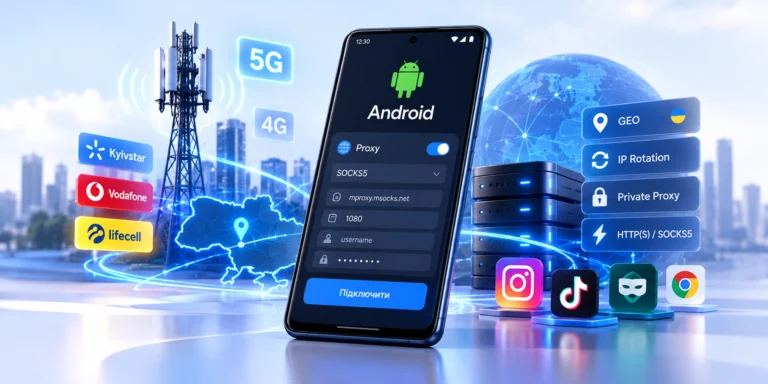
Ukraine → Kyivstar
Ukraine → Vodafone
Ukraine → lifecell
A QA team can compare:
- creative;
- landing page;
- language;
- currency;
- redirects;
- consent state;
- tracking;
- mobile rendering.
This is particularly useful when the verification team is physically located outside the target market.
Why IP Alone Is Not Enough
Location and campaign delivery should not be evaluated by IP alone.
A controlled test environment may also need to account for:
- IP;
- country;
- ASN;
- carrier;
- device type;
- browser;
- User-Agent;
- language;
- timezone;
- cookies;
- account state;
- consent state.
A mobile proxy controls the network layer, not the entire user profile.
When Mobile Proxies Are Useful for Ad Verification
Mobile Advertising
Mobile proxies are especially useful when a campaign targets mobile users.
Typical workflow:
QA environment → mobile proxy → mobile carrier → target resource
Useful scenarios include:
- mobile landing pages;
- mobile-first campaigns;
- responsive creatives;
- app-related pages;
- mobile redirects;
- carrier-level QA.
GEO Testing
A QA engineer outside the target country can use a mobile endpoint in the required market.
For example:
QA engineer in Poland → Ukrainian mobile proxy → Ukrainian landing page
The team can check:
- language;
- local currency;
- regional content;
- redirects;
- mobile layout.
Landing Page Verification
Ad verification should not stop at the creative.
A practical verification chain is:
campaign → destination URL → redirect → landing page → localization → analytics
Google Ads: Proxy or Ad Preview and Diagnosis?
For your own Google Search campaigns, Ad Preview and Diagnosis should normally be the first tool used to check whether an ad is showing and how it appears.
A mobile proxy has a different role and can complement that workflow by helping test:
- landing pages;
- redirects;
- localization;
- mobile rendering;
- GEO-dependent site behavior;
- carrier-network connectivity.
A practical workflow is:
Ad Preview and Diagnosis → confirm campaign/ad → mobile proxy → verify destination environment
Mobile, Residential, or Datacenter Proxies
Mobile Proxy
A mobile proxy is useful when you need:
- a mobile carrier IP;
- 4G/5G network context;
- carrier ASN;
- mobile landing-page testing;
- a mobile-only scenario;
- a stable carrier session.
Residential Proxy
Residential proxies may be more practical for:
- broad web verification;
- many GEOs;
- desktop/web scenarios;
- large-scale regional testing.
Mobile proxies are most valuable when the workflow specifically requires a mobile carrier perspective.
Datacenter Proxy
Datacenter proxies can be useful for:
- technical QA;
- API testing;
- availability monitoring;
- basic network checks.
However, a datacenter IP does not reproduce a consumer mobile carrier connection.
How to Build an Ad Verification Workflow
Step 1. Define the Test Question
Start with a clear question rather than choosing a proxy first.
For example:
Does the Ukrainian landing page load correctly through a Ukrainian mobile carrier?
Step 2. Create a Test Matrix
Record:
- Country;
- Region;
- Carrier;
- Network type;
- Device;
- Browser;
- Language;
- Account state;
- Cookie state;
- Test URL;
- Expected result.
| Parameter | Value |
|---|---|
| Country | Ukraine |
| Carrier | Kyivstar |
| Device | Android |
| Browser | Chrome |
| Language | Ukrainian |
| Session | Clean |
| Landing | UA version |
| Expected currency | UAH |
Step 3. Configure the Proxy
Typical proxy credentials include:
- host;
- port;
- username;
- password;
- protocol.
For browser-based QA, HTTP(S) or SOCKS5 are common options.
For more information about mobile IPs and rotation, see Mobile Proxies: 4G/LTE, CGNAT and IP Rotation.
Step 4. Verify the Exit Network
Check:
- external IP;
- country;
- ASN;
- carrier;
- DNS;
- connection stability.
Step 5. Keep One Stable Session
For a multi-step flow, avoid changing the IP in the middle of the test.
page → redirect → landing → consent → screenshot
should ideally remain within one stable network session.
Step 6. Capture Evidence
Log:
- timestamp;
- IP;
- ASN;
- carrier;
- GEO;
- URL;
- final URL;
- device/browser;
- screenshot;
- result.
Step 7. Rotate Between Test Cases
Rotation can be useful between independent test scenarios.
For Ad Verification, controlled and reproducible testing is more valuable than changing IP addresses as frequently as possible.
What to Check During GEO QA
- GEO: is the required country detected?
- ASN: does the IP belong to the expected network?
- Carrier: is the expected mobile carrier detected?
- Language: is the correct localized version displayed?
- Currency: is the correct currency used?
- Landing page: does the correct page load?
- Redirects: are there unexpected regional redirects?
- Creative: does it match the expected campaign?
- CTA: do buttons and forms work?
- Mobile rendering: is the layout correct?
- Tracking: are allowed UTM parameters preserved?
Sticky Sessions vs Rotation
Sticky Session
Use a sticky session for:
- multi-step flows;
- redirect chains;
- landing-page QA;
- form testing;
- localization;
- screenshot documentation.
Rotation
Use rotation for:
- new test cases;
- another carrier IP;
- repeated verification;
- independent network observations.
Test A → sticky session → finish → rotation → Test B
Private or Shared Mobile Proxy for QA?
For regular QA, a private endpoint can make administration easier because it provides:
- clear ownership of the endpoint;
- more predictable rotation control;
- a more stable testing environment;
- simpler result reproduction;
- easier troubleshooting.
See the comparison Dedicated vs Shared Mobile Proxies for more detail.
Common Ad Verification Mistakes
Treating IP as the Only GEO Signal
Advertising systems can use more than one signal to determine location and delivery.
Changing the IP Mid-Test
This makes the result more difficult to reproduce.
Ignoring ASN
The country may be correct while the network type is not what you expected.
Ignoring Browser State
Cookies, account state, and consent can influence the result.
Assuming Mobile Is Always Better
Residential proxies may be more practical for broad desktop and web verification.
Drawing Conclusions From One Test
One result is one observation. Important QA results should be reproduced.
MSOCKS Mobile Proxies for Ad Verification and GEO QA
For workflows requiring a Ukrainian mobile-network perspective, MSOCKS provides mobile proxy connections through Ukrainian carrier networks.
Relevant capabilities include:
- Ukraine GEO;
- Kyivstar, Vodafone, and Life/lifecell;
- private connection for one customer;
- unlimited traffic;
- HTTP(S);
- SOCKS5/UDP;
- controlled IP rotation;
- the ability to test the actual connection before purchase.
Practical workflow:
QA environment → MSOCKS mobile proxy → Ukrainian carrier → landing page → GEO / ASN / localization / mobile rendering
Ad Verification and GEO QA Checklist
- Is the Country correct?
- Is the ASN correct?
- Is the Carrier correct?
- Is the session stable?
- Is the language version correct?
- Is the currency correct?
- Is the creative correct?
- Is the landing page correct?
- Are there unexpected redirects?
- Does the mobile layout work?
- Are UTM parameters preserved?
- Does the CTA work?
- Was a screenshot captured?
- Was the timestamp recorded?
- Can the test be reproduced?
FAQ
What Is an Ad Verification Proxy?
It is a proxy used as a controlled network perspective for checking advertising creatives, landing pages, GEO, localization, redirects, and other campaign elements.
Why Use a Mobile Proxy for Ad Verification?
A mobile proxy is useful when the verification requires an actual mobile-carrier network context, especially for mobile web and 4G/5G workflows.
Does a Mobile Proxy Guarantee Accurate GEO?
No. GEO databases and advertising systems can use different signals. A proxy controls the network IP but does not reproduce the complete location logic of a real user.
Mobile or Residential Proxy for Ad Verification?
Residential proxies are often practical for broad web verification. Mobile proxies are particularly useful for mobile-first and carrier-specific QA.
Should I Rotate the IP?
Yes, between independent tests. Keep one stable session during a multi-step verification flow.
Can I Check Google Ads With a Proxy?
For Google Search Ads, start with Ad Preview and Diagnosis. A proxy is useful as an additional tool for landing-page, localization, and external GEO QA.
Should I Check ASN?
Yes. Country alone does not tell you which network infrastructure the connection uses.
Are Mobile Proxies Useful for Landing-Page QA?
Yes. They can help test localization, redirects, currency, mobile rendering, and network-dependent behavior.
Conclusion
Mobile proxies for Ad Verification and GEO QA provide a controlled mobile-network perspective for advertising QA.
They are especially useful when you need to control:
GEO → ASN → carrier → mobile network → session → landing page
A practical workflow is:
define the test → choose GEO → configure the proxy → verify IP/ASN → run a sticky session → document the result → rotate between independent tests
A mobile proxy is not a complete user simulator, but it can be a valuable part of a structured and reproducible advertising QA process.