Mobile Proxies for Facebook: Setup, Sessions and Safety
Mobile proxies for Facebook are used when a team needs a stable mobile-carrier IP for legitimate Facebook workflows: checking Pages, testing regional content, working with Meta Business tools, reviewing Ads Manager behavior, or keeping a browser environment consistent while traveling or operating distributed teams. The main value is not magic protection. It is a cleaner network layer: predictable country, protocol, session behavior and IP rotation.
Facebook and Meta systems evaluate much more than an IP address. Account history, device signals, login approvals, identity checks, content behavior, Business Manager permissions and policy compliance all matter. A proxy cannot replace Meta policies or account security. This guide focuses on practical setup, safe expectations and troubleshooting for teams that need mobile IP infrastructure without turning the article into risky promises.
When a Mobile Proxy Makes Sense for Facebook
| Use case | Recommended setup | Reason |
|---|---|---|
| Page or Business Manager checks | Sticky mobile IP in the working country | Keeps login location and session context consistent. |
| Regional QA | Country-specific mobile IP | Helps verify language, creative delivery and local experience. |
| Ads Manager review | Stable session, no mid-task rotation | Reduces interruptions while checking campaigns or billing screens. |
| Social media operations | One proxy per sensitive browser environment | Avoids mixing unrelated sessions on one endpoint. |
If your work covers several platforms, start with the broader MSOCKS guide to mobile proxies for social media. For platform-specific reading, the existing guides on Instagram mobile proxies and TikTok mobile proxies provide useful comparisons.
What a Proxy Can and Cannot Do
What It Can Help With
- Give a browser profile a stable IP from a selected country.
- Separate work environments that should not share one network endpoint.
- Support GEO testing and regional QA.
- Keep the same IP during a long Business Manager or Ads Manager session.
- Provide HTTP(S) or SOCKS5 credentials for browser tools and anti-detect browsers.
What It Cannot Do
- It cannot override Meta Community Standards or advertising policies.
- It cannot guarantee that an account will avoid review or restrictions.
- It cannot replace two-factor authentication, recognized devices or proper permissions.
- It cannot make inauthentic behavior safe or compliant.
Meta publishes safety and account security resources, including the Meta Safety policies, Facebook Account Security guidance, and public explanations of action against inauthentic activity. Use those as boundaries when planning any Facebook workflow.
Recommended Facebook Proxy Setup
Use Sticky Sessions First
For Facebook, a stable session is usually more important than aggressive IP rotation. If a person logs in, checks a Page, reviews Ads Manager or handles Business settings, the IP should stay stable during that session. Rotate only between tasks, after logout, or when you intentionally need a new test condition.
Keep GEO Consistent
Match proxy country, browser language, timezone and the account’s usual working region. If a team member normally manages a Ukrainian Page from Ukraine, a Ukrainian mobile IP and Ukrainian timezone are easier to reason about than a random foreign endpoint. Consistency does not guarantee outcomes, but inconsistency creates avoidable friction.
Choose HTTP(S) or SOCKS5 Deliberately
HTTP(S) is enough for many browser-based workflows. SOCKS5 can be useful in anti-detect browsers or tools that expect SOCKS credentials. Test both only if your provider supports them; do not change protocol mid-workflow unless you are diagnosing a specific issue.
Step-by-Step Setup
- Choose the Facebook workflow: Page QA, Ads Manager review, regional testing or browser profile work.
- Create or choose one browser environment for that workflow.
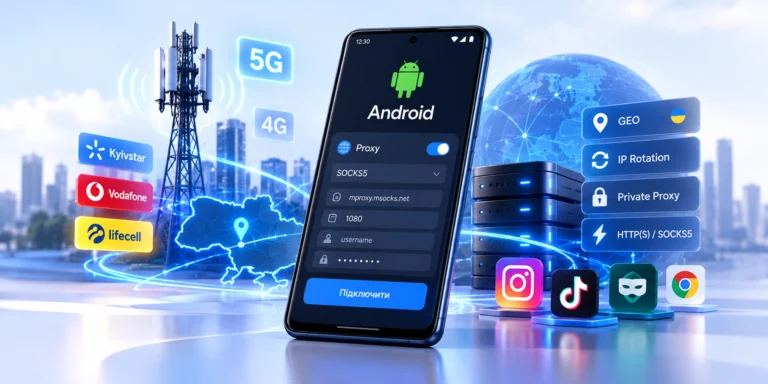
- Add the mobile proxy credentials: host, port, username, password and protocol.
- Check the visible IP, country and DNS behavior before logging in.
- Confirm that timezone and browser language match the intended GEO.
- Log in normally and keep IP rotation disabled during the active session.
- After finishing, document which proxy was used for which environment.
If you use an anti-detect browser, the same principles apply. You can compare this article with MSOCKS guides for AdsPower, Dolphin Anty and GoLogin.
Facebook Troubleshooting Checklist
| Symptom | Possible cause | What to check |
|---|---|---|
| Security prompt after login | New device, location change or account security signal | Use official recovery and 2FA flows; avoid repeated login attempts. |
| Wrong regional content | Proxy GEO, language or cache mismatch | Check IP country, browser language, cookies and profile timezone. |
| Ads Manager loads slowly | Proxy instability or protocol mismatch | Test HTTP vs SOCKS5 and avoid rotation during page load. |
| Session ends unexpectedly | IP changed mid-session | Use sticky mode and rotate only between tasks. |
| Multiple users share one endpoint | Operational overlap | Assign one proxy per sensitive environment where separation matters. |
How MSOCKS Fits Facebook Workflows
MSOCKS can be used when a Facebook workflow needs Ukrainian mobile IPs, mobile-carrier networks, HTTP(S) or SOCKS5, IP rotation control and sticky sessions. For example, a team can test regional Page visibility, check Meta Business interfaces from a Ukrainian mobile network, or keep a browser profile on a stable private mobile proxy while doing QA. Before scaling, test one environment, confirm IP and GEO, and document the proxy-to-profile mapping.
FAQ
Are mobile proxies good for Facebook?
They can be useful for legitimate Facebook workflows that require a stable mobile IP, GEO testing or browser environment separation. They do not replace Meta’s account rules or security systems.
Should I rotate IP while using Facebook?
Usually no. For logged-in Facebook sessions, use a sticky IP and rotate only between tasks or after the session ends.
Can one proxy be used for many Facebook accounts?
Technically it can, but it is not ideal when environments need separation. Sensitive workflows should avoid mixing unrelated sessions on one endpoint.
Is SOCKS5 required for Facebook?
No. HTTP(S) is enough for many browser workflows. SOCKS5 is useful when your browser tool or workflow specifically expects it.
Can a proxy prevent Facebook security checks?
No. Facebook may still use login history, device signals, account behavior, permissions and identity checks. A proxy only changes the network route.
Conclusion
A good Facebook proxy setup is conservative: stable IP, consistent GEO, clear profile mapping and no unnecessary rotation during active work. Use mobile proxies as infrastructure for QA, regional checks and browser environment consistency, not as a substitute for account security or Meta policy compliance.