

If you create multiple browser profiles but all of them use the same regular internet connection, their external IP address will remain the same.
A proxy allows the network layer to be configured separately.
The setup looks approximately like this:
Dolphin Anty profile → proxy server → mobile network → website
With a mobile proxy:
Dolphin Anty → proxy → 4G/LTE/5G → mobile carrier → website
The official Dolphin Anty documentation specifically addresses proxy usage when creating profiles and recommends avoiding the same IP address for multiple independent accounts.
For legitimate business workflows, this is especially convenient when you need to keep the network environments of different clients, projects, or test profiles separated.
What Is a Mobile Proxy for Dolphin Anty?
A mobile proxy is a proxy whose outgoing traffic is routed through a mobile carrier network.
Depending on the infrastructure, the setup may look like this:
Dolphin Anty → HTTP/SOCKS5 proxy → modem/SIM → mobile carrier → internet
As a result, the external resource sees an IP address belonging to a mobile network.
This differentiates mobile proxies from datacenter proxies, where the IP address usually belongs to server or hosting infrastructure.
For a Dolphin Anty user, the main difference is not inside the browser itself: the profile simply receives a proxy endpoint, login, password, and port, while the proxy provider manages the outgoing connection.
What Are Mobile Proxies for Dolphin Anty Used For?
Working With a Specific GEO
One of the most practical scenarios is when a browser profile needs to operate through an IP address from a specific country.
For example, a Ukrainian project may need to verify:
- a localized page;
- Ukrainian pricing;
- regional redirects;
- advertising;
- search results;
- feature availability;
- a mobile landing page.
In this case, a Ukrainian mobile proxy allows the test to be performed through the IP address of a Ukrainian mobile carrier.
SMM and Client Projects
An agency can maintain a separate Dolphin Anty profile for every client:
Client A → Profile A → Proxy A
Client B → Profile B → Proxy B
Client C → Profile C → Proxy C
This structure simplifies administration because cookies, browser sessions, and network settings of different projects remain separated.
Affiliate Marketing
For affiliate teams, proxies can be used for GEO QA, landing page testing, redirect chain verification, localization, and other permitted technical tasks.
E-Commerce
For international online stores, the Dolphin Anty + mobile proxy combination may be useful for checking:
- regional versions of the store;
- currencies;
- prices;
- delivery options;
- localized content;
- checkout;
- advertising pages.
QA and Testing
A mobile proxy is particularly useful when you need to view a product not only from another IP address but specifically through a mobile network in a certain GEO.
Mobile Proxy vs Regular Proxy for Dolphin Anty
Not every Dolphin Anty profile requires a mobile proxy.
The main proxy types can be compared as follows:
| Criterion | Mobile Proxy | Residential Proxy | Datacenter Proxy |
|---|---|---|---|
| IP source | Mobile carrier | ISP/residential network | Datacenter |
| Network type | 4G/LTE/5G | Home ISP | Server network |
| GEO | Depends on carrier | Depends on pool | Depends on server |
| Rotation | Often supported | Often supported | Depends on service |
| Sticky session | Possible | Often available | Often static IP |
| Price | Usually higher | Medium/high | Usually lower |
| Mobile GEO testing | Strong use case | Possible | Less natural scenario |
If you simply need a stable server IP for an internal tool, a mobile proxy may be unnecessary.
If you need a mobile carrier IP, mobile GEO, controlled rotation, or testing through a carrier network, a mobile proxy is the more logical option.
How to Set Up a Mobile Proxy in Dolphin Anty
The official Dolphin Anty Quick Start supports adding a proxy while creating a profile or by editing an existing profile. The documentation also includes a separate Proxy section where proxies can be added, edited, and checked.
Let us look at the standard setup.
Step 1. Get Your Mobile Proxy Details
In your proxy provider dashboard, you will need:
- IP or hostname;
- port;
- login;
- password;
- protocol;
- if available, an IP rotation URL.
For example:HOST:PORT:LOGIN:PASSWORD
The credentials may also be provided as separate fields.
Step 2. Open Dolphin Anty
Launch the application and go to Browser Profiles.
You can:
- create a new profile;
- or edit an existing one.
The official Dolphin Quick Start uses the Create Profile button to create a new environment.
Step 3. Open Proxy Settings
Find the Proxy section in the profile settings.
Choose the option to create a new proxy.
If you have previously added the proxy through the main Proxy section, you can assign it to the appropriate profile.
Step 4. Choose the Protocol
For the MSOCKS + Dolphin Anty combination, the main practical options are:
HTTP(S) or SOCKS5
MSOCKS currently supports HTTP(S) and SOCKS5/UDP in parallel across its plans.
For regular browser use, HTTP(S) is often sufficient.
SOCKS5 can be more convenient when the same proxy needs to be used with a broader range of applications or networking scenarios.
HTTP or SOCKS5 for Dolphin Anty?
There is no universal answer to which one is better.
HTTP(S)
Suitable when:
- the proxy is mainly used in a browser;
- simple configuration is required;
- there are no specific requirements from third-party software.
SOCKS5
May be more convenient when:
- the proxy is used outside the browser as well;
- greater versatility is required;
- the application supports SOCKS5;
- the same network endpoint is used across different working tools.
For Dolphin Anty itself, the protocol name is less important than connection stability, correct credentials, GEO, and network quality.
Step 5. Enter Proxy Credentials
Enter:
Host/IP
The proxy address.
Port
The connection port.
Login
Your username.
Password
Your password.
Check the information carefully.
Even one incorrect digit in the port or an extra character in the password can cause a connection error.
Step 6. Check the Proxy
Dolphin Anty provides proxy checking both for individual connections and through the Proxy section. The official interface documentation includes options for individual and bulk proxy connection checks.
Before saving, verify:
- whether the proxy works;
- which IP address it returns;
- which GEO is detected;
- whether there is an authentication error.
If the check is successful, save the profile.
How to Add a Mobile Proxy Through the Proxy Section
If you manage many proxies, it is more convenient to organize them separately first.
The left menu in Dolphin Anty includes a Proxy section.
According to the current documentation, you can:
- add proxies;
- delete them;
- edit them;
- share them with your team;
- check them individually or in bulk;
- search for proxies.
For teams, this is more practical than manually entering credentials every time.
For example, you can use clear names:
UA-Kyivstar-01UA-Vodafone-02UA-Life-03
or:Client-A-UAClient-B-UAQA-Kyivstar
This makes it easier for a manager to understand which network endpoint is assigned to a particular profile.
How IP Rotation Works in Dolphin Anty
One of the main advantages of a mobile proxy is the ability to receive a new mobile carrier IP address without replacing the proxy endpoint itself.
For a mobile proxy, it may look like this:
same host + port + login + password → rotation command → new external IP
Dolphin Anty provides a field for an IP-change URL when working with mobile proxies. Its own guide describes the Change IP URL field for proxies where the IP needs to be refreshed.
MSOCKS supports IP rotation through a link or timer.
Do You Need to Rotate the IP Constantly?
No.
The ability to change the IP every 30 seconds does not mean you need to do it every 30 seconds.
For a regular long-running working session, a stable network connection is often more practical.
Rotation is useful when you need to:
- obtain a new mobile carrier IP;
- repeat a GEO test;
- check another route;
- perform QA;
- start a new independent network session.
Avoid triggering rotation in the middle of a file upload, video upload, or another operation that depends on the current network connection.
Sticky Session vs Rotating Mobile Proxy for Dolphin Anty
It depends on the scenario.
Sticky Session
Better suited for:
- long browser sessions;
- working in admin panels;
- SMM;
- e-commerce;
- analytics;
- uploading media;
- client projects.
The idea is simple: the network environment remains stable during a particular working session unless a change is actually required.
Rotating Proxy
Suitable for:
- GEO QA;
- testing;
- checking different IP addresses;
- permitted collection of public data;
- routing tests.
In a professional setup, rotation should be a tool, not a goal in itself.
One Proxy per Dolphin Anty Profile?
For independent client or working environments, this is the simplest setup to manage:
Profile A → Proxy A
Profile B → Proxy B
Profile C → Proxy C
The official Dolphin Anty material on common mistakes specifically warns against using the same proxy/IP for multiple independent accounts and recommends using a separate IP.
From a technical perspective, this structure also simplifies:
- diagnostics;
- understanding GEO;
- proxy inventory;
- sharing profiles with team members;
- replacing a particular endpoint;
- analyzing speed issues.
For QA profiles or internal testing environments, the setup may differ depending on the task.
Should You Manually Change the Fingerprint for a Mobile Proxy?
Avoid manually changing dozens of fingerprint parameters without a specific reason.
The official Dolphin Anty recommendations warn that excessive manual changes to related parameters can result in an unnatural configuration. The documentation also recommends caution when manually modifying Canvas, Audio, and WebGL settings.
The proxy handles the network layer.
The browser profile handles the browser environment.
They are connected but separate components.
How to Test a Mobile Proxy After Connecting It
A green status indicator in Dolphin Anty is not enough for a complete test.
After launching the profile, check several parameters.
IP
Open an IP-check service.
The IP should differ from your normal public IP address.
Country
Verify that the detected GEO matches the one you purchased.
For a Ukrainian mobile proxy, Ukraine should be detected.
ASN and Carrier
Also check the ASN.
This helps determine which network the IP belongs to.
Ping
High ping can make browser usage uncomfortable even when download speed is acceptable.
Download Speed
Check page and media loading speed.
Upload Speed
This is particularly important for:
- SMM;
- TikTok;
- Instagram;
- video uploads;
- advertising creatives;
- e-commerce.
Stability
Keep the profile running for 30–60 minutes.
Check:
- whether there are disconnects;
- whether the IP changes without a command;
- whether speed drops significantly;
- whether websites continue to open normally.
Dolphin Anty Proxy Is Not Working: What to Check
1. Check Host and Port
The most common cause is simply an incorrect address.
Copy the details again from the proxy dashboard.
2. Check Login and Password
Do not type them manually if you can copy them.
Pay particular attention to:
0andO;1andl;- special characters;
- spaces at the beginning or end.
3. Check the Protocol
If the credentials are provided for SOCKS5, select SOCKS5.
If they are for HTTP, use HTTP.
4. Test the Proxy Outside Dolphin Anty
If the provider offers instructions or a proxy checker, test the endpoint separately.
If it does not work anywhere, the problem is most likely not Dolphin Anty.
5. Check Your VPN
An active VPN or another local proxy may interfere with routing.
For diagnostics, temporarily remove unnecessary network layers and repeat the test.
6. Check the Firewall
A firewall, antivirus software, or corporate network may block non-standard ports.
7. Check the Mobile Proxy Status
With mobile proxies, the issue may occur at the level of:
- the modem;
- the mobile carrier;
- the SIM card;
- signal quality;
- the proxy gateway.
If the credentials are correct but the endpoint has stopped responding, contact your proxy provider.
Proxy Works but Shows the Wrong GEO
Do not make conclusions based on a single IP checker.
Different GEO databases are updated at different speeds.
Check the IP using several independent services.
If all of them show the wrong country, contact the provider.
If only one service shows incorrect GEO while others are correct, the problem may be in that service’s database.
Proxy Works Slowly
A mobile proxy physically depends on the mobile network.
Speed may be affected by:
- signal quality;
- base station load;
- mobile carrier;
- routing;
- distance to the proxy gateway;
- time of day.
For this reason, a mobile proxy should not be evaluated based on a single Speedtest result. It should be tested during real use over a period of time.
MSOCKS currently provides speeds starting from 30+ Mbps on its main plans and 50+ Mbps on Pro Max, although actual mobile network performance may vary depending on current conditions.
Why Free Proxies Are a Weak Choice for Dolphin Anty
For a working browser profile, a random public proxy creates several problems:
- you do not know who previously used the IP;
- the current load is unknown;
- there is no guarantee of session stability;
- the endpoint may disappear;
- it may be unclear who controls the server;
- there is no proper support.
If a browser profile is used for a real client project, saving a few dollars on network infrastructure rarely justifies the additional problems.
MSOCKS already has a separate article about the risks of free mobile proxies.
Ukrainian MSOCKS Mobile Proxies for Dolphin Anty
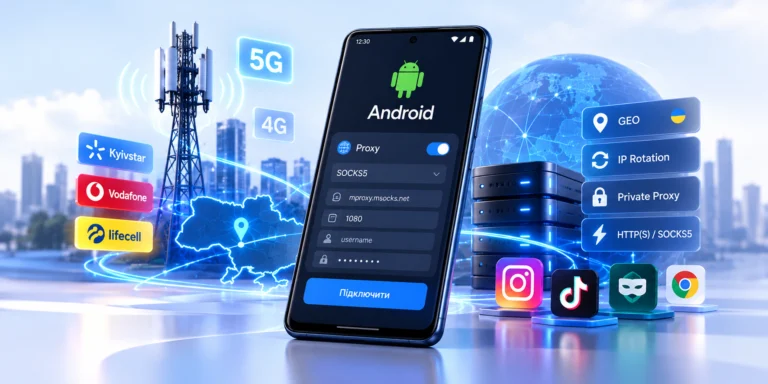
For tasks that require a Ukrainian mobile IP, MSOCKS provides proxies through Kyivstar, Vodafone, and Life networks.
At the time this article was prepared, the service offers:
- Ukrainian GEO;
- Kyivstar, Vodafone, and Life carriers;
- a private connection for one customer;
- unlimited traffic;
- HTTP(S);
- SOCKS5/UDP;
- IP rotation through a link or timer;
- speeds starting from 30+ Mbps depending on the plan;
- a two-hour trial before purchase.
This allows you to test the setup first:
MSOCKS → Dolphin Anty → target website
and only then decide whether a specific carrier and connection are suitable for your workflow.
How to Connect MSOCKS to Dolphin Anty
The practical setup looks like this:
1. Get a Trial or Purchase a Proxy
Choose the Ukrainian mobile carrier you need.
2. Open the Access Credentials
Copy:
- proxy host;
- port;
- login;
- password.
3. Create a Profile in Dolphin Anty
Open Create Profile.
4. Add a New Proxy
Choose HTTP or SOCKS5 depending on the required connection type.
5. Paste the MSOCKS Credentials
You can copy them directly from the dashboard.
6. Check the Connection
Dolphin Anty should successfully detect the proxy.
7. Launch the Profile
Check:
IP → GEO → ASN → speed → stability
8. Test Rotation
If you need IP rotation, test it separately after finishing the current working session.
MSOCKS supports controlled IP rotation through a link or timer.
Which MSOCKS Carrier Should You Choose for Dolphin Anty?
There is no universally “best” carrier.
Several mobile networks are available in Ukraine, and actual quality may vary depending on:
- the required IP;
- routing;
- the particular resource;
- time;
- network load;
- the working scenario.
A more practical approach is:
Kyivstar → test
Vodafone → test
Life → test
and then choose the connection based on actual results.
That is exactly why a two-hour proxy trial can be more useful than an advertising description of a plan. MSOCKS offers such a trial before purchase.
What Is Better: Fast Rotation or a Stable IP?
For Dolphin Anty, it depends on the task.
If you:
- work in one account/dashboard;
- maintain a long session;
- upload content;
- work with analytics;
you will usually benefit more from stability.
If you:
- perform QA;
- test different IPs;
- test GEO;
- check routes;
rotation becomes more useful.
You do not have to choose one forever.
A good mobile proxy allows you to maintain a stable connection and change the IP only when necessary.
Organizing Dolphin Anty Profiles Safely Within a Team
Dolphin Anty includes teamwork features and allows profiles and proxies to be shared with team members. The official documentation also describes transferring profiles with proxies and a separate proxy-sharing mechanism.
For an agency, the structure can look like this:
Client
→ Dolphin Profile
→ Proxy
→ Tags
→ Responsible Team Member
For example:Client: Store-UAProfile: Store-UA-InstagramProxy: Kyivstar-UA-03Responsible: SMM Manager
When working with dozens of profiles, this type of organization is much more convenient than maintaining a list of random IP addresses without labels.
Mobile Proxies Dolphin Anty: Pre-Launch Checklist
Before starting work, verify that:
- The proxy successfully passes the Dolphin Anty check.
- The IP address has changed.
- GEO matches the required country.
- ASN matches the expected network.
- HTTP/SOCKS5 is configured correctly.
- There is no conflicting active VPN.
- The profile works stably.
- Upload/download performance is sufficient.
- Rotation works.
- The IP does not unexpectedly change during an active session.
If all ten checks pass, the configuration can be used in the working environment.
FAQ
What Proxies Work With Dolphin Anty?
Dolphin Anty works with proxies that can be configured through its proxy settings. HTTP and SOCKS5 are common options for browser workflows; the specific type depends on the provider and use case. Dolphin’s official documentation has a dedicated section for adding, checking, and managing proxies.
How Do I Add a Mobile Proxy to Dolphin Anty?
Create or edit a browser profile, open Proxy settings, add a new proxy, enter the host, port, login, and password, run the connection check, and save the profile. This process follows the current Dolphin Anty Quick Start.
What Does “Mobile Proxies Dolphin Anty” Mean?
These are mobile proxies connected to Dolphin Anty browser profiles that route their traffic through an IP address belonging to a mobile carrier.
Is HTTP or SOCKS5 Better for Dolphin Anty?
For regular browser use, HTTP(S) is often sufficient. SOCKS5 is more versatile for different software and networking scenarios. MSOCKS supports both HTTP(S) and SOCKS5/UDP.
Can I Use One Proxy for Multiple Dolphin Profiles?
Technically, configurations can vary, but for independent client or account environments it is simpler to use separate network endpoints. Dolphin Anty’s own documentation recommends avoiding the same IP for multiple independent accounts.
How Do I Change a Mobile Proxy IP in Dolphin Anty?
A mobile proxy provider may provide a special rotation URL or another mechanism. Dolphin Anty has an IP-change URL field for mobile proxy setups. MSOCKS allows users to control IP changes through a link or timer.
How Often Should I Change the IP?
There is no universal rule.
For long browser sessions, it is usually more practical to maintain a stable connection and rotate only when a specific task requires it.
Why Won’t Dolphin Anty Connect to My Proxy?
Check:
- host;
- port;
- login;
- password;
- protocol;
- proxy status;
- VPN;
- firewall.
If all credentials are correct, test the endpoint separately and contact your proxy provider.
Are Ukrainian Mobile Proxies Suitable for Dolphin Anty?
Yes, if your workflow requires a Ukrainian mobile carrier IP. MSOCKS provides Ukrainian mobile proxies through Kyivstar, Vodafone, and Life with HTTP(S), SOCKS5/UDP, and controlled IP rotation.
Can I Test MSOCKS Before Connecting It to Dolphin Anty?
Yes. MSOCKS currently offers a two-hour mobile proxy trial before purchase, allowing you to test a specific proxy directly in Dolphin Anty.
Conclusion
Mobile proxies for Dolphin Anty are a network component of a browser profile that allows you to work through a mobile carrier IP, select the required GEO, and control external IP changes.
A proper setup does not require anything complicated:
create profile → add proxy → check connection → verify IP/GEO → test stability → configure rotation if required
For most workflows, stable connectivity, correct GEO, a reliable mobile carrier connection, and control over the timing of rotation are more important than changing the IP as frequently as possible.
If you need a Ukrainian mobile IP, MSOCKS allows you to connect an HTTP(S) or SOCKS5 proxy to Dolphin Anty, choose Kyivstar, Vodafone, or Life, and test the connection for two hours before purchasing.
Testing the proxy directly in your own Dolphin Anty profile is the best way to determine whether a particular mobile proxy is suitable for your workflow.