

Mobile proxies for TikTok are useful when an account needs a consistent network environment: one region, a stable IP address during the session, reliable video upload speed, and minimal sudden network changes. For TikTok, the IP address is only one part of the picture. GEO, carrier network, cookies, device signals, browser profile, language, timezone and account behavior all matter.
A proxy does not guarantee that an account will avoid restrictions, and it does not make prohibited activity safe. But for legitimate workflows — team access to business accounts, ad checks, regional content testing, SMM processes and separation of working environments — a properly selected mobile proxy can reduce network inconsistency.
- For TikTok, mobile 4G/LTE proxies are usually a better fit than datacenter IPs.
- Do not change IP during login, video upload, Ads Manager work or TikTok Shop operations.
- Accounts need a sticky session: a stable IP for the full working session.
- GEO, language, timezone and fingerprint should match the account’s region.
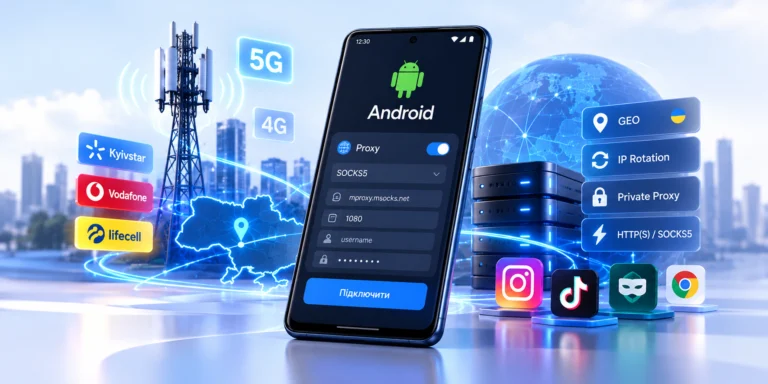
- For Ukrainian GEO, Kyivstar, Vodafone or Life/Lifecell mobile IPs are a logical choice.
What is a mobile proxy for TikTok?
A mobile proxy routes traffic through a SIM card and a mobile carrier network. TikTok sees the public IP address of the mobile network instead of your home, office or datacenter IP.
The simplified route looks like this: user → proxy server → LTE modem with SIM card → mobile carrier → TikTok.
This matters because TikTok is a mobile-first platform. Most regular users interact with TikTok from smartphones and mobile networks. That is why a mobile IP can look more natural than a datacenter address from a VPS or cheap VPN.
The technical logic of 4G/LTE, CGNAT and IP rotation is explained in more detail in Mobile Proxies: 4G/LTE, CGNAT and IP Rotation.
When do TikTok workflows need mobile proxies?
TikTok Ads
Advertising accounts need stability. If a team signs in to TikTok Ads Manager from different countries, office VPNs or random IPs, the environment may look inconsistent. A proxy helps keep a predictable network route for a specific account or browser profile.
The best setup is simple: a separate browser profile, a stable mobile IP during the session, matching timezone and no rotation while working with campaigns.
TikTok Shop and business accounts
For TikTok Shop and business accounts, a proxy does not replace verification, documents, access rights or Business Center. It only helps separate the network environment for a team, client or region.
If you work with several brands, do not mix all logins through one IP address. It is better to use a separate profile and a separate stable proxy for each project.
Content, SMM and GEO checks
Mobile proxies are useful for checking how a profile opens from a specific region, whether local pages, language and redirects display correctly, how ads look in Ukrainian GEO, and whether videos upload reliably.
For broader social media workflows, read Mobile Proxies for Social Media and Multi-Account Management. This article focuses specifically on TikTok.
Why mobile proxies are better than datacenter proxies for TikTok
| Proxy type | When it fits TikTok | Risks |
|---|---|---|
| Mobile 4G/LTE | Ads, SMM, GEO checks, account work, TikTok Shop | Depends on signal, carrier and correct rotation |
| Residential | Viewing public pages, basic checks | Does not always match a mobile-first scenario |
| Datacenter | Technical tests without accounts | Higher risk of distrust because of ASN and network origin |
| Free proxy | Not recommended | Data theft, poor IP reputation, captchas, instability |
TikTok may consider many signals: IP, ASN, geolocation, cookies, device, browser, activity, login frequency, behavior and account history. So “buying a proxy” is not enough. The whole working profile must be consistent.
Read more about free proxy risks in Why Free Mobile Proxies Are a Trap.
How to choose a proxy for TikTok
GEO and carrier
If the account, ads or content target Ukraine, it makes sense to use a Ukrainian mobile IP. MSOCKS provides Kyivstar, Vodafone and Life/Lifecell mobile operators on the Mobile Proxy Ukraine page.
Do not mix countries without a reason. For example, an account with Ukrainian language, Ukrainian content and Ukrainian business context that constantly signs in from another continent looks less consistent.
Sticky session
A sticky session means the IP remains stable during the working session. For TikTok, this is critical during login, 2FA, video upload, ad account work, messages and TikTok Shop moderation.
Rotation is better between sessions, between accounts or before a new work cycle, not in the middle of an active operation.
HTTP(S) or SOCKS5
For most browser tasks, HTTP(S) is enough. SOCKS5 is often used for antidetect browsers, dedicated software, broader compatibility or workflows that require more flexible routing.
If you work with Dolphin Anty, see the separate guide Mobile Proxies for Dolphin Anty.
Upload speed
For TikTok, upload speed matters as much as download speed. If a video uploads slowly, fails or gets stuck in processing, the issue may be signal quality, carrier load, routing or the video file itself.
How to set up a mobile proxy for TikTok
- Create a separate browser or antidetect profile for the account.
- Add proxy credentials: host, port, login, password, HTTP(S) or SOCKS5 protocol.
- Check the IP with a geolocation checker.
- Verify country, language, timezone and WebRTC.
- Log in to TikTok only after checking the profile.
- Do not change IP during login, video upload or Ads/Shop work.
- Rotate IP only between sessions or before switching to another account.
- Track which proxy is assigned to which account.
The simplest rule: one account — one profile — one stable network route. If all parameters change randomly, the proxy will not help.
How often should you change IP for TikTok?
TikTok accounts do not need constant rotation every few minutes. That kind of behavior looks more like a technical script than a real user.
| Scenario | How to handle IP |
|---|---|
| Account login | Do not change IP during login |
| Video upload | Keep a stable session |
| Ads Manager work | Do not rotate IP while configuring campaigns |
| Switching between accounts | Change IP between sessions if accounts must be separated |
| GEO check | Change IP before a new check, then verify GEO |
MSOCKS supports IP change by link or timer. For TikTok, controlled rotation is better than random frequent IP changes.
Common mistakes
- Using a datacenter IP with a mobile User-Agent. User-Agent does not change the IP origin.
- Changing IP during an active session. Rotation during login, posting or payments may look like session hijacking.
- Running several accounts through one profile. Cookies, fingerprint and shared IP can connect accounts.
- Ignoring WebRTC and DNS checks. If the browser shows one IP while WebRTC or DNS leaks another region, the profile becomes inconsistent.
- Buying proxies without testing. Before using TikTok, check speed, stability, GEO and tool compatibility.
- Expecting an “anti-ban” solution. A proxy does not compensate for spam, repeated content, ad policy violations or suspicious account behavior.
Ukrainian MSOCKS mobile proxies for TikTok
MSOCKS fits TikTok workflows where Ukrainian mobile IPs, a stable session and controlled rotation are needed. The service provides Ukrainian GEO, Kyivstar, Vodafone and Life/Lifecell operators, HTTP(S) and SOCKS5/UDP, IP change by link or timer, unlimited traffic, private channel and a 2-hour proxy test.
If you work with TikTok Ads, TikTok Shop, SMM or Ukrainian GEO checks, start with a test. Check IP, upload speed, session stability and compatibility with your browser or software. After that, assign the proxy to a specific account or project.
You can check pricing on the Mobile Proxy Ukraine page.
FAQ
What proxies are best for TikTok?
Mobile 4G/LTE proxies are usually the best fit because they use mobile carrier IPs. For accounts, ads and SMM, a stable session is more important than constant rotation.
Do mobile proxies guarantee no TikTok restrictions?
No. A proxy reduces network inconsistency, but it does not override TikTok rules, moderation, account checks, behavior analysis, content review or device signals.
How often should I change IP for TikTok?
Do not change IP during an active session. It is safer to keep one IP during login, video upload, Ads Manager work or TikTok Shop operations.
Does each TikTok account need a separate proxy?
For professional workflows, it is better to use a separate profile and a separate stable proxy for each account. This reduces the risk of linking accounts through shared IP, cookies, fingerprint and repeated behavior.
Is HTTP or SOCKS5 better for TikTok?
For regular browser work, HTTP(S) is often enough. SOCKS5 is useful for antidetect browsers, dedicated tools and workflows that need broader compatibility.
Can I use free proxies for TikTok?
It is not recommended. Free proxies often have poor reputation, low speed, unstable IPs and data leak risks. For TikTok accounts, they can cost more than a paid private mobile proxy.
Conclusion
A mobile proxy for TikTok is not a magic way to avoid restrictions. It is a tool for creating a stable and logical network environment. The best setup is simple: a Ukrainian mobile IP for Ukrainian GEO, sticky session during work, controlled rotation between sessions, a separate profile for each account and testing before launch.
MSOCKS provides Ukrainian mobile proxies with Kyivstar, Vodafone and Life/Lifecell operators, HTTP(S)/SOCKS5, unlimited traffic and a 2-hour test. For TikTok, start with a test: it quickly shows whether the carrier, speed and rotation mode fit your workflow.