

Social media platforms are no longer used only for personal communication. Instagram, TikTok, Facebook, X, LinkedIn, and other platforms are actively used by online stores, marketing agencies, SMM teams, brands, bloggers, and companies that manage multiple projects or markets at the same time.
In these scenarios, mobile proxies for social media can become part of the technical infrastructure. They allow you to route connections through a mobile carrier IP address, work with a required geographic location, control IP rotation, and separate network sessions across different working environments.
However, a proxy is only one component of the overall setup. An IP address does not replace proper authentication, cookies, browser profiles, page access permissions, official APIs, or the rules of the social media platform itself.
This becomes especially important when working with multiple accounts: a stable configuration is often more useful than constantly changing IP addresses.
What Is a Mobile Proxy for Social Media?
A mobile proxy is an intermediary server that routes internet traffic through a SIM card, a mobile modem, and a cellular carrier network.
The connection typically looks like this:
user → proxy server → 4G/LTE modem → mobile carrier → social media platform
For Instagram, Facebook, TikTok, or another online service, the outgoing connection comes from an IP address belonging to a mobile network operator.
For example, if a user is physically located outside Ukraine but connects through a Ukrainian mobile proxy, an external website may see a Ukrainian mobile carrier IP address.
However, using a mobile network does not make a user “invisible.” Social media platforms may evaluate much more than the IP address alone, including:
- cookies and active sessions;
- device type;
- browser characteristics;
- language and time zone;
- login history;
- authentication tokens;
- user behavior;
- request and action frequency.
This is why a proxy should be viewed as a network layer, not as a universal way to hide all online activity.
Why Mobile Proxies Are Used for Social Media
Mobile Carrier IP Addresses
Datacenter proxies usually use IP addresses belonging to hosting companies or datacenters. Their network origin can often be identified through ASN information and IP ranges.
A mobile proxy routes traffic through the network of a real mobile carrier.
For tasks that specifically require a mobile network connection, this distinction can be important.
CGNAT
Mobile carriers commonly use Carrier-Grade NAT, or CGNAT.
Because IPv4 addresses are limited, a single public IP address may be shared by many mobile subscribers.
Therefore, a mobile IP address does not necessarily mean that one IP always corresponds to one physical device.
The way CGNAT, LTE, and mobile IP rotation work is covered in more detail in a separate MSOCKS article.
Geolocation
Another common use case is working with a specific geographic market.
A Ukrainian mobile proxy may be useful for:
- checking content intended for a Ukrainian audience;
- testing regional pages;
- working on Ukrainian projects as part of an SMM team;
- checking your own advertising;
- localization QA;
- testing mobile applications;
- verifying regional redirects and functionality.
In such cases, the words “mobile proxy” alone are not enough. You should also consider the country, mobile carrier, and ASN.
Mobile Proxies and Multi-Account Management
The term “multi-accounting” is used very broadly.
In a legitimate business environment, it may refer to an agency working with accounts belonging to different clients, managing several brands owned by the same company, handling regional pages, test accounts, or separate working environments.
For example, an SMM agency may simultaneously work with ten clients:
Client A → Instagram + Facebook
Client B → TikTok + Instagram
Client C → Facebook + LinkedIn
and so on.
The main goal of the technical infrastructure in this case is not to “trick” the platform, but to make the workflow manageable: avoid mixing sessions, permissions, and network environments belonging to different clients.
If a social network provides Business Manager, team roles, APIs, or official page-management tools, those tools should remain the primary method for providing access.
A proxy only supplements this system at the network level.
Stable IP or Rotation: Which Is Better for Social Media?
This is one of the most common mistakes users make when choosing a mobile proxy.
A user sees that an IP can be changed every 30 seconds and assumes:
the more frequently the IP changes, the better.
For authenticated social media activity, this is not always true.
Sticky Sessions
A sticky session means that the same outgoing IP address or a stable network connection is used throughout a specific working session.
For long authenticated sessions, this is often a more logical approach.
For example:
- connect through the proxy;
- verify the external IP address and geolocation;
- open the required working profile;
- authenticate;
- perform the required operations;
- finish the session;
- only then rotate the IP if necessary.
Changing the IP address during a video upload, authentication process, or another active TCP session may simply interrupt the connection.
When Rotation Is Useful
Controlled IP rotation makes sense for other tasks, including:
- testing different mobile carrier routes;
- checking localized content;
- QA;
- monitoring;
- working with publicly available information;
- checking how a service behaves after receiving a new carrier IP.
Rotation should be a tool, not a goal in itself.
A Proxy Is Not a Browser Profile
Another common misconception is that changing an IP address makes a website see an entirely new user.
It does not.
A proxy changes the network route and the public IP address.
However, the browser may continue to expose:
- cookies;
- localStorage;
- User-Agent;
- screen characteristics;
- time zone;
- language;
- WebGL;
- Canvas;
- WebRTC;
- installed fonts;
- other environment characteristics.
This is why large SMM teams often organize separate working browser profiles or corporate environments.
At the same time, neither an anti-detect browser nor a proxy removes the need to comply with the rules of a particular social media platform.
Mobile vs Residential vs Datacenter Proxies for Social Media
Not every project requires the most expensive proxy type.
| Criterion | Mobile Proxies | Residential Proxies | Datacenter Proxies |
|---|---|---|---|
| IP source | Mobile carrier | Residential ISP | Datacenter/VPS |
| Geolocation | Depends on carrier | Depends on pool | Depends on server |
| Speed | Depends on LTE/4G | Depends on node | Usually high |
| IP stability | Depends on configuration | Depends on sticky session | Often static |
| Rotation | Reconnection/control | Through proxy pool | Through IP list |
| Cost | Higher | Medium/high | Lower |
| Mobile QA | Well suited | Possible | Limited |
| Simple API requests | Often excessive | Often excessive | Often sufficient |
If a task specifically requires a mobile carrier IP address, a mobile proxy is a logical choice.
However, if you only need to make permitted API requests or perform technical monitoring, a more expensive mobile connection may provide little or no practical advantage.
Mobile Proxies for Instagram
Instagram is widely used by brands, online stores, bloggers, and SMM agencies. As a result, queries such as mobile proxies for Instagram and Instagram proxies form a separate SEO search cluster.
For working Instagram sessions, it is important to consider:
- connection stability;
- upload speed;
- IP country;
- mobile carrier;
- absence of unexpected IP rotation during an active session;
- proper organization of account access.
For business pages and client projects, official Meta tools should be used whenever possible to distribute permissions among team members.
In this configuration, the proxy is responsible for the network connection, not account access permissions.
Mobile Proxies for TikTok
TikTok is a mobile-first platform, which is why search queries such as TikTok proxies and mobile proxies for TikTok form a separate search cluster.
For TikTok, the following factors may be especially important:
- stable video upload speed;
- latency;
- correct geographic region;
- long-session stability;
- predictable IP rotation.
If the proxy is being used for content testing or localization, you should verify not only the IP address but also whether the country and carrier are detected correctly.
Mobile Proxies for Facebook and Meta
For companies, official Meta business tools should remain the primary method for managing Facebook pages and advertising activities.
Proxies may still be useful as an additional network layer for:
- SMM teams;
- local QA;
- client projects;
- page testing;
- checking regional display;
- verifying your own advertising materials.
There is usually no technical need to continuously change IP addresses during an active authenticated session.
X, LinkedIn, and Other Social Platforms
The same general logic applies to X, LinkedIn, Pinterest, Reddit, and other platforms.
If a service provides an official API, it is generally better to use that API for automation.
Proxies are useful when you need:
- network environment testing;
- regional QA;
- an IP address from a specific country;
- a mobile carrier IP;
- a controlled network environment for a working team.
Proxies should not be used as a replacement for official APIs or as a method of bypassing platform restrictions.
How to Choose a Mobile Proxy for Social Media
Price should not be the only factor you consider.
1. Private or Shared Connection
Find out whether one customer receives a dedicated connection or whether the same proxy endpoint is simultaneously shared by many customers.
This affects bandwidth predictability and network load.
2. Country and Mobile Carrier
Check:
- country;
- ASN;
- mobile carrier name;
- actual geolocation of the public IP address.
For Ukrainian projects, it makes sense to test IP addresses belonging to Ukrainian mobile carriers.
3. Rotation Control
A good mobile proxy should allow users to understand and control when the public IP address changes.
Convenient rotation methods may include:
- a user dashboard;
- a dedicated rotation URL;
- a timer;
- an API for integrations.
4. HTTP(S) and SOCKS5
For browser usage, HTTP(S) is often sufficient.
For software, Telegram, different network clients, and specialized integrations, SOCKS5 may be required.
The available protocols should therefore be checked before purchasing.
5. Traffic Limits
Social networks use a large amount of video and image content.
If the plan charges for every gigabyte, working with Reels, Stories, and TikTok videos can consume significant traffic.
For media-heavy workflows, an unlimited traffic plan may be more practical.
6. Upload Speed
Do not evaluate only download performance.
For SMM workflows, upload speed can be equally important because users regularly upload:
- photos;
- Stories;
- Reels;
- TikTok videos;
- advertising creatives.
7. Trial Period
The best approach is to test a proxy with your own real-world workflow.
Two proxies with identical specifications on paper may perform differently because of carrier conditions, signal quality, routing, and network load.
How to Test a Mobile Proxy Before Using It
Before connecting your primary working environment, check the following.
IP and ASN.
Identify the external IP address and confirm that it belongs to the expected mobile carrier.
Geolocation.
Check the detected country using several independent IP lookup services.
Ping.
High latency can make social media management uncomfortable.
Download and upload.
Pay particular attention to upload performance if you plan to work with video.
Long-running session.
Keep the connection active and evaluate its stability over time.
Rotation.
Change the IP and confirm that network access is restored correctly after reconnection.
DNS and WebRTC.
When using a browser, check what network information is actually visible to external services.
Common Mistakes
Rotating IP Addresses Too Frequently
The ability to rotate an IP every 30 seconds does not mean you need to do it every 30 seconds.
For long working sessions, stability is often more important.
Changing the IP During an Active Operation
IP rotation can interrupt the current TCP connection.
It should not be triggered in the middle of a video upload or another important operation.
Buying a Proxy Without Testing It
Carrier characteristics and network routes vary.
Testing a proxy in your actual workflow is more informative than relying only on advertised specifications.
Using Free Proxies
Free proxy endpoints may have an unknown usage history, overloaded connections, and privacy risks.
MSOCKS covers this topic in more detail in a separate article about the risks of free mobile proxies.
Assuming a Proxy Solves Everything
An IP address is only one parameter.
Cookies, devices, browsers, authentication, behavior, and platform policies remain relevant.
Ukrainian MSOCKS Mobile Proxies for SMM
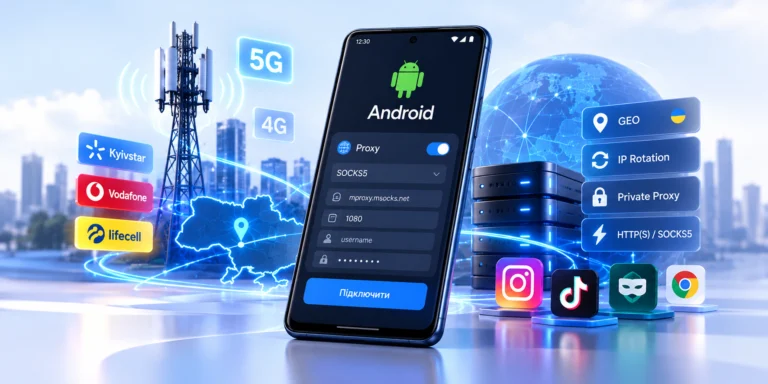
MSOCKS provides Ukrainian mobile proxies with IP addresses from Kyivstar, Vodafone, and Life. According to the service information, customers receive a private connection, unlimited traffic, HTTP(S), SOCKS5/UDP support, and controlled IP rotation through the dashboard, a dedicated link, or a timer. A two-hour trial is also available before purchase.
For social media workflows, this makes it possible to test the selected carrier and actual connection quality before purchasing a proxy.
Instead of choosing a proxy solely based on advertised specifications, it is better to test:
Instagram → authentication, content browsing, and uploads
TikTok → stability and video uploads
Facebook → long-running sessions
SMM software → HTTP(S)/SOCKS5 compatibility
Browser → IP, DNS, and WebRTC
Such testing provides much more useful information than a single advertised speed figure.
Do Mobile Proxies Guarantee That Accounts Will Not Be Blocked?
No.
This is an important point that proxy providers sometimes overlook.
A mobile IP address does not guarantee protection against:
- CAPTCHA;
- additional authentication;
- rate limits;
- device verification;
- account restrictions;
- moderation;
- bans caused by violations of platform policies.
A social platform can analyze far more signals than the public IP address alone.
Professional infrastructure is therefore not about finding an “invisible proxy.” It is about building a stable combination of network access, working environments, legitimate access permissions, and proper user behavior.
FAQ
What Proxies Are Best for Social Media?
If you specifically need an IP address from a real mobile carrier and a connection routed through a 4G/LTE network, mobile proxies are worth considering.
If there is no such requirement, residential or datacenter proxies may be sufficient for some tasks.
Are Mobile Proxies Suitable for Instagram?
Yes. Mobile proxies can be used for legitimate Instagram workflows, SMM, testing, and regional QA.
However, a proxy does not replace official Meta access permissions and cannot guarantee that no restrictions will occur.
What Proxies Should You Use for TikTok?
For tasks that specifically require a mobile network IP origin, 4G/LTE or 5G mobile proxies can be used.
Before starting work, check the geolocation, carrier, upload speed, and session stability.
How Often Should You Change the IP Address?
There is no universal rotation interval.
During a long authenticated session, avoiding unnecessary IP changes is often better. Rotation should be performed when it is required by a specific technical workflow.
Do You Need a Separate Proxy for Every Account?
There is no universal rule.
For businesses, the key objective is to properly organize access permissions, working environments, and network sessions.
Separating network environments may be convenient for different clients or projects, but using a proxy does not override platform policies.
Does a Proxy Change the Browser Fingerprint?
No.
A proxy changes the network route and public IP address. Browser fingerprints, cookies, and device parameters exist at different layers.
Can You Use Free Mobile Proxies?
For business accounts, this is usually a poor choice because of unknown IP history, instability, overloaded infrastructure, and privacy risks.
Are Mobile Proxies Completely Anonymous?
No.
The IP address is only one signal. An authenticated service can identify a user through the account, cookies, device data, and other information.
Conclusion
Mobile proxies for social media are primarily a network connection management tool.
They allow users to work through a mobile carrier IP address, use a required geographic location, control rotation, and build a stable network environment for SMM, testing, and multiple projects.
For multi-account management, it is important not to focus on rotating IP addresses as frequently as possible. In many real-world workflows, a stable session, predictable geolocation, reliable connection, sufficient upload speed, and full control over the rotation moment are far more valuable.
Before purchasing a mobile proxy, it is best to verify the actual mobile carrier, speed, ASN, geolocation, and connection stability using your own workflow.
MSOCKS allows users to test a Ukrainian mobile proxy before purchase and choose IP addresses from Ukrainian mobile carriers.