

Instagram is used for much more than personal content. Online stores, brands, SMM agencies, marketing teams, content creators, and companies managing projects across different countries and regions all rely on the platform.
In such scenarios, the network connection can become a separate part of the working infrastructure. If you need a mobile carrier IP address, Ukrainian GEO, a stable network session, or controlled IP rotation, one option is mobile proxies for Instagram.
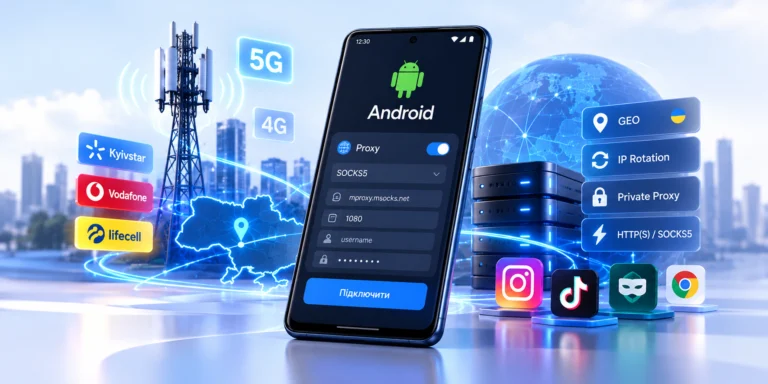
A mobile proxy routes traffic through a mobile carrier network, so the external service sees a carrier-owned IP address instead of the user’s regular public IP.
However, it is important to separate real capabilities from marketing myths.
A proxy changes the network route and external IP address. It does not change account history, cookies, user behavior, access permissions, or Instagram rules. Modern proxy guides also emphasize that an IP address is only one of many signals that online platforms may consider.
Professional proxy usage is therefore primarily about managing the network environment, not trying to make an account “invisible.”
How Mobile Proxies for Instagram Work
A regular connection looks like this:
user → internet provider → Instagram
With a mobile proxy, the connection changes to:
user → proxy server → 4G/5G modem → mobile carrier → Instagram
Instagram receives the connection from a public IP address belonging to a mobile network.
Mobile proxies differ from datacenter proxies because the outgoing IP belongs to a mobile carrier network rather than hosting or datacenter infrastructure.
This is particularly important when you need to test a specific mobile network environment.
Why Mobile Carriers Use CGNAT
There are not enough IPv4 addresses for every smartphone connected to a mobile network to permanently have its own public IPv4 address.
That is why mobile carriers use Carrier-Grade NAT.
With CGNAT, one public IP address may be shared by many subscribers of the same mobile carrier.
Therefore:
one mobile IP ≠ one smartphone
This is a normal feature of mobile networks.
MSOCKS already covers the principles of 4G/LTE, CGNAT, and IP rotation in detail in the separate article “Mobile Proxies: 4G/LTE, CGNAT and IP Rotation”, so an Instagram-specific page only needs to explain the mechanism briefly and link to the foundational guide.
What Mobile Proxies for Instagram Are Used For
SMM and Client Projects
An SMM agency may work with several brands at the same time.
For example:
Client A → Instagram Store
Client B → Instagram Brand
Client C → Instagram Creator
Each project may use separate:
- browser sessions;
- access permissions;
- working environments;
- network connections.
In this setup, the proxy is responsible specifically for the network layer.
For official access to client resources, it is better to use available Meta tools and Accounts Center rather than sharing passwords between employees. Meta allows connected Instagram and other profiles to be managed through Accounts Center.
GEO Testing
Another important scenario is checking how content or a website works for a user in a particular country.
For example, a team may work with the Ukrainian market while an employee is physically located abroad.
A Ukrainian mobile proxy allows the network environment to be tested through an IP address belonging to a Ukrainian mobile carrier.
This can be useful for:
- checking GEO;
- regional content;
- local landing pages;
- advertising pages;
- redirects;
- localization;
- QA;
- checking external services related to a campaign.
Content and SMM
Instagram relies heavily on media content:
- photos;
- Stories;
- Reels;
- video;
- advertising creatives.
For this reason, an Instagram proxy requires not only good download performance but also sufficient upload speed.
A proxy with a weak upstream connection may open pages normally but cause problems when uploading a large video.
Remote Team Work
If a team works from multiple countries, a separate controlled network endpoint can be useful for a particular working environment.
This is especially relevant when the service needs to be tested through a Ukrainian mobile carrier.
Do You Really Need a Mobile Proxy for Instagram?
No.
This is an important point.
Not every Instagram user needs a proxy at all.
For a regular personal account, a normal stable internet connection is often the best option.
A mobile proxy makes sense when a particular task requires:
- a mobile carrier IP;
- another GEO;
- a mobile network;
- a separate working network environment;
- controlled rotation;
- a proxy for an SMM tool;
- QA.
Instead of asking:
“Which proxy should I buy?”
a better question is:
“Do I actually need a proxy for this specific task?”
Mobile vs Residential vs Datacenter Proxies for Instagram
The Instagram proxy market generally compares three main types: mobile, residential/ISP, and datacenter proxies.
| Parameter | Mobile | Residential | Datacenter |
|---|---|---|---|
| IP source | Mobile carrier | ISP | Datacenter |
| Network | 4G/5G/LTE | Residential/ISP | Server network |
| GEO | Depends on carrier | Depends on pool | Server-based |
| Sticky session | Available | Often available | Often static |
| Rotation | Often available | Often available | Depends on service |
| Upload | Depends on LTE/5G | Depends on node | Often high |
| Cost | Usually higher | Medium/high | Lower |
| Mobile GEO QA | Strong use case | Possible | More limited |
There is no universally “best” proxy.
A mobile proxy should be chosen when you specifically need a mobile carrier network.
4G or 5G Proxies for Instagram
5G does not automatically mean a “better proxy.”
Quality depends on a combination of factors:
- signal quality;
- base station load;
- mobile carrier;
- routing;
- proxy gateway;
- ping;
- upload speed;
- stability.
A good stable 4G connection may be more practical than an unstable 5G connection.
That is why looking only at the 5G label in a pricing plan is not enough.
The real connection needs to be tested.
Sticky Sessions or IP Rotation for Instagram
This is one of the key parameters.
Sticky Session
A sticky session means that a stable IP address or stable network connection is used during the working session.
This is practical for:
- long authenticated sessions;
- uploading Reels;
- working with content;
- administration;
- analytics;
- SMM.
For Instagram sessions, stability is often more useful than extremely frequent IP rotation.
Rotating Proxy
Rotation allows you to obtain a new public IP address.
This may be useful for:
- repeated GEO QA;
- network testing;
- checking a new carrier route;
- starting another independent testing session.
However, the rule:
“The more often the IP changes, the better”
does not work.
Should You Change the IP Every 30 Seconds?
No.
Even if a proxy provider technically allows rotation every 30 seconds, there is no reason to trigger it without a specific purpose.
Changing the IP during:
- authentication;
- uploads;
- video uploads;
- an active network operation;
may interrupt the current connection.
It is more practical to finish the active operation first and only then perform rotation.
Which GEO Should You Choose for Instagram?
GEO should be selected according to the specific task.
If the project targets Ukraine, using a Ukrainian mobile IP is a logical choice.
During testing, check:
- country;
- ASN;
- mobile carrier;
- actual IP;
- GEO stability after rotation.
Do not rely on only one IP checker.
Different GEO databases may be updated at different speeds.
HTTP or SOCKS5 for Instagram
A mobile proxy provider may support several protocols.
HTTP(S)
Works well for:
- browser-based scenarios;
- web-based SMM tools;
- simple integrations.
SOCKS5
More versatile for:
- various desktop applications;
- anti-detect browsers;
- specialized clients;
- scenarios where an application directly supports SOCKS5.
There is no point in choosing SOCKS5 simply because it sounds “more advanced.”
You should choose based on what the specific software supports.
How to Choose a Mobile Proxy for Instagram
When selecting a proxy, check at least seven parameters.
1. Country
The proxy should match the required GEO.
2. Mobile Carrier
Check which mobile network is used for outgoing traffic.
In Ukraine, this may include Kyivstar, Vodafone, or lifecell.
3. ASN
ASN helps verify the network origin of the IP address.
4. Private or Shared Connection
Find out whether a proxy endpoint is used by one customer or whether the connection is shared among multiple customers.
5. Rotation Control
Ideally, you should be able to control exactly when the IP address changes.
6. Upload Speed
This is particularly important for Instagram.
7. Traffic Limits
Instagram uses a lot of media.
Reels and Stories can quickly consume traffic on plans that charge per GB.
How to Test a Mobile Proxy for Instagram
Before purchasing or committing to a long-term plan, test the proxy in a real workflow.
IP
Make sure the external IP address has changed.
GEO
Check the country through several services.
ASN
Confirm that the IP belongs to the expected network.
Ping
High latency can make the interface feel slow.
Download
Test page, Reels, and media loading.
Upload
Upload a test file or permitted test content.
Stability
Do not limit your test to five minutes.
Keep the connection active for 30–60 minutes.
Rotation
Change the IP and check:
- whether the external IP changed;
- whether the correct GEO remained;
- whether the connection recovered;
- whether the carrier changed unexpectedly.
Which Instagram Proxy Is Better: Private or Shared?
For a working project, a private connection has an obvious operational advantage: you have better visibility into network load and can more easily predict available bandwidth.
With shared infrastructure, activity from other customers may affect:
- network load;
- speed;
- available bandwidth;
- endpoint history.
At the same time, a shared proxy may be cheaper.
The choice therefore depends on the budget and the task.
Common Mistakes When Choosing an Instagram Proxy
Buying Based on Price Alone
The cheapest proxy may ultimately become the most expensive because of wasted time.
Not Testing Upload Speed
A Speedtest result with good download performance does not mean Reels will upload properly.
Constantly Rotating IP Addresses
Rotation should be used when it solves a specific task.
Not Checking ASN
The phrase “Ukraine proxy” on a seller’s website does not by itself confirm the network origin of the IP address.
Using Random Free Proxies
Public proxies may have an unknown history, unstable connectivity, and unclear infrastructure.
MSOCKS already has a separate article called “Why Free Mobile Proxies Are a Trap”, so it is better to link to that article rather than duplicate the entire topic here.
Treating a Proxy as a Guarantee Against Account Restrictions
No mobile proxy makes an Instagram account “ban-proof.”
Instagram may require additional identity verification, and accounts that violate platform rules may be disabled. Meta also uses identity verification mechanisms, including video selfies in certain cases.
Ukrainian MSOCKS Mobile Proxies for Instagram
For scenarios that require a Ukrainian mobile IP, MSOCKS provides mobile proxies with Ukrainian GEO through Kyivstar, Vodafone, and Life networks.
The current MSOCKS plans include:
- Ukrainian GEO;
- Kyivstar, Vodafone, and Life;
- private connection — one proxy is sold to one customer;
- unlimited traffic;
- IP rotation through a link or timer;
- HTTP(S) and SOCKS5/UDP;
- speeds starting from 30+ Mbps;
- Pro Max speeds starting from 50+ Mbps;
- a two-hour proxy trial before purchase.
For Instagram, the most valuable part is not the Mbps number itself but the ability to test the actual connection before purchasing.
A practical test looks like this:
MSOCKS → browser/SMM environment → Instagram → upload → stability → rotation
After that, you can evaluate whether a particular mobile carrier is suitable for your workflow.
Kyivstar, Vodafone, or Life for Instagram?
There is no carrier that will universally be the best in every situation.
Actual performance depends on:
- current signal quality;
- network load;
- routing;
- the target resource;
- time of day;
- the specific proxy node.
A practical approach is therefore:
Kyivstar → test
Vodafone → test
Life → test
and then choose based on real:
- ping;
- upload;
- stability;
- GEO;
- IP rotation.
A Mobile Proxy and an Anti-Detect Browser Are Not the Same Thing
This is important from a technical perspective.
A proxy changes:
- IP;
- network route;
- network provider;
- IP GEO.
A browser profile separately contains:
- cookies;
- localStorage;
- User-Agent;
- language;
- timezone;
- WebRTC;
- Canvas;
- WebGL;
- other browser parameters.
Changing the proxy alone therefore does not create a new browser environment.
MSOCKS already has a separate article “What Are Anti-detect Browsers and How Do They Work?”, as well as a practical guide to mobile proxies for Dolphin Anty. These materials should be used for internal linking from this page.
Do You Need a Separate Proxy for Every Instagram Project?
There is no universal rule.
However, for an agency, a logical structure may look like this:
Client A → working environment A → proxy A
Client B → working environment B → proxy B
Client C → working environment C → proxy C
This simplifies:
- administration;
- diagnostics;
- GEO control;
- proxy inventory;
- teamwork;
- troubleshooting a specific connection.
At the same time, access permissions to business resources should preferably be organized through official Meta mechanisms.
Checklist Before Using a Proxy With Instagram
Before starting work, make sure that:
- The proxy responds correctly.
- The external IP has changed.
- GEO is correct.
- ASN matches the expected network.
- Ping is acceptable.
- Download performance is sufficient.
- Upload performance is sufficient.
- The connection is stable.
- Rotation works.
- The IP does not change without your command.
- HTTP/SOCKS5 is properly supported by your software.
- The workflow complies with the platform’s rules.
This type of test is much more useful than choosing a proxy simply because it is labeled “4G” or “5G.”
FAQ
What Are the Best Proxies for Instagram?
If your task requires a real mobile carrier IP, mobile GEO, or access through a 4G/5G network, mobile proxies are a logical option.
If a mobile carrier IP is not required, residential, ISP, or another proxy type may be more cost-effective.
What Is a Mobile Proxy for Instagram?
It is a proxy through which Instagram traffic reaches the internet using an IP address belonging to a mobile carrier.
Are 4G Proxies Suitable for Instagram?
Yes, when a particular workflow requires a mobile carrier IP. However, quality should be evaluated using real ping, upload speed, GEO, and stability rather than network type alone.
Which Is Better for Instagram: 4G or 5G Proxy?
5G may potentially provide higher speed and lower latency, but that does not guarantee a better proxy. A stable 4G connection may perform better than an overloaded or unstable 5G connection.
Should You Use HTTP or SOCKS5 Proxy for Instagram?
HTTP(S) is often sufficient for browser-based workflows. SOCKS5 may be more convenient for software that directly supports the protocol.
Do You Need to Rotate the IP Constantly?
No. For a long active session, stability is often more practical. Rotation should be used when a specific task requires it.
Can You Use a Ukrainian Proxy for Instagram?
Yes. If you need a Ukrainian network environment, you can use a mobile proxy with Ukrainian GEO and an IP from a Ukrainian mobile carrier.
How Do You Test a Mobile Proxy Before Buying?
Check the IP, GEO, ASN, carrier, ping, download, upload, stability, and rotation. Ideally, test the connection using your real workflow.
Does a Mobile Proxy Guarantee That Instagram Will Not Restrict the Account?
No.
A proxy changes the network connection, but Instagram also uses its own security, moderation, and identity-verification mechanisms.
Can You Test MSOCKS Before Purchasing?
Yes. MSOCKS offers a two-hour trial of a Ukrainian mobile proxy before purchase.
Conclusion
Mobile proxies for Instagram are primarily tools for managing the network environment.
They allow you to work through a mobile carrier IP, use the required GEO, control rotation, and test Instagram projects through a 4G/5G network connection.
However, the label “mobile proxy” alone guarantees nothing.
Before buying, you should check:
IP → ASN → carrier → GEO → ping → upload → stability → rotation
For Instagram, stable sessions and upload speed are particularly important because the platform relies heavily on photos, Stories, Reels, and video content.
If you specifically need a Ukrainian mobile IP, MSOCKS allows you to test a Kyivstar, Vodafone, or Life proxy for two hours, evaluate the real connection in your own workflow, and only then choose a plan.