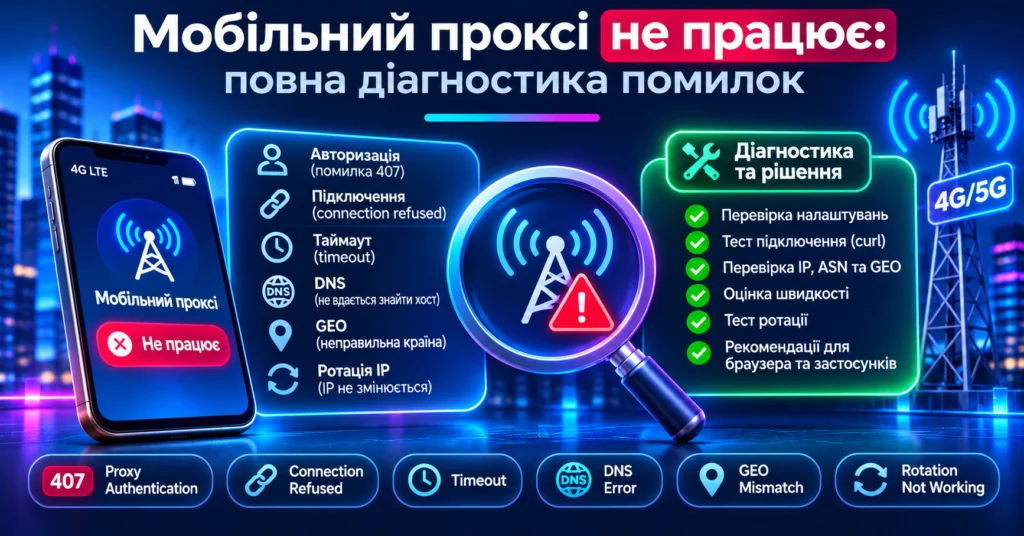
A mobile proxy can stop working for many different reasons: invalid credentials, the wrong port, an unsupported protocol, DNS problems, a blocked connection, mobile-carrier issues, an unavailable proxy node, or an application that ignores system proxy settings.
That is why the statement “the proxy does not work” is not enough to identify the real problem.
A useful troubleshooting sequence is:
credentials → host/port → protocol → DNS → TCP connection → authentication → destination → GEO/ASN → performance → rotation
First Determine Whether the Proxy or the Website Is Failing
Before changing settings, test several destinations.
- Open multiple websites.
- Check the external IP.
- Try a simple IP-check service.
- Test the same proxy in another client.
- Test the endpoint with curl.
If nothing works through the proxy, the issue is probably at the connection level.
If most websites work but one destination returns 403, CAPTCHA, or another application-level error, the proxy connection itself may still be working correctly.
Check the Basic Proxy Parameters
- Host;
- Port;
- Protocol;
- Username;
- Password.
A typical configuration looks like:
host:port:username:password
A single incorrect port number or an accidental space in the password can prevent the connection from working.
407 Proxy Authentication Required
407 Proxy Authentication Required means that the proxy expects valid authentication credentials.
Common causes include:
- missing username;
- missing password;
- incorrect credentials;
- spaces copied with credentials;
- unsupported authentication method;
- IP whitelist restrictions.
Do not confuse:
401 Unauthorized — authentication to the destination service.
407 Proxy Authentication Required — authentication to the proxy.
Connection Refused
A connection-refused error usually means that the client reached the target address but no connection was accepted on the specified TCP port.
Check:
- the proxy port;
- whether the proxy service is online;
- firewall restrictions;
- whether the endpoint changed;
- whether the selected port matches the protocol.
Proxy Timeout
A timeout means that an operation did not finish within the configured time limit.
The delay may occur during:
- DNS resolution;
- connection to the proxy;
- TCP handshake;
- TLS handshake;
- proxy-to-destination connection;
- response transfer;
- mobile-network reconnection.
Check latency, connection time, several destination websites, download speed, and upload speed.
Could Not Resolve Proxy
This means that the proxy hostname itself could not be resolved.
Possible causes:
- incorrect hostname;
- DNS failure;
- an expired hostname;
- local DNS problems;
- VPN or firewall interference.
This is different from Could not resolve host, where the proxy may work but the destination hostname cannot be resolved.
HTTP Works but SOCKS5 Does Not
Check whether:
- SOCKS5 is actually selected;
- the SOCKS5 port is correct;
- the client supports SOCKS5 authentication;
- DNS is resolved locally or remotely;
- the application supports SOCKS5 at all.
For example, standard Android Wi-Fi proxy settings are mainly intended for HTTP proxies, while SOCKS5 usually requires a dedicated application.
SOCKS5 Connects but Domains Do Not Load
This may be a DNS-resolution issue.
Some clients resolve destination hostnames locally, while others pass the hostname to the SOCKS5 server.
For example, curl distinguishes between:
socks5://
and:
socks5h://
The latter asks the proxy to resolve the destination hostname.
403 and 429 Are Not Necessarily Proxy Failures
If the destination returns:
- 403 Forbidden;
- 429 Too Many Requests;
- CAPTCHA;
- access denied;
the request may already have successfully passed through the proxy.
The response can instead be related to:
- destination rules;
- rate limits;
- authorization;
- cookies;
- session state;
- service policies.
The Proxy Works but GEO Is Wrong
Check:
- external IP;
- ASN;
- carrier;
- country;
- multiple GEO databases.
Different geolocation databases can contain different or outdated city-level information.
For a mobile proxy, ASN and carrier identification are usually particularly useful.
The Mobile Proxy Is Slow
Do not evaluate a proxy using download speed alone.
Test:
- latency;
- download;
- upload;
- packet loss;
- connection time;
- long-session stability.
Different workflows depend on different metrics. Video workflows can be limited by upload speed, while SEO monitoring may depend more on latency and stable short requests.
IP Rotation Does Not Work
Rotation problems may appear as:
- rotation URL failure;
- API error;
- modem reconnection failure;
- connection not recovering;
- the same IP appearing after rotation.
Test Rotation Correctly
- Record the current IP.
- Finish active requests.
- Trigger rotation.
- Wait for network recovery.
- Create a new connection.
- Check the new external IP.
Why the IP May Stay the Same After Rotation
A mobile carrier assigns public addresses from its available pools.
After a reconnect it may:
- assign a different IP;
- assign another IP from the same subnet;
- reuse the previous address.
Rotation therefore does not always guarantee a previously unseen public IP.
Works in a Browser but Not in an Application
If a browser works through the proxy but one application does not, investigate the application configuration.
The app may:
- ignore the system proxy;
- support only HTTP;
- support only SOCKS5;
- not support proxy authentication;
- send some traffic directly;
- use UDP that is not being proxied;
- require its own proxy configuration.
SSL or TLS Errors
If the proxy connection works but HTTPS requests fail during TLS negotiation, possible causes include:
- TLS handshake problems;
- incorrect system time;
- certificate-validation failures;
- VPN or security software interception;
- destination TLS problems;
- incorrect proxy type.
Do not permanently disable certificate verification just to make the error disappear.
DNS and WebRTC
For browser-based workflows, verify:
- external IP;
- DNS;
- WebRTC;
- IPv6;
- browser Secure DNS configuration.
A proxy changes the network route but does not automatically replace every browser-level network signal.
Test an HTTP Proxy With curl
curl -v \
  -x http://proxy-host:port \
  --proxy-user username:password \
  https://api.ipify.org
If curl works but your browser does not, investigate browser or operating-system proxy configuration.
Test SOCKS5 With curl
curl -v \
  --proxy socks5h://proxy-host:port \
  --proxy-user username:password \
  https://api.ipify.org
socks5h asks the SOCKS5 proxy to resolve the destination hostname.
Useful curl Error Codes
| Error | Check |
|---|---|
| 5 — Could not resolve proxy | Proxy hostname and DNS |
| 6 — Could not resolve host | Destination DNS |
| 7 — Could not connect | Host, port, firewall, availability |
| 28 — Operation timed out | Network, routing, latency |
| 35 — SSL connect error | TLS and certificates |
| 56 — Receive error | Dropped connection |
| 97 — Proxy error | Proxy handshake and protocol |
Recommended Troubleshooting Order
- Check host.
- Check port.
- Check protocol.
- Check username and password.
- Check IP whitelist.
- Test with curl.
- Check external IP.
- Check ASN and carrier.
- Compare multiple GEO databases.
- Check DNS.
- Test upload and download.
- Test a long session.
- Test rotation.
- Create a new connection after rotation.
- Then test the final application.
What to Send to Support
Instead of saying only “the proxy does not work,” provide:
- protocol;
- host;
- port;
- time of the problem;
- exact error text;
- client/browser/app;
- ISP;
- curl test result;
- IP before/after rotation;
- ASN/GEO result;
- screenshot or log.
Do not expose proxy passwords in public screenshots or chats.
Troubleshooting MSOCKS Mobile Proxies
MSOCKS provides Ukrainian mobile proxy endpoints using Kyivstar, Vodafone, and lifecell/Life networks with HTTP(S), SOCKS5/UDP, private channels, unlimited traffic, and controlled IP rotation.
Before using a proxy in production, test:
- HTTP(S);
- SOCKS5;
- IP and ASN;
- GEO;
- download;
- upload;
- long-session stability;
- rotation;
- the actual application you plan to use.
FAQ
Why Does the Proxy Return 407?
The proxy requires authentication or received invalid credentials.
What Does Connection Refused Mean?
The TCP connection to the endpoint could not be established. Check host, port, firewall, and proxy availability.
Why Does the Proxy Time Out?
The delay can occur during DNS, TCP/TLS connection, routing, carrier networking, destination connection, or response transfer.
Why Does HTTP Work but SOCKS5 Does Not?
Check the SOCKS5 port, client support, authentication, and DNS behavior.
Why Is GEO Incorrect?
Different GEO databases can disagree. Verify the IP, ASN, carrier, country, and several databases.
Why Didn’t Rotation Change the IP?
The carrier may reuse an address from the same pool. Also make sure the rotation finished and a new connection was created.
Why Does It Work in a Browser but Not in an App?
The application may ignore system proxy settings or support a different proxy protocol.
Conclusion
When a mobile proxy is not working, changing random settings is rarely the fastest solution.
Identify the failing layer first:
DNS → TCP → Proxy → Authentication → Destination → GEO → Performance → Rotation → Application
Change one variable at a time and repeat the test after every step.
This approach makes it possible to determine whether the issue is caused by credentials, the proxy endpoint, the carrier network, DNS, the application, or the destination service.